 Younès Benallal
Conversational Lead Generation: Complete Guide for 2026 (tutorials and examples)
Static forms have long been the default for capturing leads online. However, they're showing their age. Visitors land on your page, see a wall of fields, hesitate, and leave. You lose intent before you even know it existed.
Conversational lead generation flips this dynamic. Instead of demanding information upfront, it earns it through guided, real-time dialogue. A well-designed lead generation chatbot answers questions, handles objections, qualifies intent, and captures contact details. All in one smooth flow.
This guide shows you how to build high-converting conversational flows with Typebot, from strategy and qualification logic to CRM integration and multi-channel deployment. No coding required.
Conversational lead generation: what it is, how it works, and when to use it
Conversational lead generation transforms casual website visitors into genuine sales opportunities. It does this through back-and-forth chat conversations, rather than asking visitors to complete lengthy forms upfront.
The conversation serves as the conversion tool itself. Visitors ask questions, bots respond instantly, and the flow nudges them toward booking, signing up, or requesting a demo.
What a conversational lead is and how it differs from a form lead
A form lead is someone who fills in a predefined set of fields all at once, often before getting answers. A conversational lead reveals contact details and intent gradually, after receiving value like answers or recommendations. This difference changes what you learn about the person.
Forms give snapshots: name, email, maybe company size. Conversations collect information in layers—goals, blockers, timeline, budget—all before asking for an email address.
It also changes how leads feel. Forms can feel like demands. “Give me your details, then I’ll help.” Conversations reverse this. “Tell me what you need, and I’ll guide you.” This exchange feels more natural because it mirrors how people usually buy. Question first, commitment later.
The two main types of lead generation and where conversational flows fit in
Web lead capture usually falls into two types:
| Approach | What the visitor experiences | What your team gets | Where it breaks |
|---|---|---|---|
| Static capture (forms) | Multiple fields at once, one submit | Contact details, usually minimal context | Visitors leave if they have unanswered questions or aren’t ready to “raise their hand” |
| Conversational capture (chat flows) | Guided exchange with gradual info collection | Contact details plus qualification signals and context | Poorly designed flows feel like interrogation if they ask too much too soon |
| Conversational flows shine when visitors have uncertainty about fit, pricing, or next steps—helping them decide while they're still engaged. |
Core outcomes to expect
Conversational lead generation changes how you capture attention. It engages visitors immediately and scales without extra human oversight. You can expect these outcomes with a well-built system:
- 24/7 lead capture: chatbots operate nonstop, capturing leads outside business hours.
- Faster response times: 69% of customers prefer chatbots for faster resolution. Instant feedback keeps visitors engaged.
- Better qualification: chat flows prescreen for needs, budget, and timeline. Businesses using AI chatbots report 55% more high-quality leads.
- Higher conversions: AI chatbots achieve conversion rates up to 70% by adapting to each visitor.
- Lower CAC: automation reduces manual work, so you get more value from existing traffic.
In short, static lead gen attempts to collect demand. Conversational lead gen develops demand in real time by helping visitors think, choose, and move forward while they have momentum.
Why conversational lead generation outperforms static forms on landing pages
Most landing-page forms demand upfront commitment. This only works when visitors already trust you. A conversational flow reverses that order—it earns commitment through micro-steps, so it feels like progress instead of paperwork.
Conversational lead generation lowers uncertainty by turning the page into an interaction. Visitors answer questions, make choices, validate intent, and only then provide details.
You don't get conversion lifts by making forms prettier. You get them by changing how visitors experience the process:
| Landing page element | Static form experience | Conversational experience |
|---|---|---|
| Effort | All effort upfront (multiple fields at once) | Effort spread out (one step at a time) |
| Clarity | “Submit” is a black box | The next step is explained in real time |
| Personalization | Same for everyone | Adapts based on answers and context like referral source |
| Qualification | Usually happens after the form | Happens during the interaction (needs, budget, timeline) |
| Momentum | Easy to abandon mid-form | Easier to continue because each step feels small |
| Static forms work best when user intent is fully formed. Conversations work better when intent is still being shaped, which is common for landing-page visitors. |
Where conversational lead generation works best
Conversational flows excel when visitors need some help crossing the line: guidance, confidence, or a clear next step. These flows work especially well in four landing-page scenarios:
Demo requests
Visitors want a demo but also reassurance that it's relevant. A conversational flow can quickly qualify and book meetings without back-and-forth. An appointment scheduling chatbot routes the right leads to the right people fast, especially for B2B.
Lead magnets
Instead of a big form to access a PDF, a conversation asks one or two smart questions, then delivers the asset. This feels less like “give me your email” and more like “tell me what you need, and I’ll provide the right resource.”
Quizzes and assessments
Lead generation quizzes suit chat interfaces perfectly: one question at a time, clear choices, and personalized results. It's an engaging way to collect lead info while offering tailored recommendations.
After sales assistance
Visitors abandon journeys when questions go unanswered. A conversational flow can handle objections and FAQs in real time, keeping potential leads on the page instead of losing them to doubt.
Want to explore proven chatbot strategies that drive conversions? Check out our guide on the best chatbots for lead generation to see how top performers structure their flows.
How to build conversational lead generation flows with Typebot
To create a Typebot that actually captures and qualifies leads, design it as a short decision engine. Each message should either reduce uncertainty, increase intent, or collect actionable data.
Typebot is a visual drag-and-drop conversational form builder. Instead of writing a script in a document and hoping it works, you assemble blocks like bubbles, inputs, and logic into a flow. You can test instantly inside the editor.
When you open the Typebot editor, you will see four core areas that help you build and launch lead-gen bots effectively:
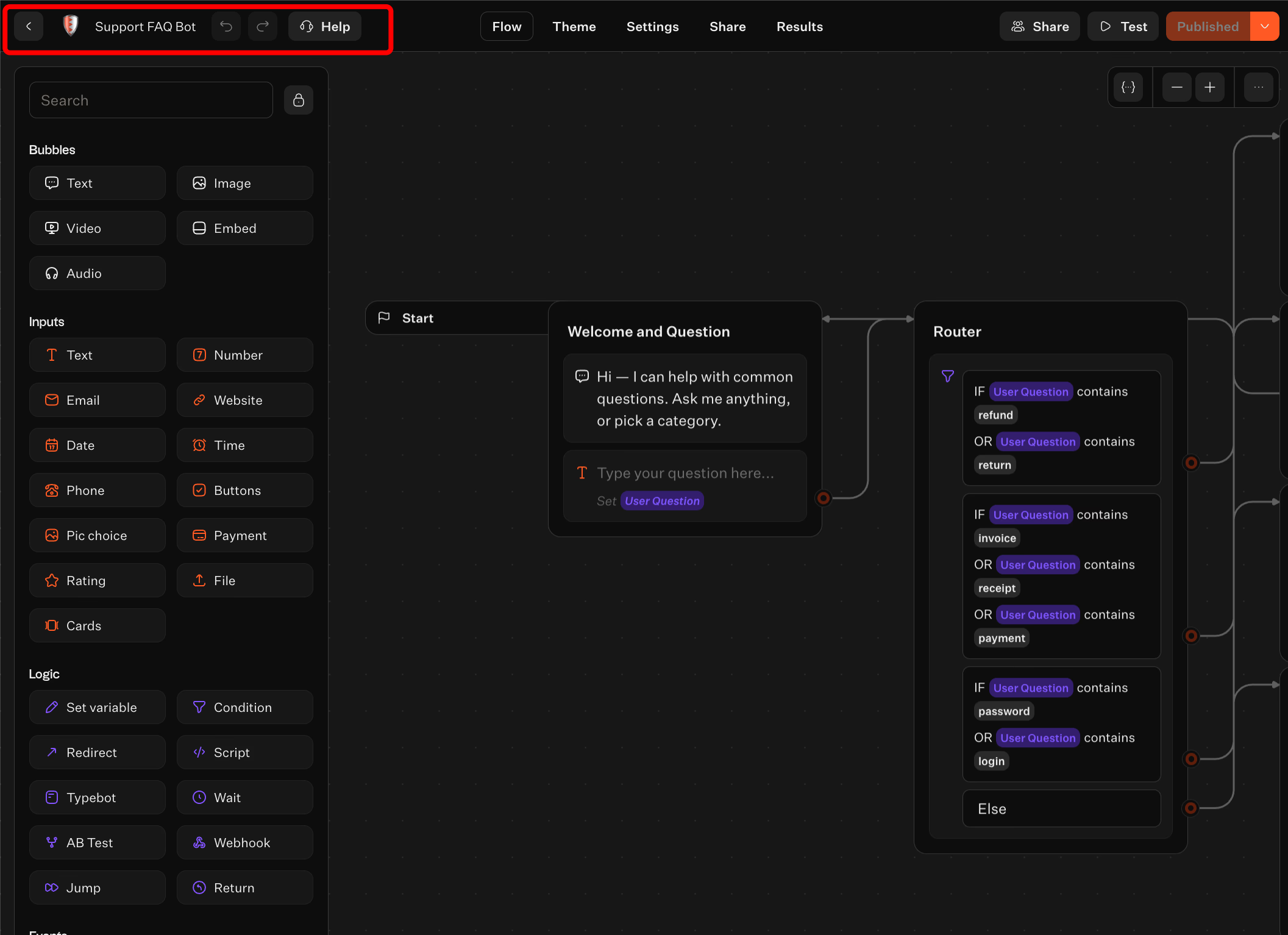
- A top navbar with the bot title plus undo, redo, and help options.
-
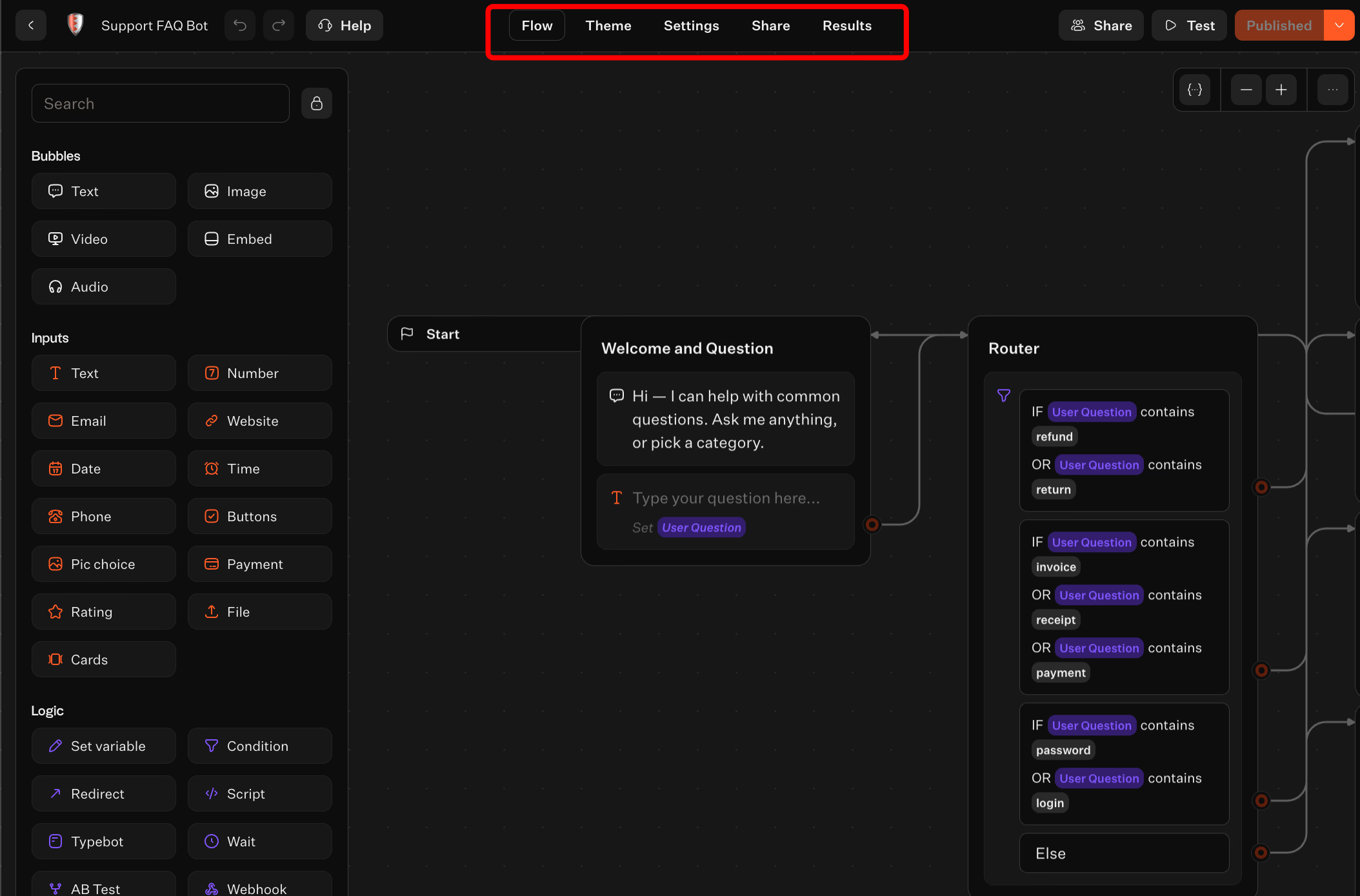
Four main tabs: Flow, Theme, Settings, and Share.
-
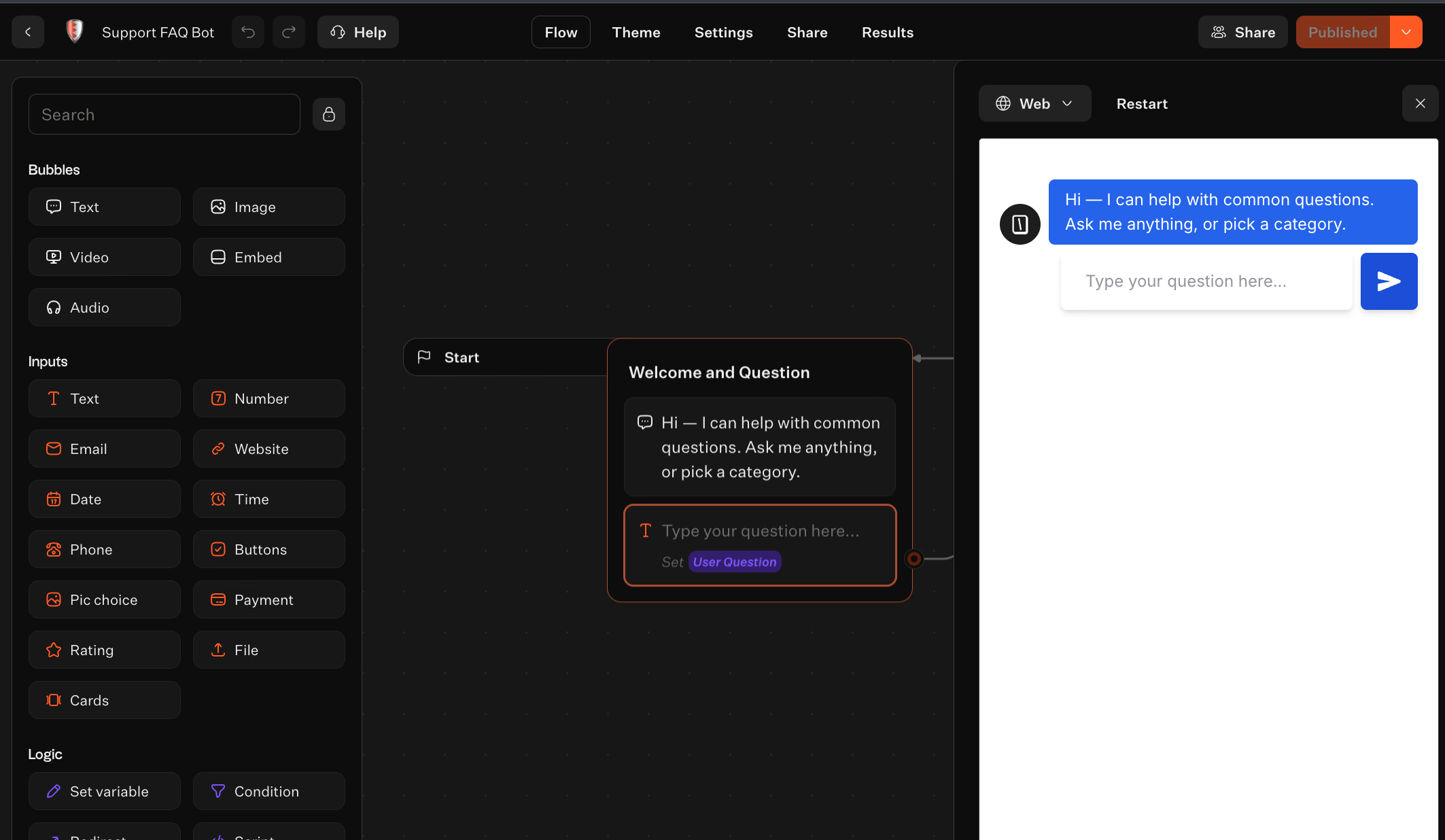
A Test panel to simulate conversations.
- A Publish action for deployment.

This layout supports the iterative nature of conversational lead generation. You will primarily work in Flow and Test, switch to Theme for brand consistency, and use Share to embed or distribute your bot.
Build a high-converting flow structure in Typebot
Strong lead-gen conversations follow a clear structure, even if branches vary.
- Welcome
Start with a bubble that confirms visitors are in the right place and sets the time expectation. For example, a message like “I’ll ask a couple quick questions” lowers perceived effort and boosts conversions.
- Value
Many teams skip this step, but giving value early changes the tone. This value can be:
- Offering options like “demo,” “pricing,” or “use case.”
- Sharing a resource such as a PDF, short video, or embedded page before requesting information.
Typebot supports rich bubbles, including Text, Image, Video, Embed, and Audio, so you can provide value visually and effectively.
- Qualify
Frame qualification as routing. "So I can point you to the right thing…" rather than "Answer these questions." Asking the right lead qualification questions with Buttons, Picture choice, Cards, and quick inputs in Typebot maintains momentum and engagement.
- Capture
Collect identity details like email and phone only after visitors have engaged meaningfully. Place these inputs after a valuable branch to avoid overwhelming users.
- Next step
Visitors want to know what happens next, not just a thanks. Provide clear options like booking a slot, receiving a link, getting an email, or connecting to a human. Typebot lets you embed scheduling or route to sub-flows to ensure smooth transitions.
Build your main “spine” first, then branch where it enhances clarity. Avoid branching just because you can.
The Typebot blocks
Typebot’s building blocks are organized in a left panel and cover most lead generation needs. You will mainly work with these categories:
Bubbles for delivery: use Text, Image, Video, Embed, or Audio bubbles to mix explanations with questions. Keep chats engaging and less like surveys.
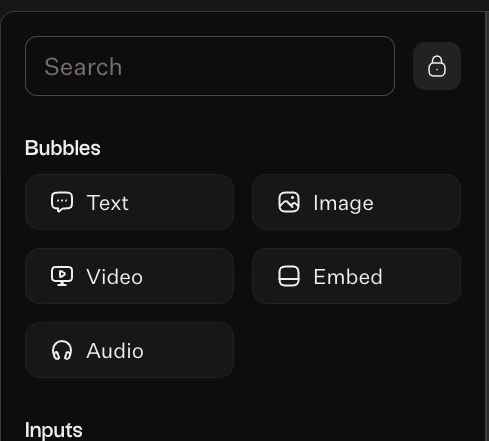
Inputs for collection: collect data with Inputs when the flow involves purchases or bookings.
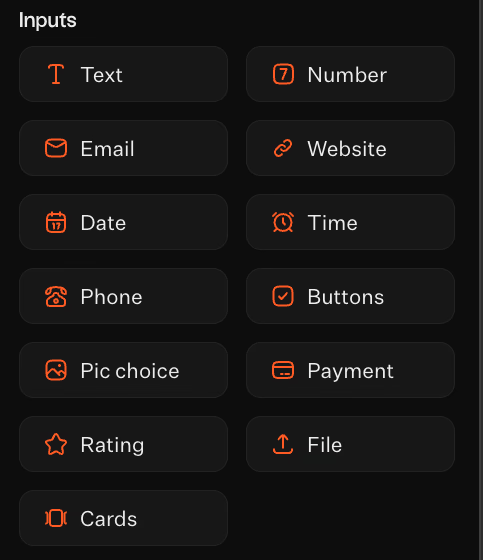
Logic for decisioning: this is where Typebot shows its power:
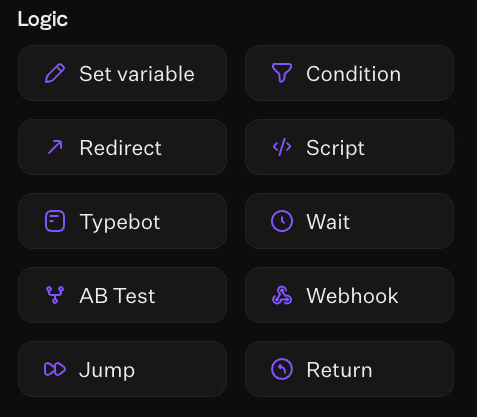
- Set variable to store user responses like intent or company size.
- Condition to route conversations based on variables.
- AB Test different flows or questions.
- Webhook to send lead data immediately elsewhere.
- Jump and Return for clean navigation in complex flows.
- Typebot to link sub-bots, which helps maintain complex funnels.
A common mistake is collecting data without acting on it. Without setting variables and branching, the bot becomes a slower, clunkier form.
Connect Typebot to your CRM and automate follow-up
Typebot integrates with your stack at multiple levels, from simple spreadsheets to full CRM sync and automated workflows. Start with Google Sheets for visibility. Turn every meaningful answer into a variable, then map each to a column.
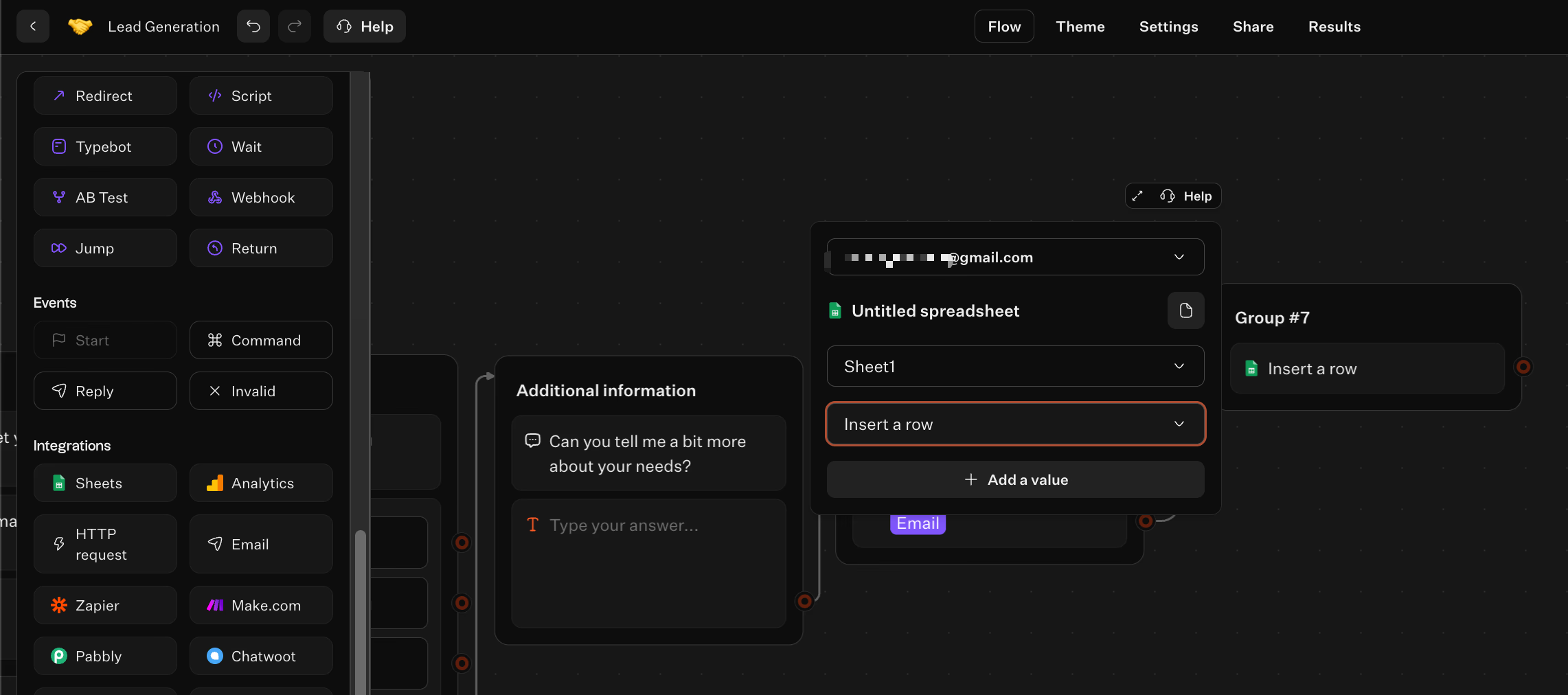
Data pushes in real time, so your sheet becomes a live intake pipeline. Add attribution using hidden fields to capture campaign or source without asking.
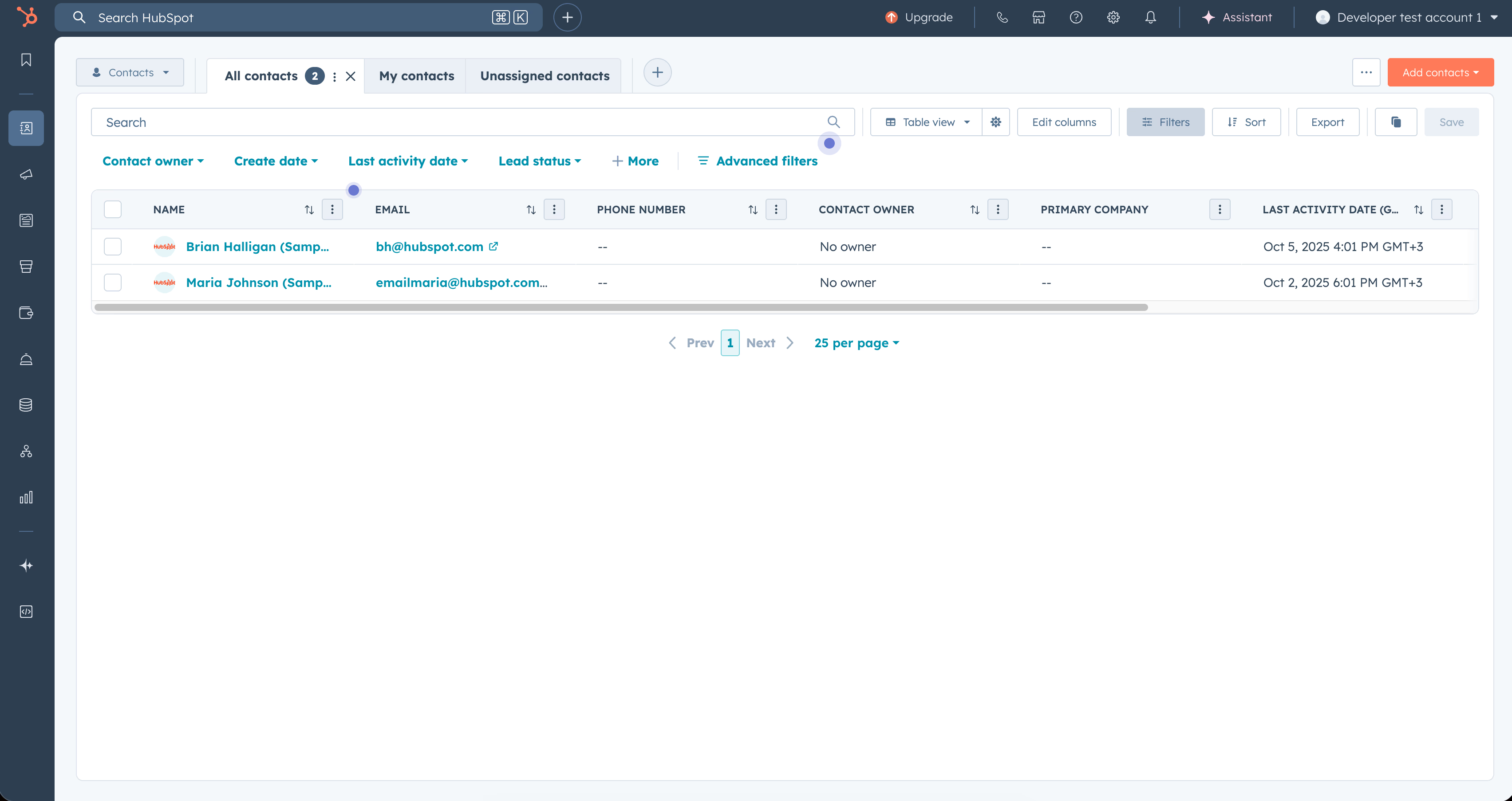
Use webhooks for CRM sync. Typebot's Webhook block sends structured data to your pipeline system when the flow reaches key points. Time your syncs carefully:
- Create contacts once you capture email or phone
- Create deals only when intent is high (demo booked, ICP match)
- Send transcripts only when they add context for sales calls
Trigger different webhooks on different branches so your CRM receives complete, meaningful record. Not partial data from drop-offs.
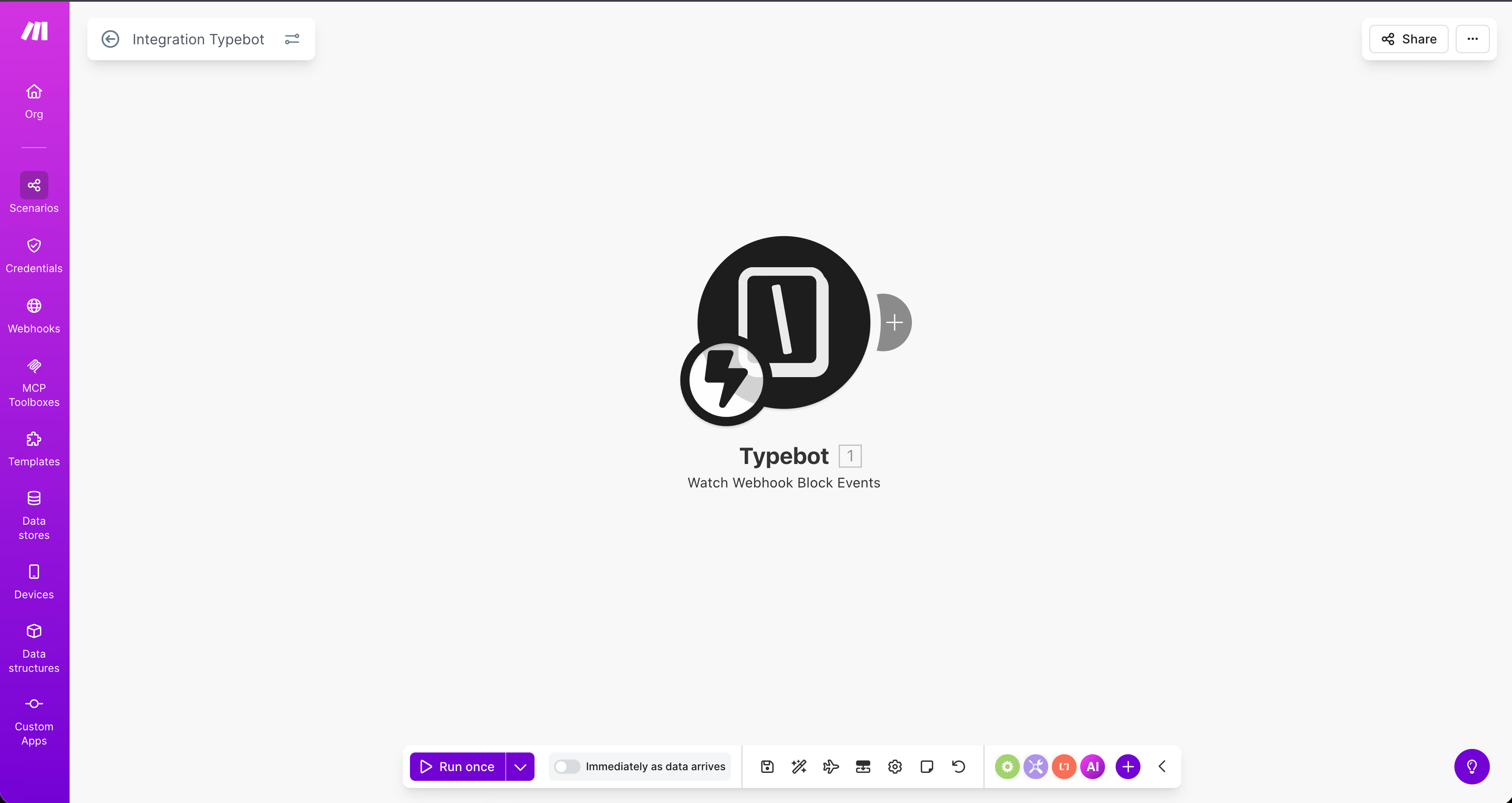
Automate follow-up with Zapier or Make. Connect Typebot to your existing tools without duplicating workflows. A typical flow: Typebot triggers webhook → Zapier/Make creates contact → alerts the right team → enrolls lead in sequences.
Since Typebot supports branching, someone interested in pricing can receive different follow-up than someone researching.
One key tip: treat automation as an assembly line. When you add a qualification question in Typebot, update your Zap or Make mapping the same day.
Google Sheets provide visibility, but CRMs offer workflow continuity. Webhooks usually serve as the bridge between them.
Typebot includes a Webhook block and supports HTTP calls to access APIs. When your flow reaches a clear point. Like “qualified” or “ready for handoff”. You can send structured data to your pipeline management system.
Focus on the timing when sending data:
- Create or update contacts once you capture a reliable identifier, usually an email or phone number.
- Create deals or opportunities only when intent is high, such as booking a demo or meeting your ideal customer profile (ICP).
- Send transcripts only when they add valuable context for sales, support, or onboarding teams. Transcripts without key fields become noise. Those with qualification signals enable a better first call.
Typebot’s visual flow and logic blocks make this process simple. You don’t need to send everything at once. You can trigger different webhooks on different flow branches. This way, the CRM receives complete, meaningful data rather than partial or confusing records.

Integrate Typebot with your favorite tools and watch your workflow thrive.
No trial. Generous free plan.
Use OpenAI integrations for smarter replies and dynamic qualification
Typebot supports AI providers like OpenAI, Anthropic, Mistral AI, Groq, and OpenRouter. AI can be powerful, but only if you control what it does. AI helps in lead generation by:
- Turning messy text into structured signals. For example, AI can summarize a long lead description into an internal note before sending it to your CRM.
- Adaptive probing. AI can ask natural clarifying questions when users give vague answers, avoiding rigid multiple-choice paths.
A practical approach is to use deterministic flows for essential structure and AI for nuance. Rely on Typebot’s blocks and conditions for reliability, and use AI only to improve user experience without changing rules.
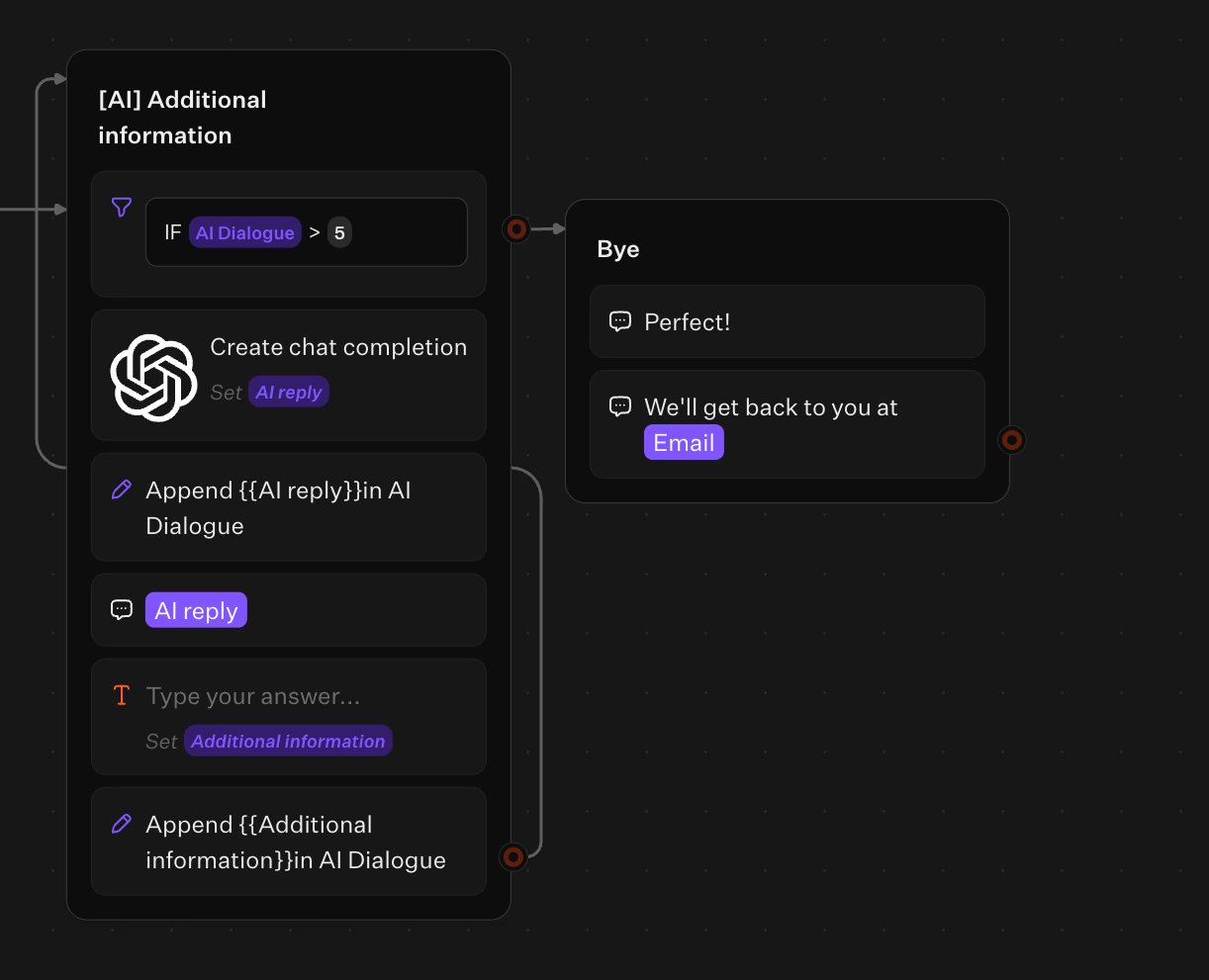
Finally, data is only useful if it goes to the right place. Typebot integrates with analytics tools like Segment, Google Analytics, Meta Pixel, and Posthog.
Deploy across web and messaging channels
Channel choice is a friction decision: where the conversation starts and how much commitment you ask in the first few seconds.
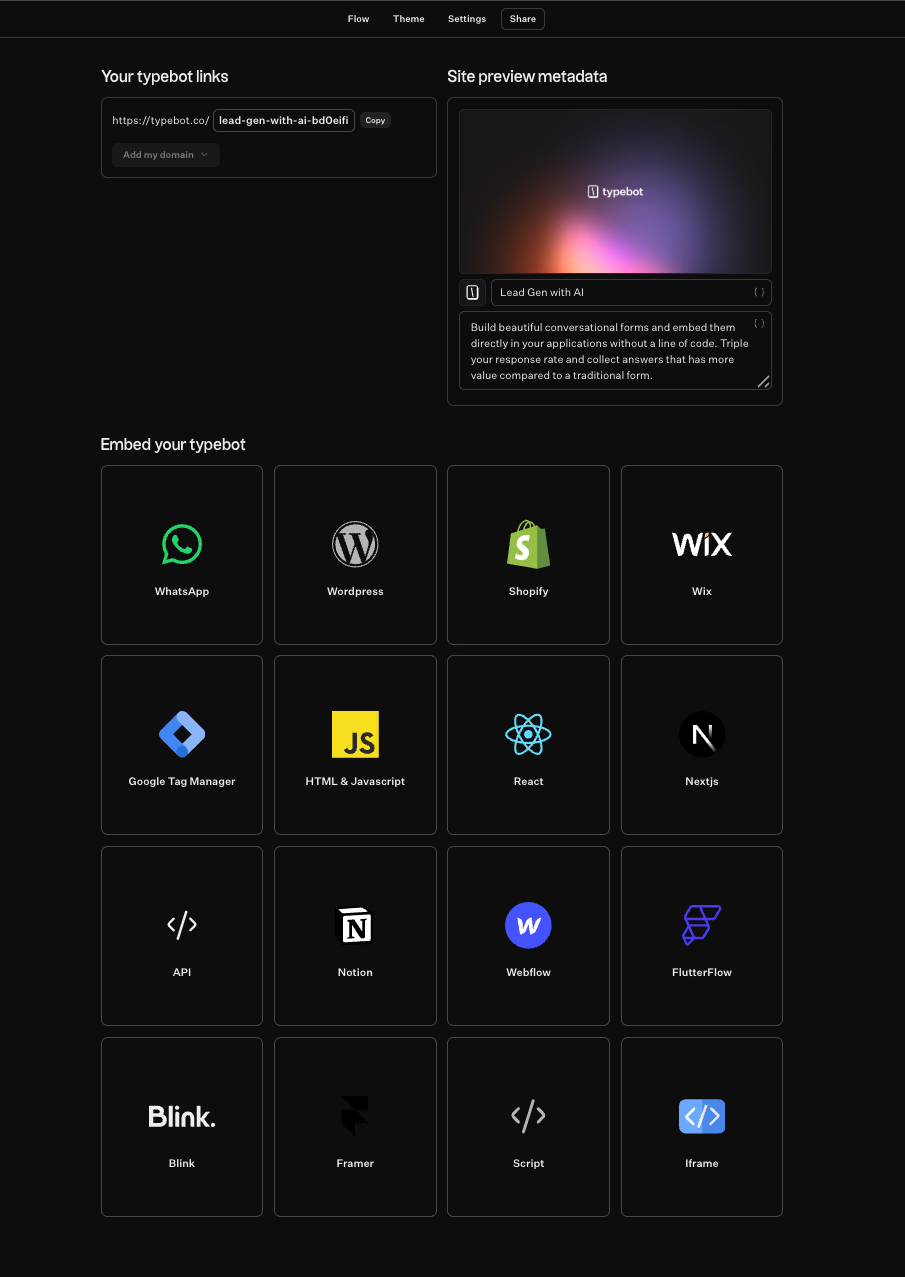
Web deployment options. Typebot offers three modes:
- Standard embed: The bot becomes part of the page layout. Best for landing pages or lead magnet pages where the conversation replaces the form.
- Popup: Appears when triggered. Ideal for exit-intent recovery or campaign prompts.
- Bubble: Sits at the bottom-right, ready when needed. Useful for product sites, docs, or long sales pages.
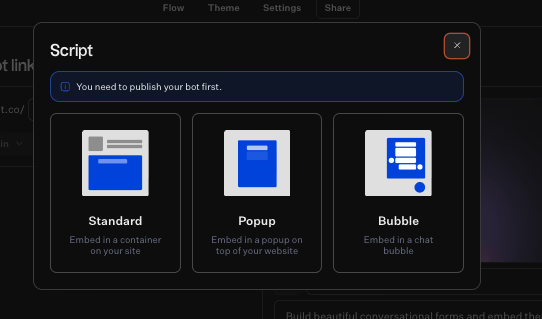
If a page has one goal (booking a demo), embed directly. For pages with many goals, use the bubble as a non-intrusive fallback.
Typebot works with WordPress, Shopify, Wix, Webflow, Framer, Notion, and frameworks like React, Next.js, and Google Tag Manager.
Also, many high-intent conversations begin outside your website. Typebot runs as a WhatsApp chatbot, placing the conversation where leads already communicate. The format suits short, progressive questions with buttons and quick replies, qualifying feels natural, not intrusive.
Reach your audience where they are. Integrate Typebot with WhatsApp for seamless, personalized communication.
No trial. Generous free plan.
Build your first conversational lead generation flow today
Conversational lead generation isn't a trend. It's a fundamental shift in how businesses capture and qualify demand online. Static forms ask for commitment before delivering value. Conversations earn that commitment step by step, question by question.
The data supports this approach: faster response times, higher completion rates, better lead quality, and lower acquisition costs. But the real advantage is experience. Visitors don't feel interrogated—they feel guided. And guided visitors convert.
With Typebot, you don't need developers or complex integrations to start. The visual builder lets you design flows that capture, qualify, and route leads in minutes.
Add conditional logic for smarter qualification. Connect to your CRM or Google Sheets for instant data sync. Deploy on your website, WhatsApp, or inside your product.