 Younès Benallal
Lead Generation Quiz: Why It Works and How to Build One Fast
Many marketers have become predictable. You land on a site, and a static form immediately demands your details in exchange for a newsletter signup or exclusive content. That approach doesn't work very well.
Website visitors want more than a passive exchange. They want something that entertains, educates, or inspires them. A lead generation quiz changes this approach. It is not just a flashy widget. Let's see why.
A lead generation quiz and its purpose
A lead generation quiz is interactive content that asks visitors a series of questions to guide them toward a specific outcome. Instead of a generic pitch, the quiz uses preset paths based on answers to direct each respondent.
The goal is clear. Listen to the visitor's needs or preferences and recommend content or a product as the solution. Whether you sell products or offer consulting, the quiz helps users reach a useful result.
How interactive quizzes differ from traditional static forms
Traditional lead capture asks users to submit their email in exchange for something. This approach is functional but uninspiring. Browse our lead generation form examples to see the difference.
Lead generation quizzes keep potential leads engaged by offering relevant questions. Instead of filling empty fields, users interact with questions related to their situation.
Quizzes work by answering a "burning question" or problem. While static forms collect data, quizzes provide a service. For example:
- An ecommerce quiz offers tailored product recommendations.
- A consultation quiz acts like a symptom checker.
This shift turns the experience from a data request into a helpful conversation. For more inspiration, check out our guide on building an ecommerce chatbot.
Transforming cold traffic into warm leads through value exchange
The key moment in a quiz funnel happens just before you reveal results. This is your value exchange moment. Users invest 2-3 minutes answering questions. By the time they reach the email gate, they're committed. The sunk cost fallacy works in your favor. They want their personalized result.
This step captures the lead for your email list. You also collect rich segmentation data based on their quiz responses.
A travel company can create a quiz called "Find Your Perfect Adventure." Cold visitors exploring vacation ideas become warm leads. They've told you their budget, preferred climate, activity level, and travel style.
Follow-up email isn't generic. It features three specific trips matching their exact preferences. Also, the names in the spreadsheet are pre-qualified prospects who've already revealed:
- Their problem
- Budget range
- Timeline
Your sales team starts conversations knowing exactly what each lead needs.
Strategic benefits of implementing a quiz funnel
Generic "Sign up for our newsletter" boxes don't work anymore. Your audience sees right through predictable marketing tactics.
Traditional static forms create friction. They block entry instead of welcoming visitors. Meanwhile, lead acquisition grows costlier and more time-consuming each year.
A quiz funnel changes everything. It transforms the interaction from demanding data into offering value. You stop collecting emails blindly. Instead, you provide entertainment, education, or solutions in exchange.
This approach builds stronger conversions and attracts higher-quality leads. See real-world chatbot marketing examples that prove this works.
Boost conversion rates with personalized results
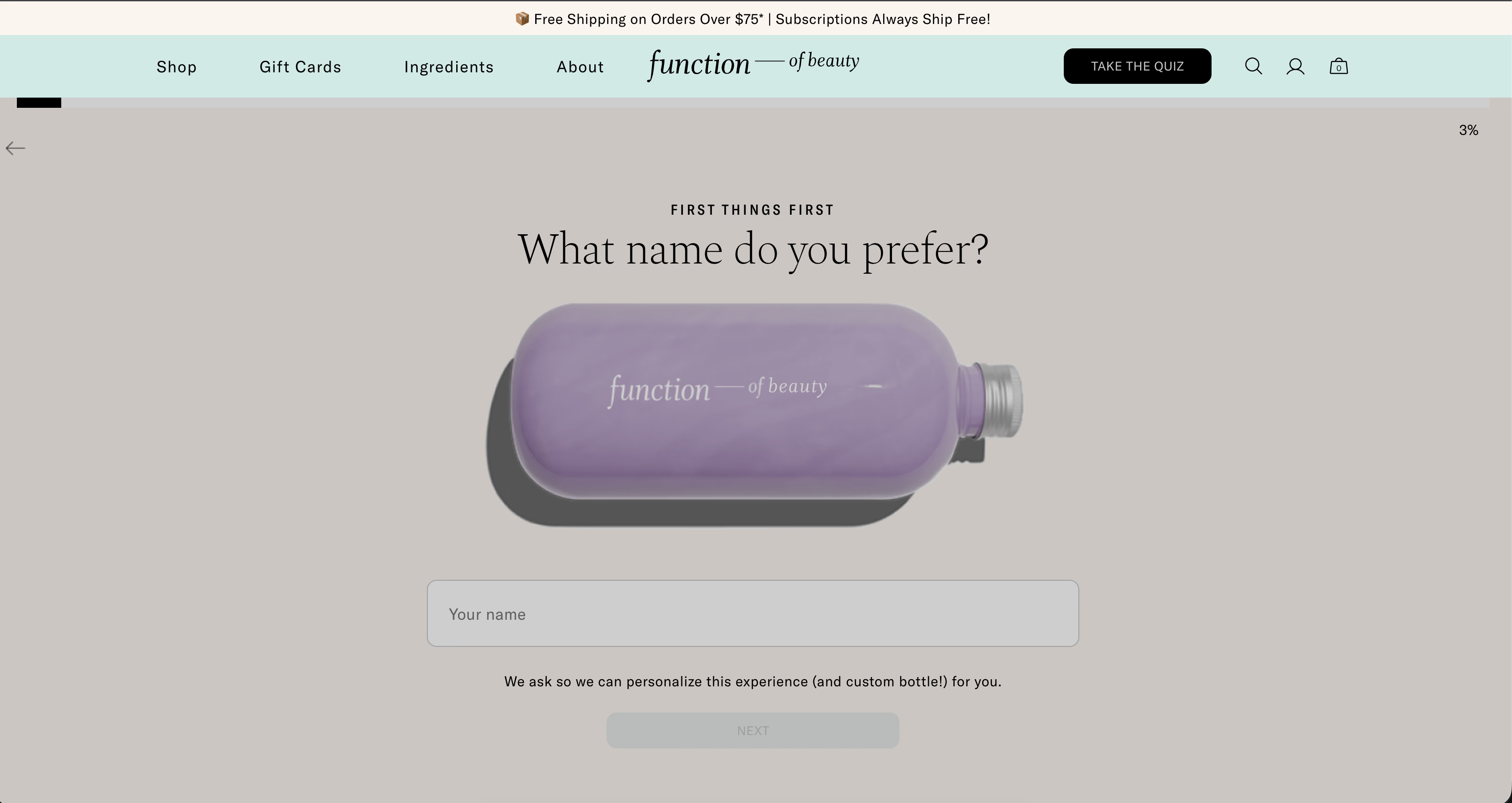
Consider skincare brand Function of Beauty. Their quiz asks about hair type, goals, and fragrance preferences before recommending a custom formula. Instead of browsing 50+ products, users answer 5 questions and receive one perfect match.
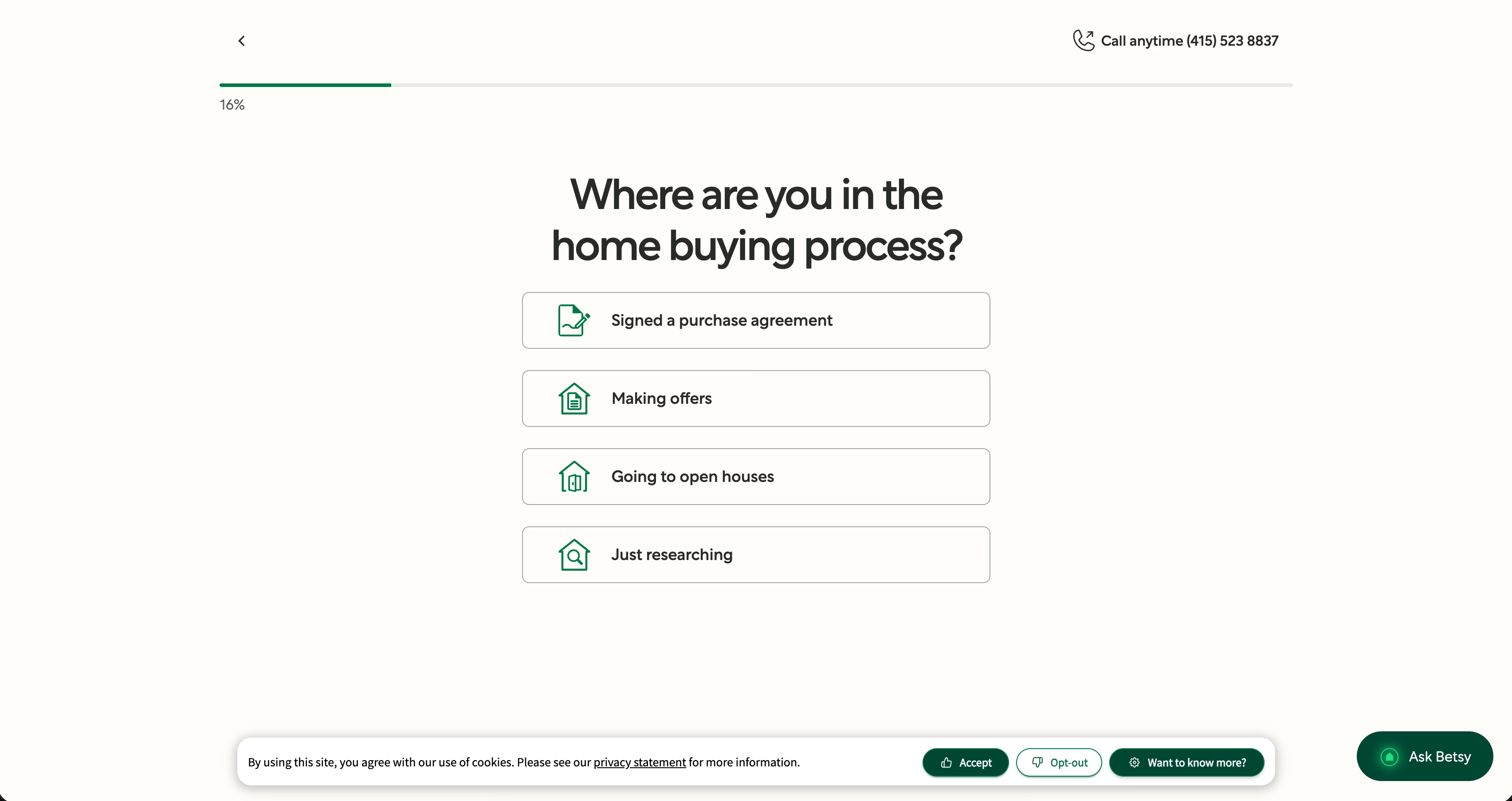
Similarly, mortgage lender Better.com uses a quiz to determine loan eligibility in minutes. Users input their income, credit score range, and property location. The quiz instantly shows personalized rates and monthly payments. It turns complex financial decisions into simple, digestible recommendations.
The result? Higher conversion rates because you're solving problems, not just selling products.
Collect zero-party data to segment your audience effectively
Spongellé, a fragrance company, uses quizzes to ask about scent preferences, fruity vs. floral, bold vs. subtle, morning vs. evening use. Selling perfume online is tricky since users can't smell products. So, this quiz bridges the sensory gap while collecting rich preference data.
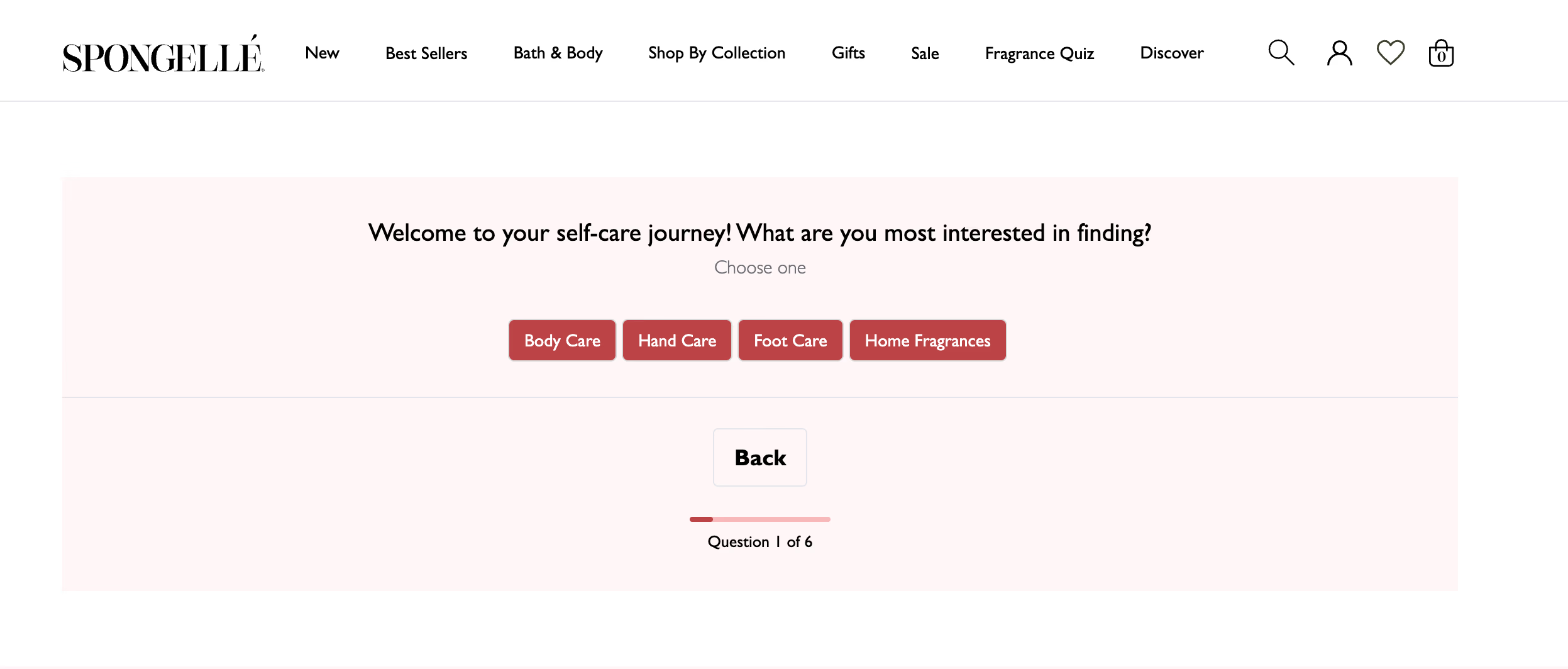
Each response creates a detailed preference profile. In tools like Typebot, this data links directly to their session and syncs with CRMs or spreadsheets.
A user who selected citrus and energizing receives entirely different follow-up emails than someone who chose lavender and relaxing. You skip generic blasts and send targeted campaigns based on actual preferences instead.
Qualify leads automatically using quiz logic and answers
Sales teams often waste time on leads unlikely to purchase. A well-designed quiz acts as an automated gatekeeper, filtering visitors without human effort. With conditional logic, such as "Condition" and "Redirect" blocks in Typebot, quizzes route users based on their responses.
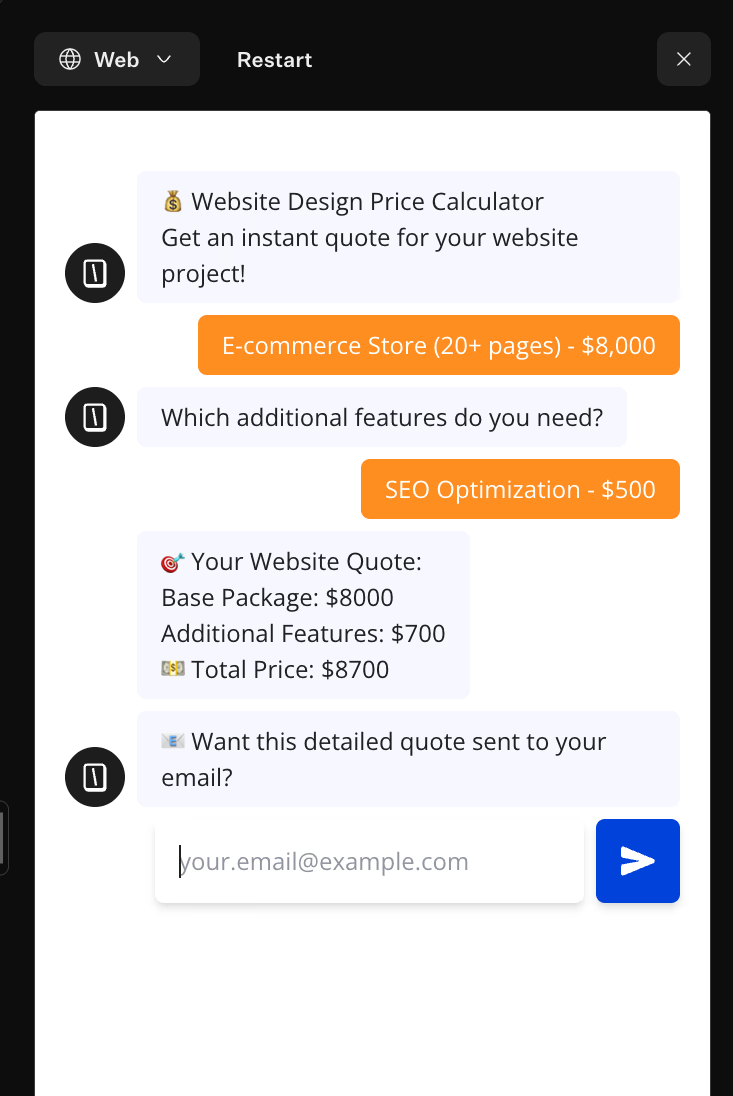
If answers reveal low budgets or mismatched timelines, the quiz can direct users to resources or lower-tier offers. Otherwise, high-value responses trigger alerts for sales teams or links to booking calendars.
This system focuses human effort on pre-qualified leads, saving time and resources. Learn more about the best chatbot for lead generation.
Reduce lead acquisition costs through higher engagement
Attracting visitors to a lead form demands investment in PPC, contests, or partnerships. If visitors encounter a static form and leave, that spend is lost. Increasing landing page engagement lowers your actual cost per lead (CPL).
Quizzes engage users through curiosity and self-reflection. For instance, Pampered Chef’s What is your cooking personality? quiz interests users with a promise of entertainment static text can’t match.
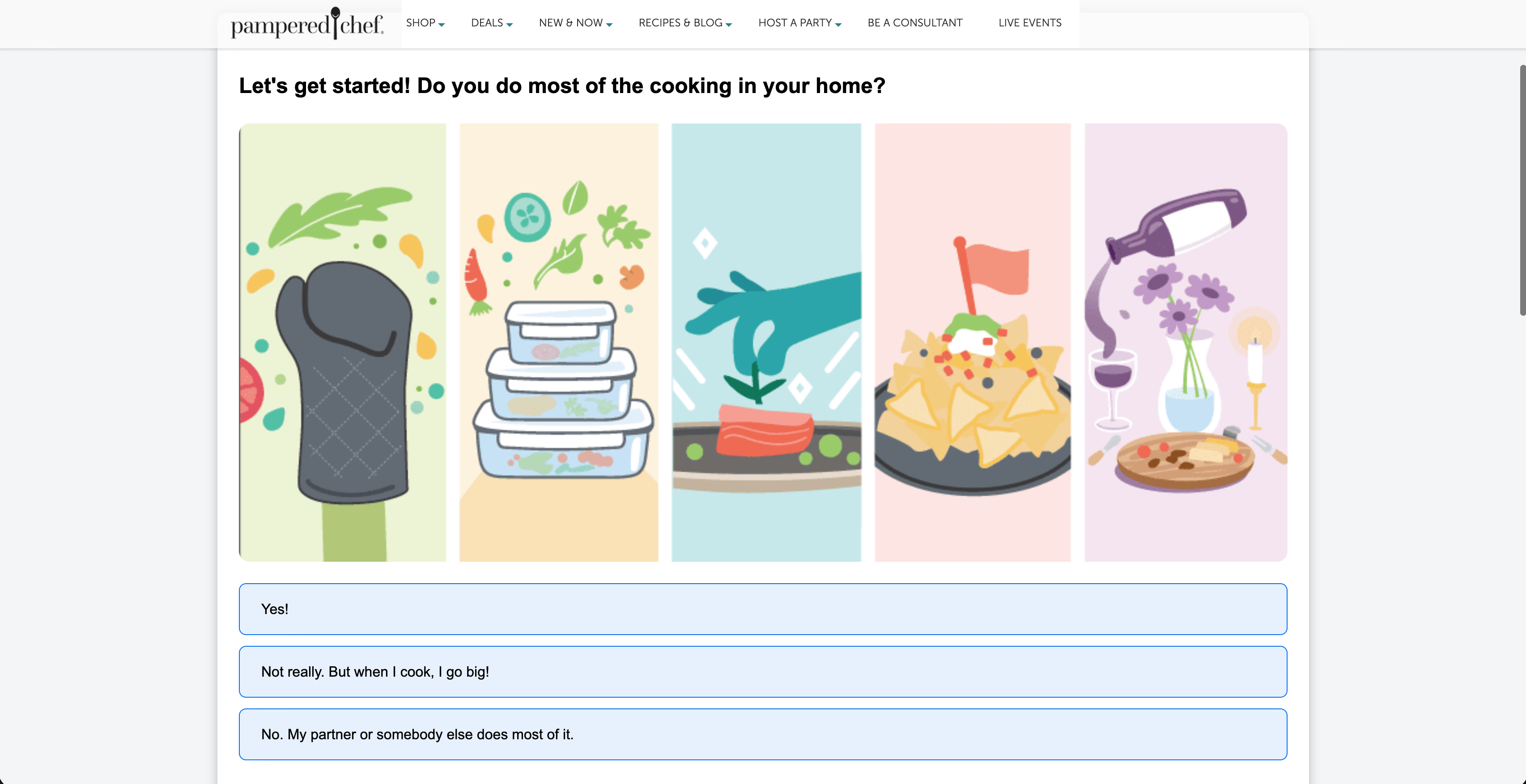
This interaction keeps users on the page longer and lowers resistance to sharing contact details.
Additionally, optimizing quizzes becomes measurable with A/B testing. You can experiment with opening questions, button colors, and result descriptions in Typebot. As with split-testing landing pages, testing quiz elements ensures you extract maximum value from every visitor.
Higher engagement means your ads deliver a better return on investment for the same traffic volume.

Replace outdated forms with engaging, interactive chatbots.
No trial. Generous free plan.
Critical elements of a high-converting lead generation quiz
You can’t just put a few questions together and call it a quiz expecting your conversion rates to rise. That approach rarely works. To turn a casual browser into a dedicated lead, your quiz must blend psychology, strategy, and flawless user experience.
| Element | What to do (short) | Key tip |
|---|---|---|
| Questions | Solve a real user problem, not your intake form. | Keep it simple: ~3 answer choices per question. |
| Logic jumps | Branch based on answers so it feels personalized. | If outcomes feel predictable, people drop. |
| Scoring | Use scoring to suggest next steps, not judge users. | Make users feel understood + segment them. |
| Lead capture | Make the form short, trustworthy, mobile-friendly. | Ask only essentials + clearly state what they get. |
| Results page | Turn results into action: offer, product, or resources. | Link directly to product / booking / email series. |
| A well-designed quiz requires careful planning and attention to detail. |
Crafting engaging questions that solve a specific problem
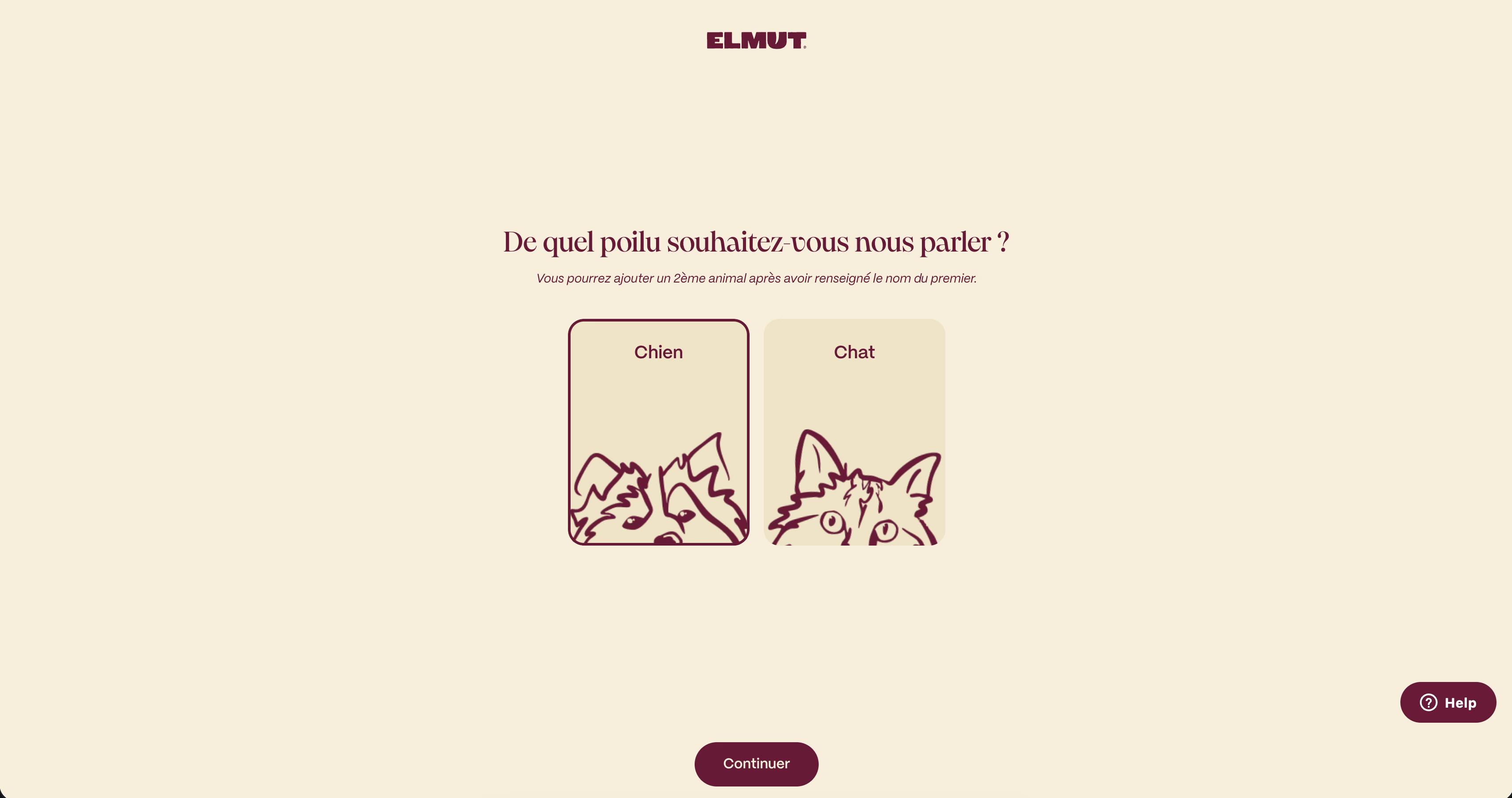
Elmut's pet food quiz shows how to transform product selection into consultation. Instead of asking budget they start with "What type of pet do you have?" Then they progress to age, breed, and activity level. Each question feels helpful, not intrusive.
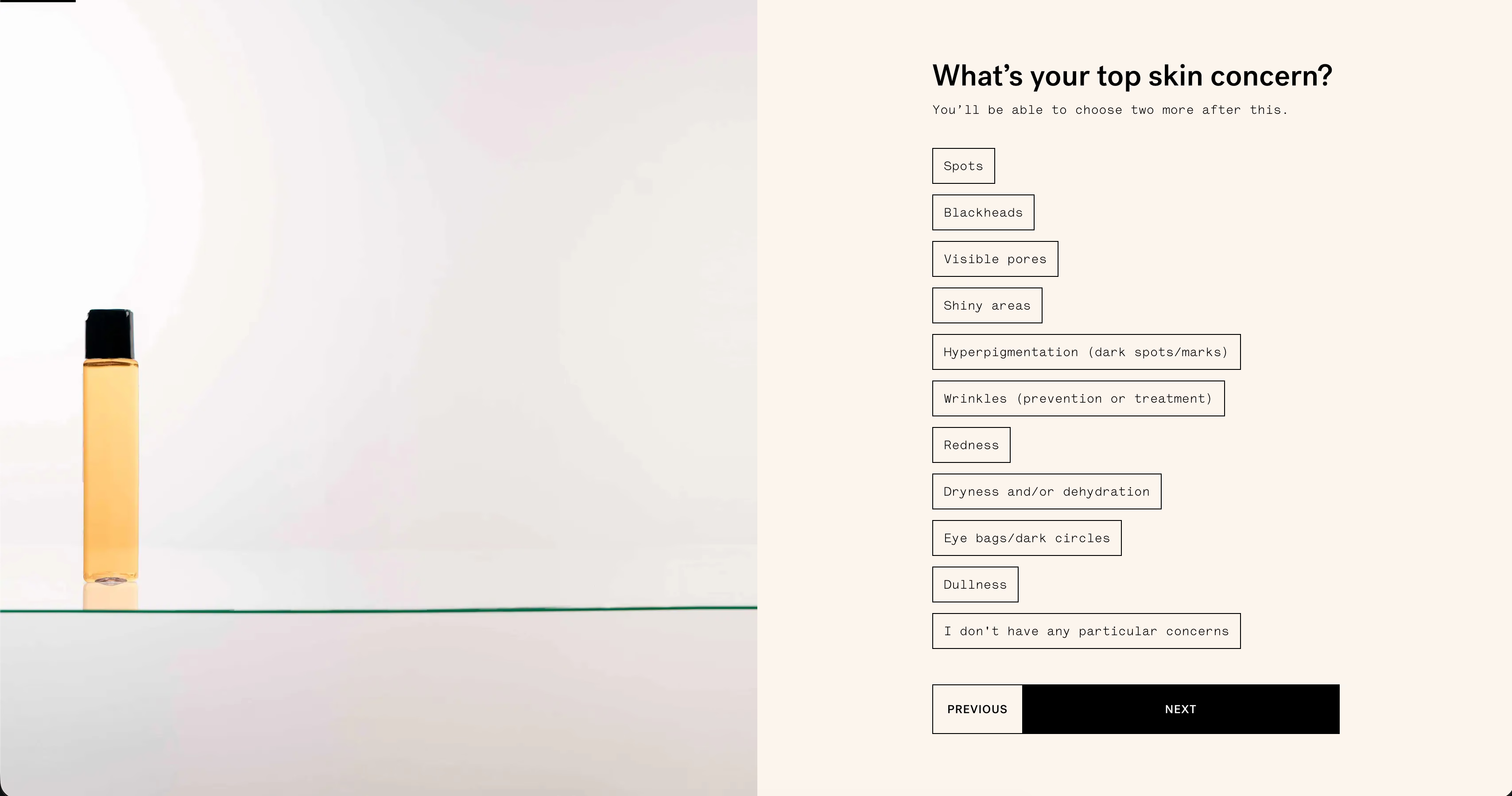
Similarly, Typology Paris uses a 7-step skin diagnostic that asks about lifestyle and environment, not just skin type. Questions feel like a professional consultation rather than data extraction.
Your questions should be entertaining and informative. Simple is better. Limit each question to three answer choices to maintain momentum and keep users engaged.
Using logic jumps to create a personalized user journey
If users can predict the quiz outcome by the third question, you lose their interest. Too-simple logic fails to provide new insights and decreases engagement.
Logic jumps guide users to new insights based on their answers, creating a personalized and seamless experience. Tools like Typebot can help you visualize and build these branching paths behind the scenes.
Implementing scoring systems to categorize respondents accurately
Precision Fuel & Hydration targets athletes with sport-specific questions. Instead of "Beginner/Advanced" labels, they ask about training habits and race distances. The scoring feels diagnostic, not judgmental.
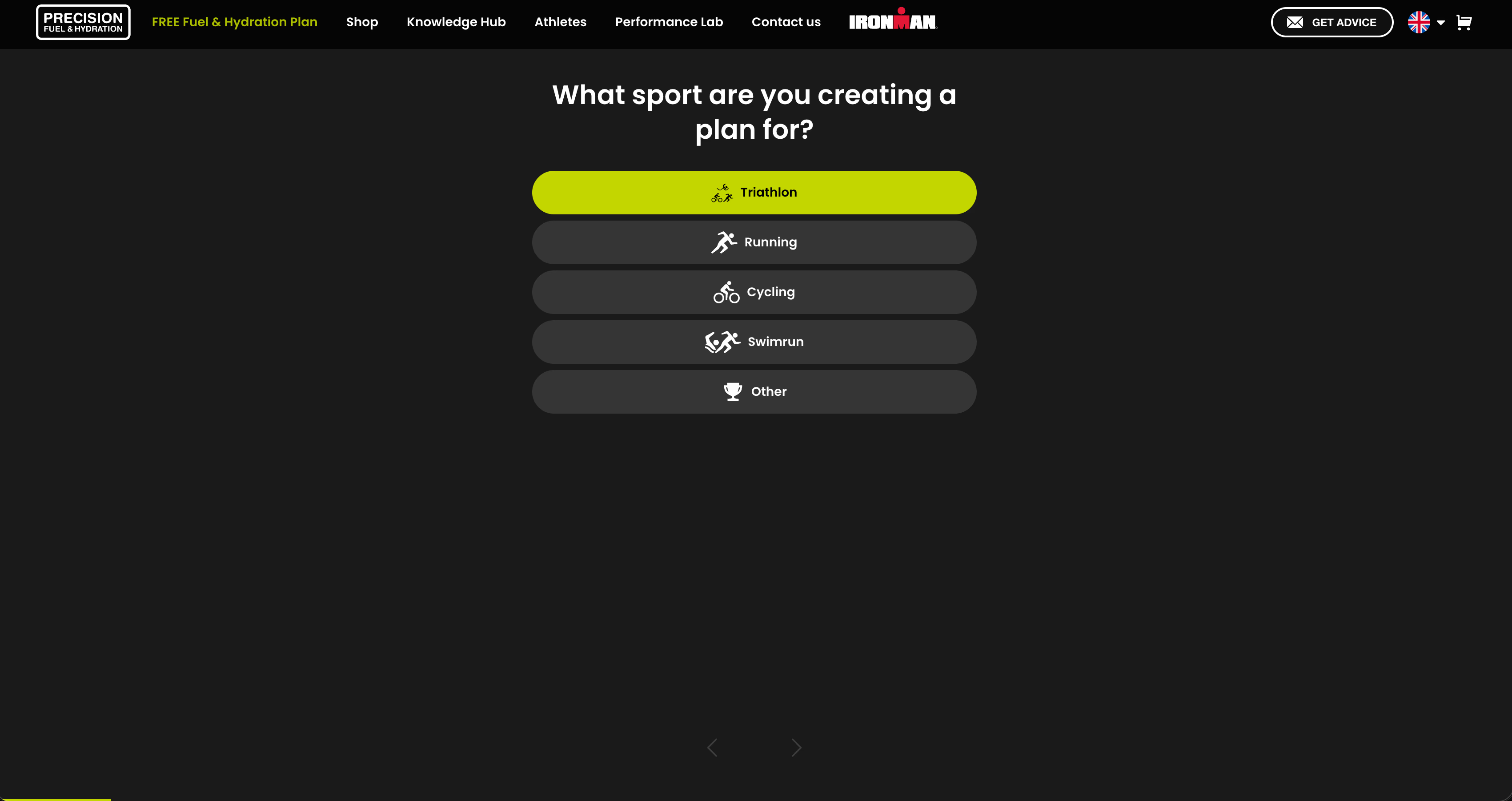
Your scoring must make users feel understood while gathering valuable segmentation data for future use.
Optimizing the lead capture form before revealing results
Unbounce uses a clever "preview and blur" technique for their Conversion Benchmark Report. They show a portion of the valuable content and blur the rest, creating curiosity. Their form only asks for business-critical fields. Name, company type, company name, and business size.
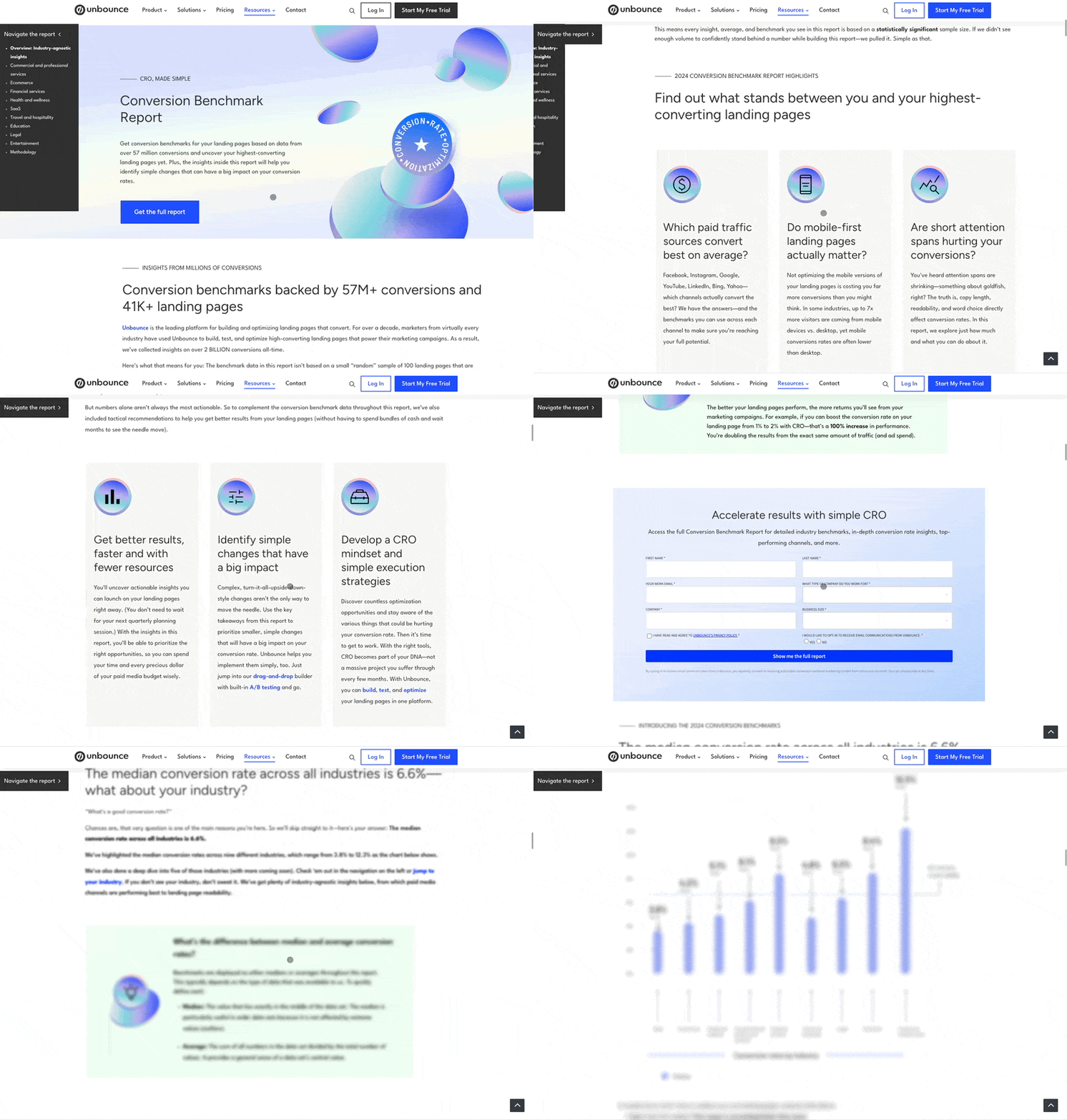
- Limit form fields: Ask only for essential information to keep forms short.
- Highlight value: Use the headline to emphasize what users will get, like a personalized recommendation or a discount.
- Ensure mobile optimization: The form should display clearly on mobile devices. Include enough white space and a bright, contrasting call-to-action button.
Sometimes, removing the lead capture before showing the result, as seen in Hims’ haircut quiz, works well. But usually, the perceived value of the result must outweigh the cost of entering an email.
Designing a results page that leads directly to sales or resources
The results page starts your sales process. A weak follow-up can waste the attention your quiz earned.
Your results page should:
- Build trust through clear communication,
- Connect logically to your offer,
- Guide users smoothly toward purchase or action.
Effective conversion copy highlights the user's problem and presents a precise solution, leading directly to revenue. Provide a direct link to:
- A product
- A booking calendar
- An automated email series
This maintains momentum from quiz result to sale.
How to build a lead generation quiz with Typebot
You understand the psychology and see the strategic value. You want to move beyond static forms that convert at a low 1-3% rate. Now it's time to build the quiz engine.
https://app.typebot.io/typebots/f9ru9wbnoga6l3cmxjwfb81j/edit
Designing a high-performance quiz requires mapping a conversation, not coding. Typebot's drag-and-drop editor lets you visually design these interactions without complex development. It's one reason Typebot ranks among the best chatbot builder options available.
Choose your deployment format:
- Embedded container
- Full-page quiz
- Popup triggered at the right moment
Build any format using the same intuitive editor.
Setting up your flow using the visual drag-and-drop editor
When you open the Typebot editor, you face a blank canvas for logic, not code. The interface divides into clear tabs. Flow, Theme, Settings, and Share. Your work starts in the Flow tab, which is your command center.
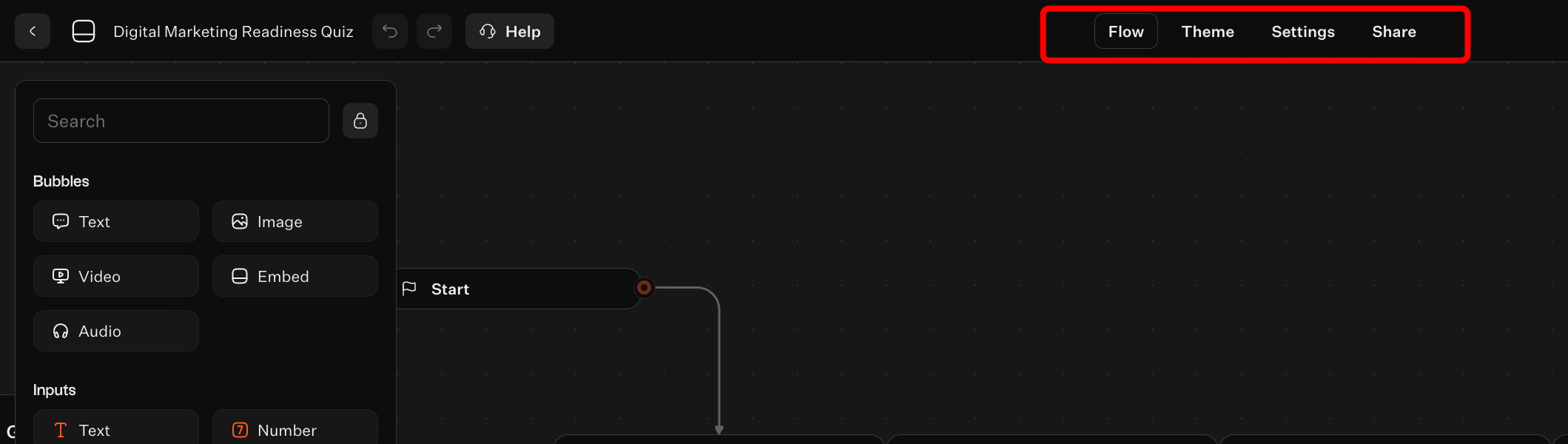
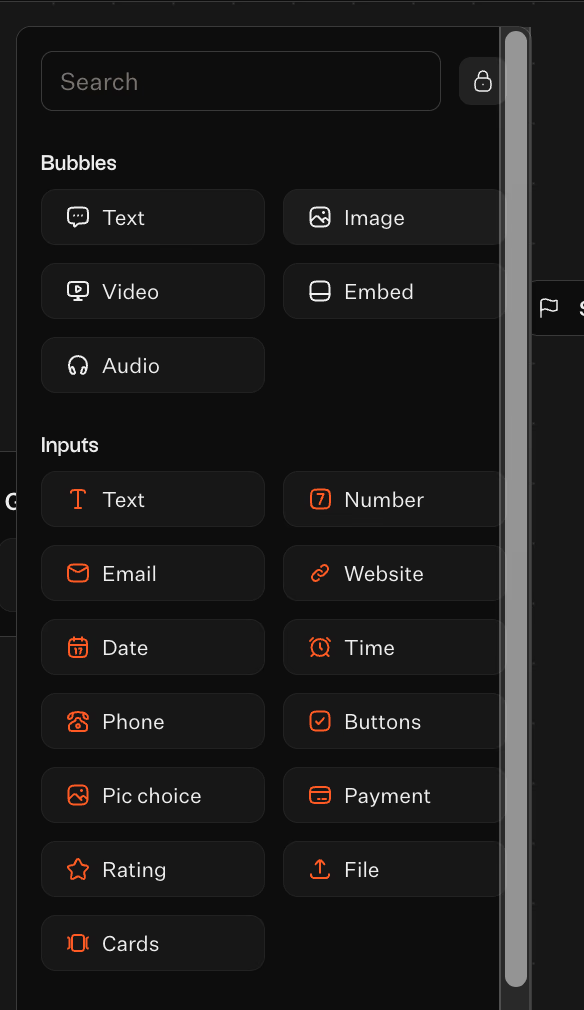
The process uses simple dragging of blocks from the left panel onto the canvas to arrange a sequence. You see exactly how users move from one point to another. Instead of coding, you sketch a decision tree.
You can organize complex branches by linking blocks, making the entire user journey visible at a glance. Mistakes are easy to fix with undo/redo controls, allowing quick iterations without worry.
Adding interactive building blocks like text bubbles and buttons
Engagement drops when users see only text inputs. Typebot uses Bubbles and Inputs to gamify data collection. Instead of typing preferences, users pick visual options with Pic choice or Buttons inputs. They might select a skin type or business goal with a single tap.
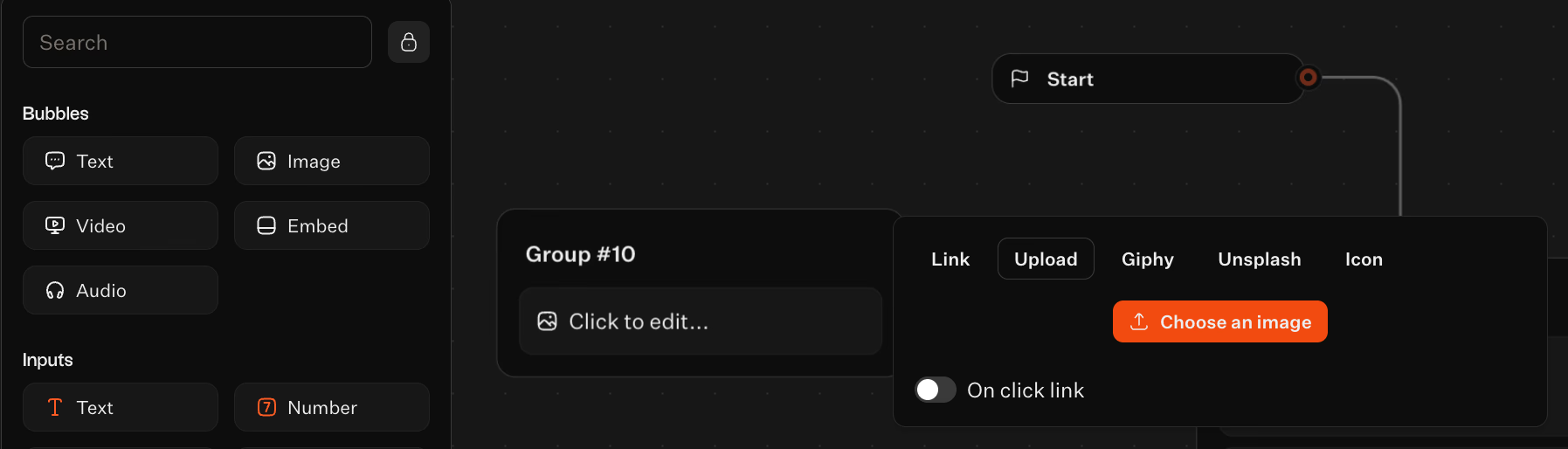
You can enhance these inputs with rich media. The Bubbles category supports Text, Images, Videos, or Audio clips to clarify questions or add personality. For example, add a quick video explaining why you need certain details, instead of dry text.
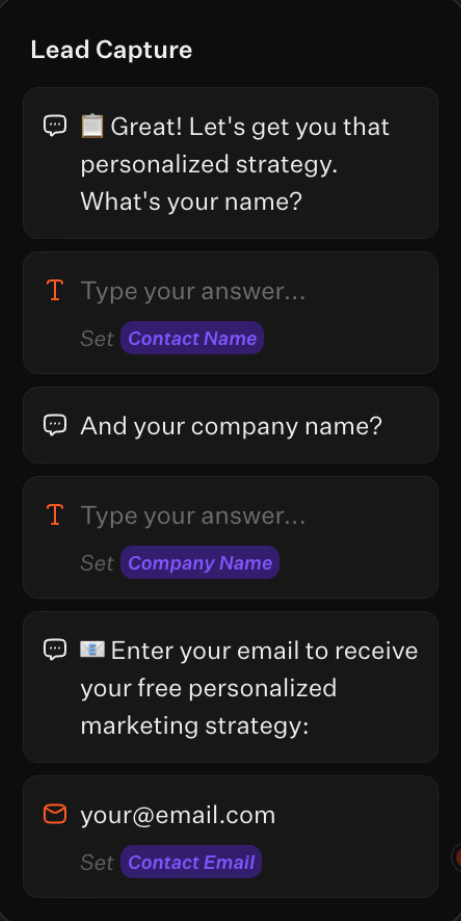
For contact info, dedicated input blocks for Email, Phone, and Website ensure correct formatting before users move on. This paced, one-interaction-at-a-time approach keeps users focused and reduces cognitive load, improving conversion rates.
Configuring conditional logic to route users based on answers
A smart quiz responds to user answers. If all users see the same questions regardless of responses, it feels like interrogation, not conversation.
The Condition block creates branches based on answers. For example, if the user chooses "E-commerce," you can ask about Shopify or WooCommerce. Selecting "SaaS" leads to questions about churn and MRR.
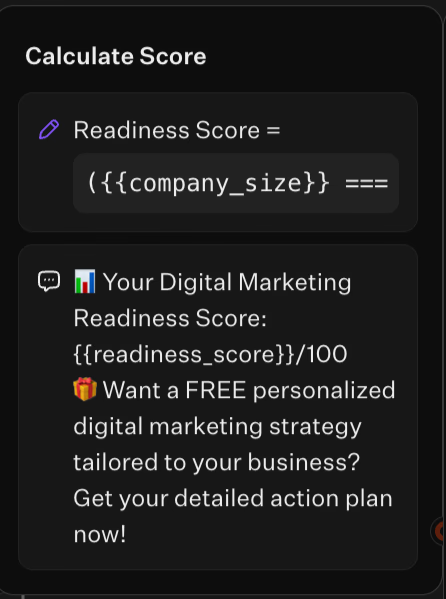
Use Set variable logic to save answers like name or budget and recall them later for personalized messages. This supports the "Jump" command, skipping irrelevant questions to keep the quiz focused and relevant to each user.
Integrating with your CRM or Google Sheets to store lead data
Data collection is pointless if it stays trapped in your quiz builder. Speed matters—you want leads in your system right away. Typebot offers native integrations in the logic panel.
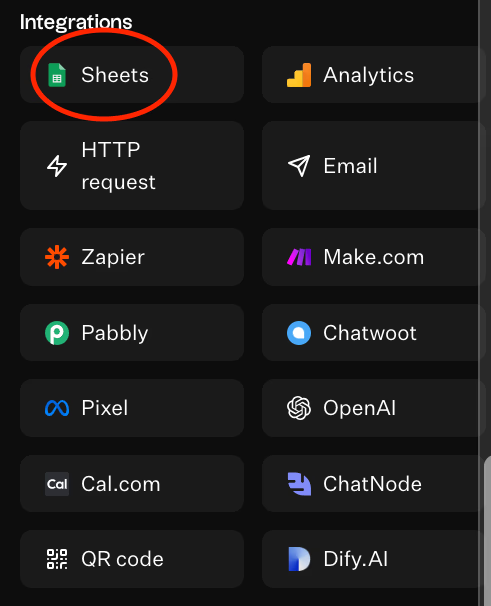
Many businesses start with Google Sheets or Airtable. Configure a block to add a row to your spreadsheet as soon as a user finishes the quiz. This creates a real-time lead database without requiring any coding.
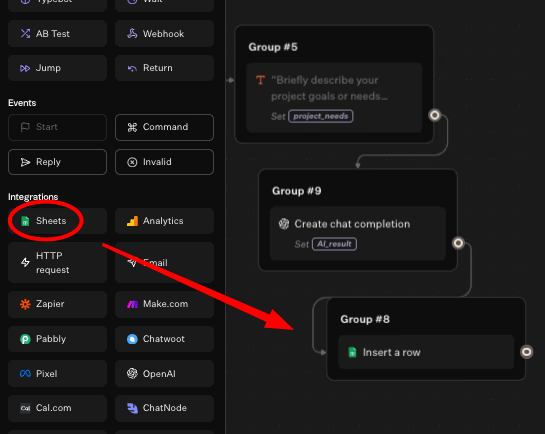
For advanced needs, use Webhooks or connect with automation tools like Zapier and Make. This sends data directly to your CRM (HubSpot or Salesforce)
You can also execute HTTP calls to interact with any API. This triggers backend actions like creating accounts or calculating quotes instantly.
Integration for AI-generated personalized feedback
This feature turns a simple quiz into a recommendation engine. Typebot supports integration with leading AI models:
- OpenAI
- Anthropic
- Mistral AI
Instead of writing multiple static result pages, send collected user answers into an AI prompt. The AI analyzes inputs like fitness goals, dietary restrictions, or current weight.
It then generates a unique, personalized paragraph of advice or product recommendations in real time. You can also train chatbot on your own data for even more tailored responses.
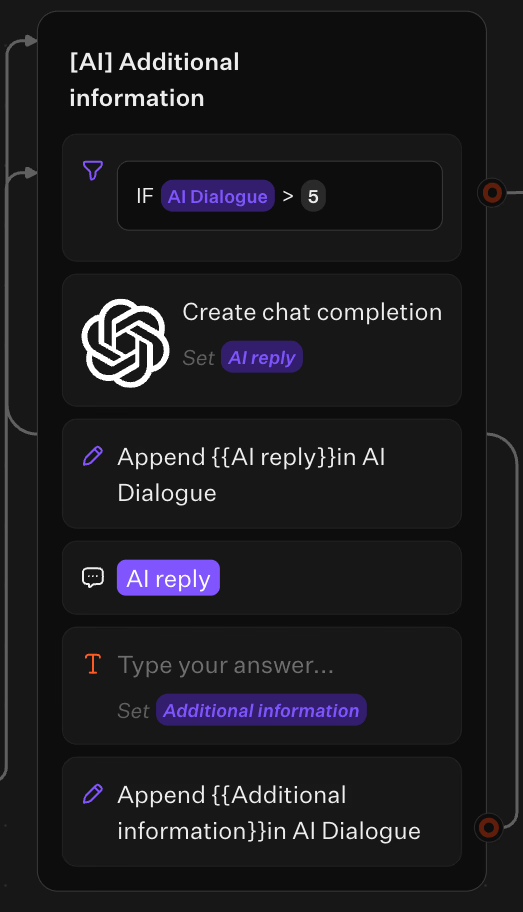
You no longer need developers to create this level of personalization. Simply drag an AI block into your flow and configure the prompt. The AI delivers personalized value that encourages leads to convert.
Final words
A lead generation quiz does what static forms cannot. It engages visitors, delivers personalized value, and captures qualified leads in one seamless experience. You now have the strategy, the critical elements, and the step-by-step process to build your own high-converting quiz.
Start simple. Create a quiz that solves one specific problem for your audience. Add conditional logic to personalize the journey. Connect your CRM to capture leads instantly. Then use AI-powered feedback to deliver results that feel custom-made for each user.
The businesses that win at lead generation are the ones that stop asking for attention and start earning it. Your quiz is that first value exchange—make it count.
Enhance your chatbot's capabilities with advanced AI from OpenAI and Anthropic.
No trial. Generous free plan.