
If you use WhatsApp only for customer support, you lose potential revenue. Over 3 billion users interact on the platform every month. 83% of these users open the app daily, spending about 34 minutes per session reading, scrolling, and replying. This audience is active and comfortable using chat.
However, many growth teams still rely on outdated methods like static landing pages and slow email sequences to acquire new leads.
Turning casual chats into qualified sales pipelines requires a new approach. You need to stop thinking about static lead capture and focus on driving real-time conversational engagement.
Comparing open rates and response times with traditional email
Traditional email funnels struggle with a harsh reality: 68% of web forms get abandoned, and even when prospects submit their details, only 20-25% open your follow-up email, usually 24 to 48 hours later.
WhatsApp changes the game completely. Messages achieve 98% open rates with response rates between 45-60%, and the average response time drops to under 5 minutes. More importantly, you can handle the entire customer journey (qualification, nurturing, and conversion) inside a single chat window without forcing users to switch platforms.
Whether you're a SaaS company scheduling demos, an ecommerce brand recovering abandoned carts, or a real estate agent sharing property listings, WhatsApp lets you engage prospects when their intent is strongest. To handle this at scale, automation is essential. Let's explore proven strategies to generate leads on WhatsApp effectively.
Proven strategies to generate leads on WhatsApp effectively
Click-to-WhatsApp ads on Facebook and Instagram start a direct chat the moment users tap them, turning passive scrollers into real-time conversations. When Pediasure Indonesia switched to this approach, they cut their cost per lead by 64%.
Instead of hoping users fill out forms, you capture their phone numbers the second they send a message. Here are four strategies to maximize your WhatsApp lead generation:
1. Placing QR codes and swipe-up links to capture offline and organic traffic
To maximize lead capture, combine your physical presence with your digital strategy. Placing scannable QR codes on event displays, product packaging, or printed receipts creates an easy path from offline to online. When a prospect scans a code in your store, they quickly enter a customized chat flow on their phone.
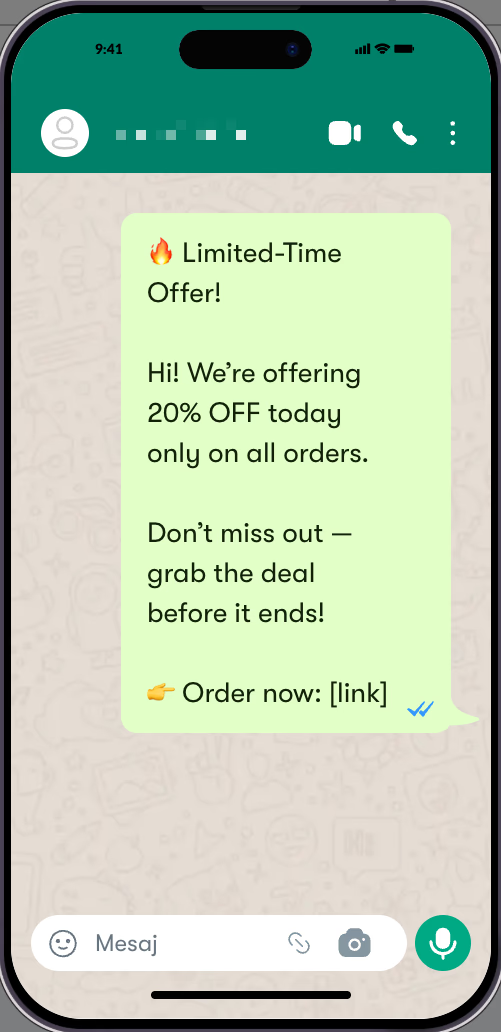
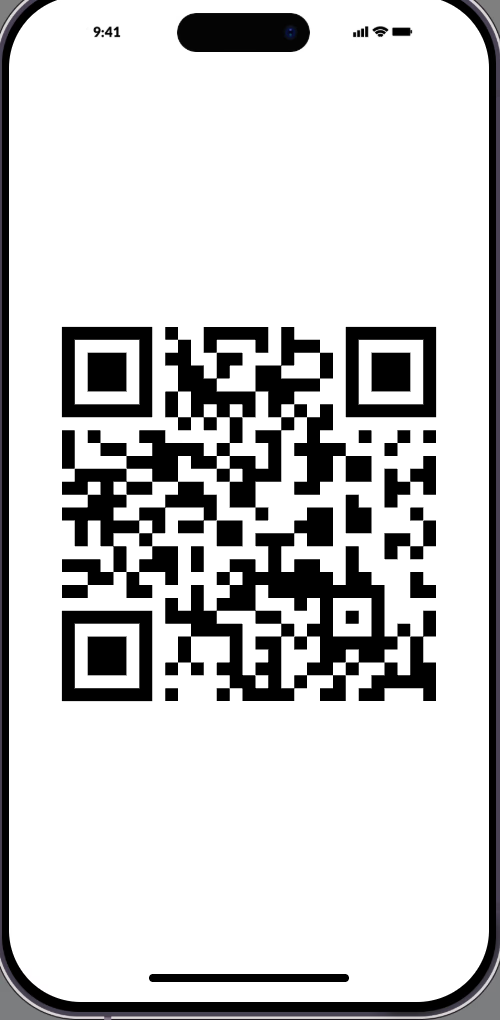
For organic online traffic, wa.me links work just as well. Adding swipe-up chat links in Instagram Stories or blog posts moves interested users directly into two-way WhatsApp messaging.
These leads already show curiosity. Giving them a one-tap way into your WhatsApp funnel removes all barriers to entry.
2. Automating the process
Speed drives conversion. If a lead waits more than five minutes for a WhatsApp reply, their buying intent fades. Automated 24/7 chatbots capture and qualify prospects instantly, regardless of time zones or staff levels. These bots handle 70% to 80% of routine questions without humans.
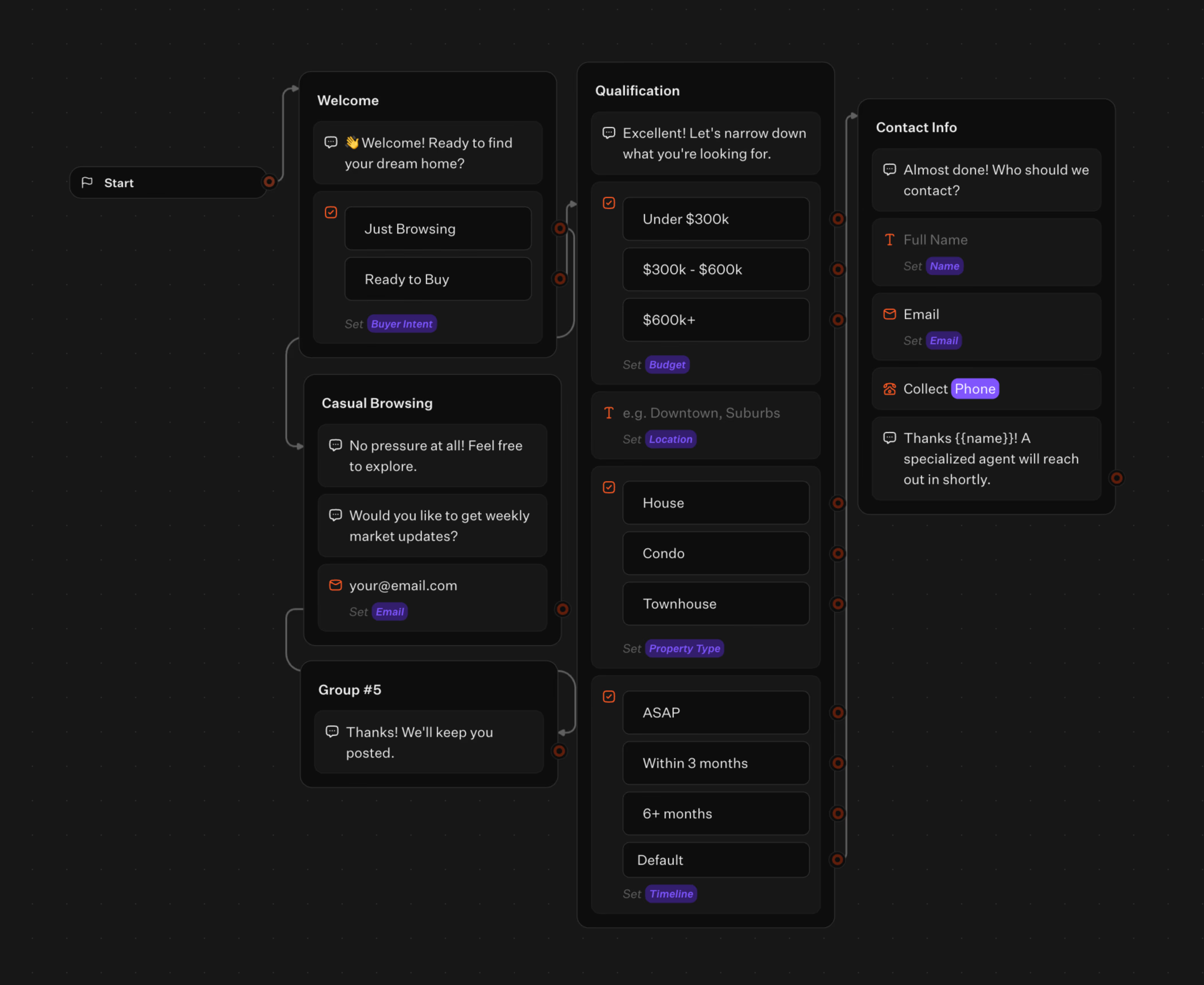
You don’t need developers to build these chatbots. Tools like Typebot offer drag-and-drop editors for creating WhatsApp flows quickly.
Typebot saves responses automatically. It triggers advanced logic to tailor the conversation. For example:
- Prospects with low budgets receive self-serve documentation.
- High-intent leads get their data securely captured and an alert triggers a live agent to take over.
Want to learn the technical setup? Create a WhatsApp chatbot from scratch with step-by-step guidance.
3. Sending promotional broadcasts using specialized tools like Brevo or Wati
While Typebot handles inbound chat and lead qualification, mass outbound marketing needs a different tool. Use WhatsApp broadcast platforms to reactivate dormant leads. Tools like Brevo and Wati specialize in this. For a deeper comparison, check out our guide on the best WhatsApp automation tool:
- Wati costs $49 to $99 monthly and lets teams send targeted, rich-media campaigns using Meta-approved message templates.
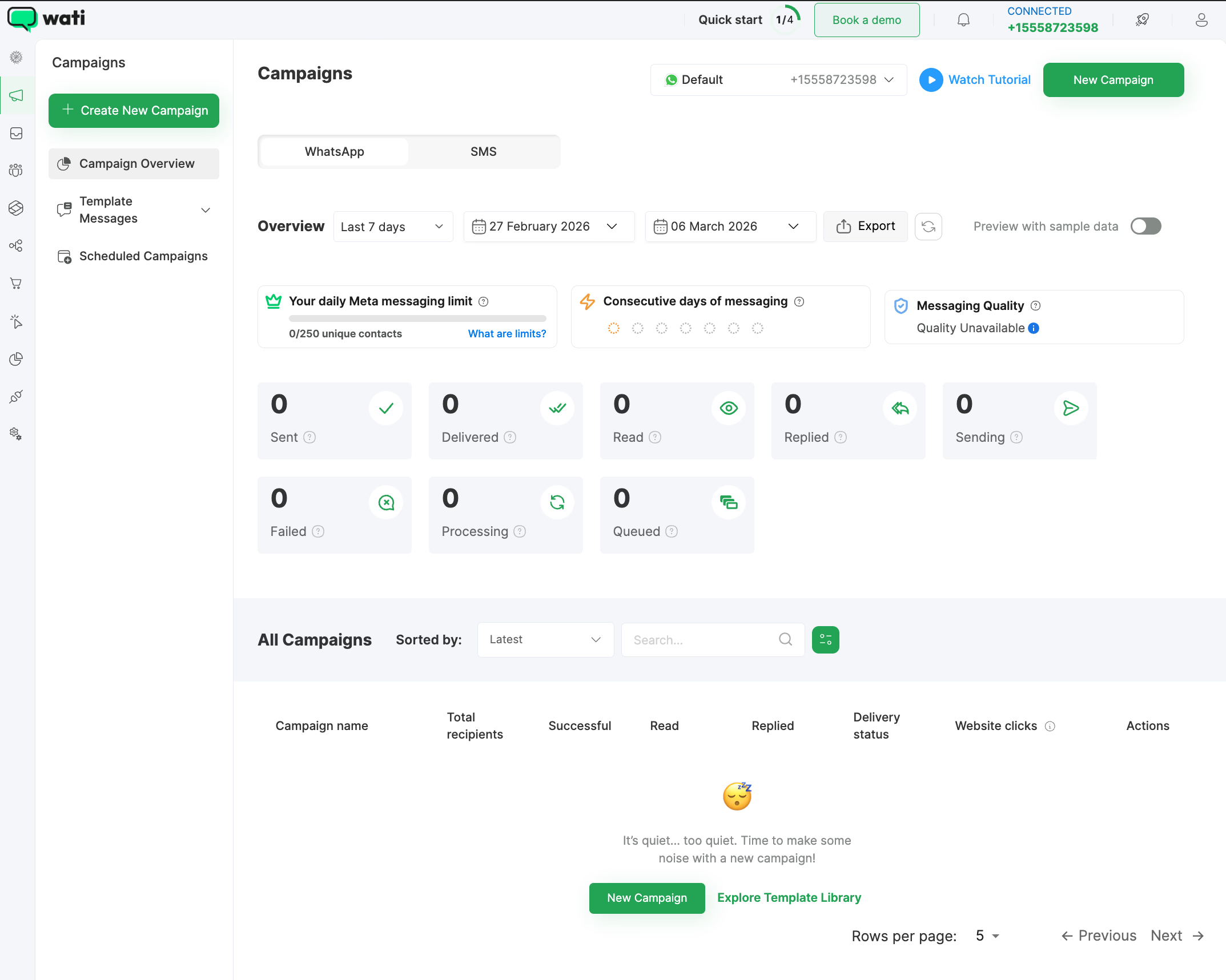
- Brevo supports cross-channel campaigns, triggering WhatsApp messages based on CRM signals. Such as a prospect visiting a pricing page but not purchasing.
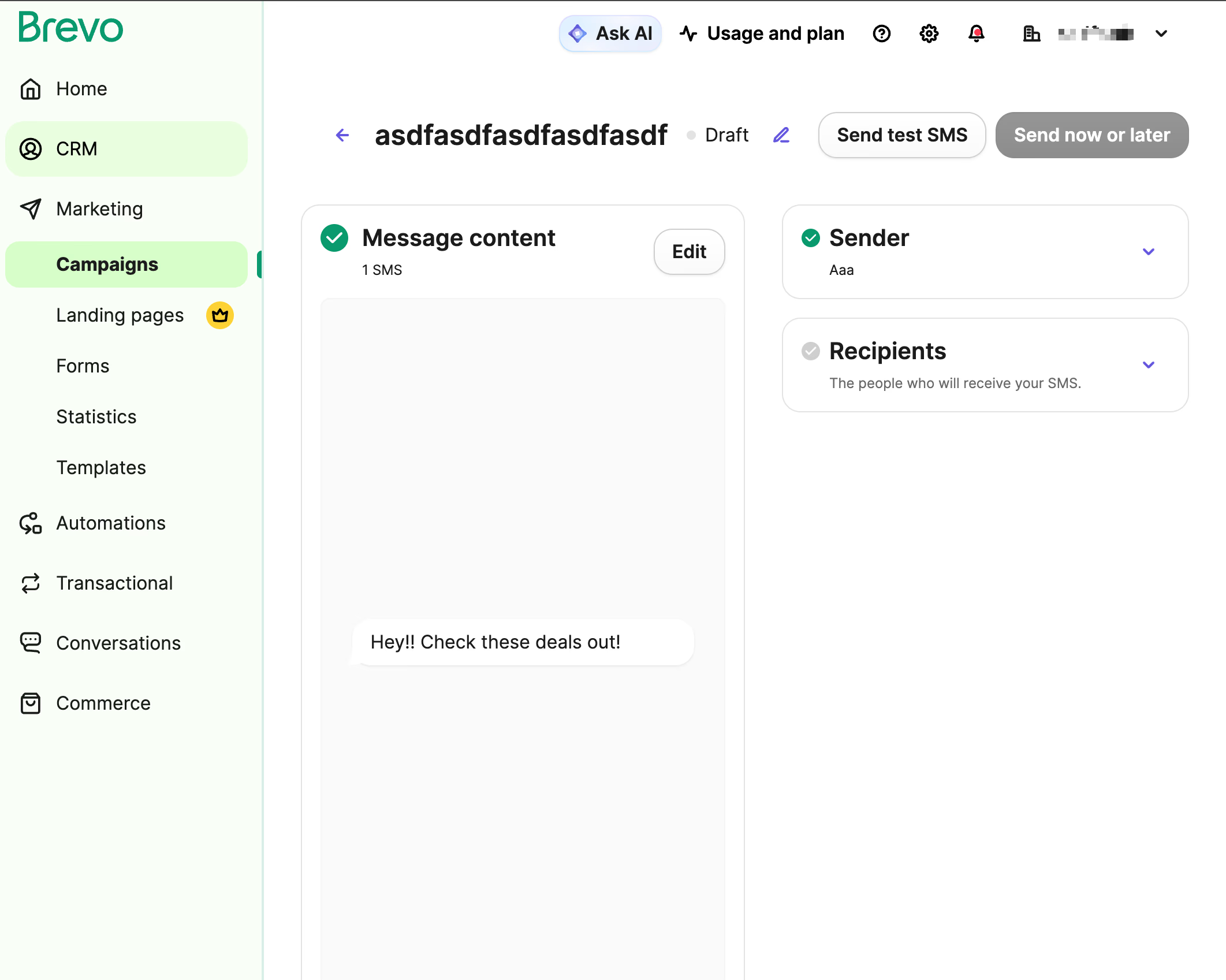
By combining outbound broadcasts with CRM integration, you leverage WhatsApp's high open rates. This keeps prospects engaged and pulls them back into your sales process.
4. Installing website chat widgets that redirect visitors to your messaging funnel
Replacing forms with a chat widget transforms this experience. You can embed Typebot directly on your site as an inline container, popup, or floating bubble in the screen corner.
Visitors interacting with the widget can be qualified right on the page or smoothly redirected to WhatsApp.
Moving conversations from browser tabs into a mobile app connects prospects with a platform they use frequently. You secure their phone number automatically and establish a direct communication channel beyond the browsing session.
If you need help getting started, you may check our guide on how to add a chatbot to your website.
How to build a WhatsApp lead generation bot with Typebot
Deploying a data pipeline between Meta and your conversational interface takes about 15 minutes. This setup removes complex environment configurations, replacing backend coding with a secure, simple webhook handshake.
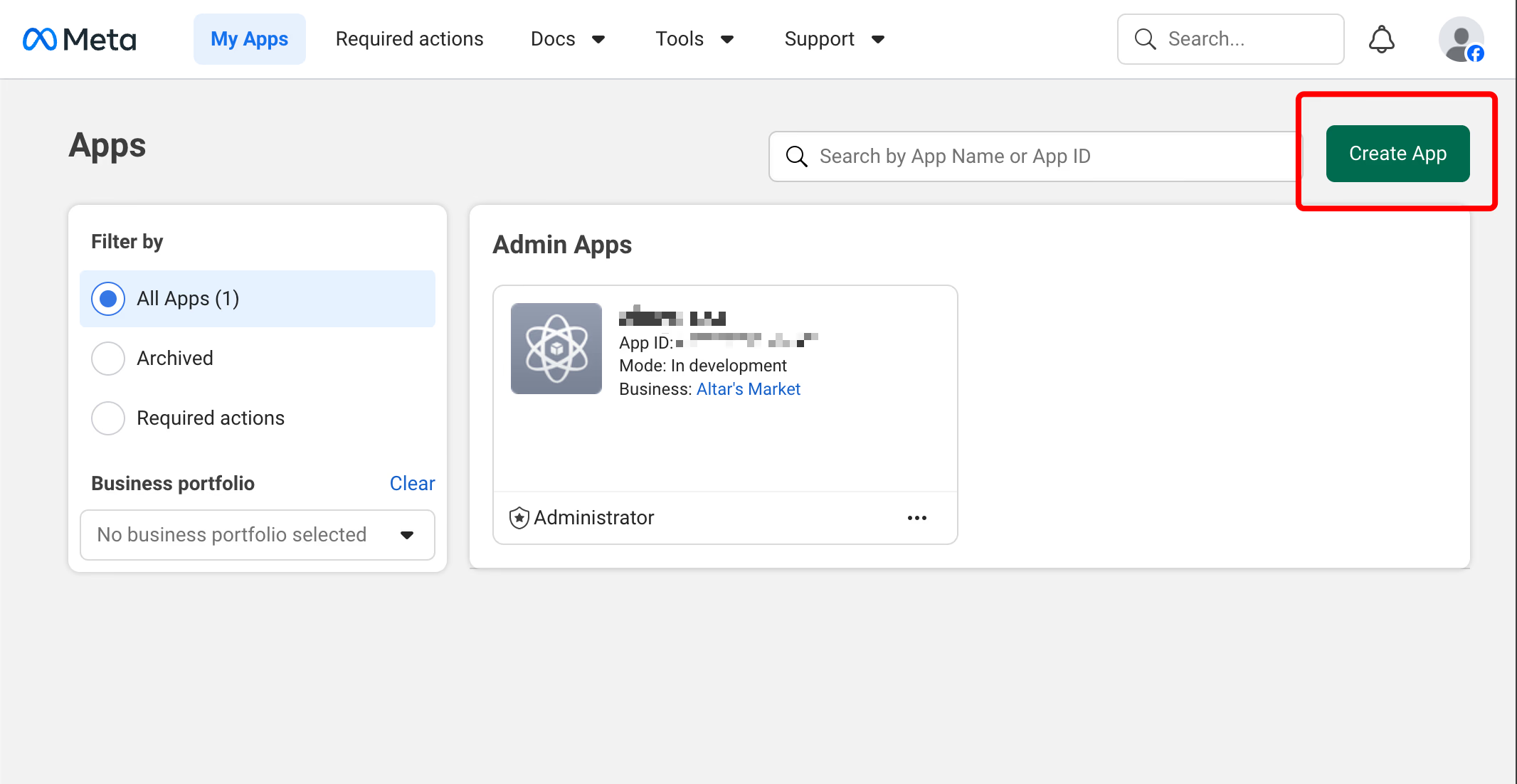
Start in your Facebook developer portal to create the core application. Select the create app button. Name it, and add the WhatsApp product from the Meta catalog.
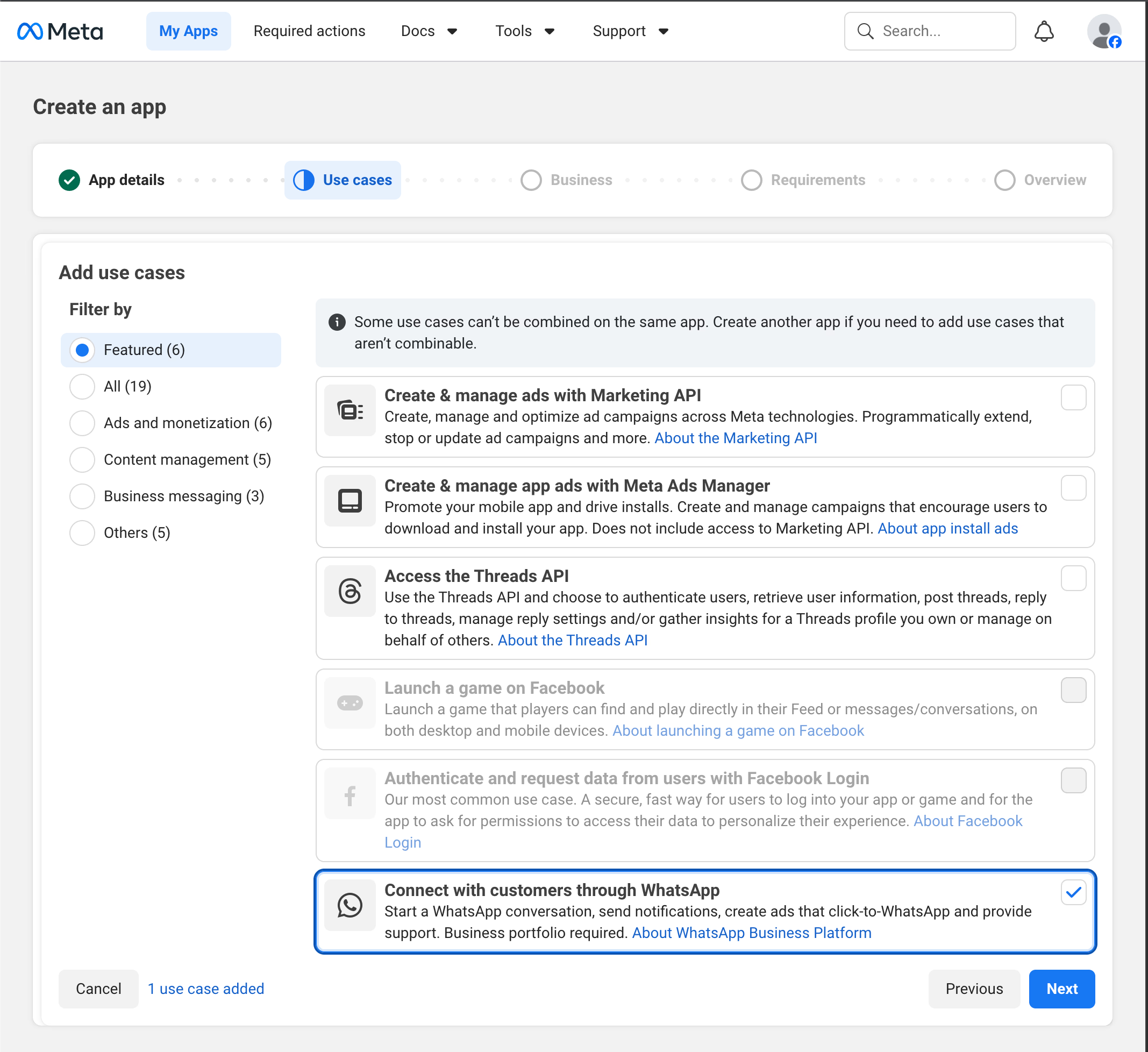
Next, go to Meta Business Settings to set up secure communication credentials. Create a new System User, assign the Admin role, and grant "Manage App" permissions.
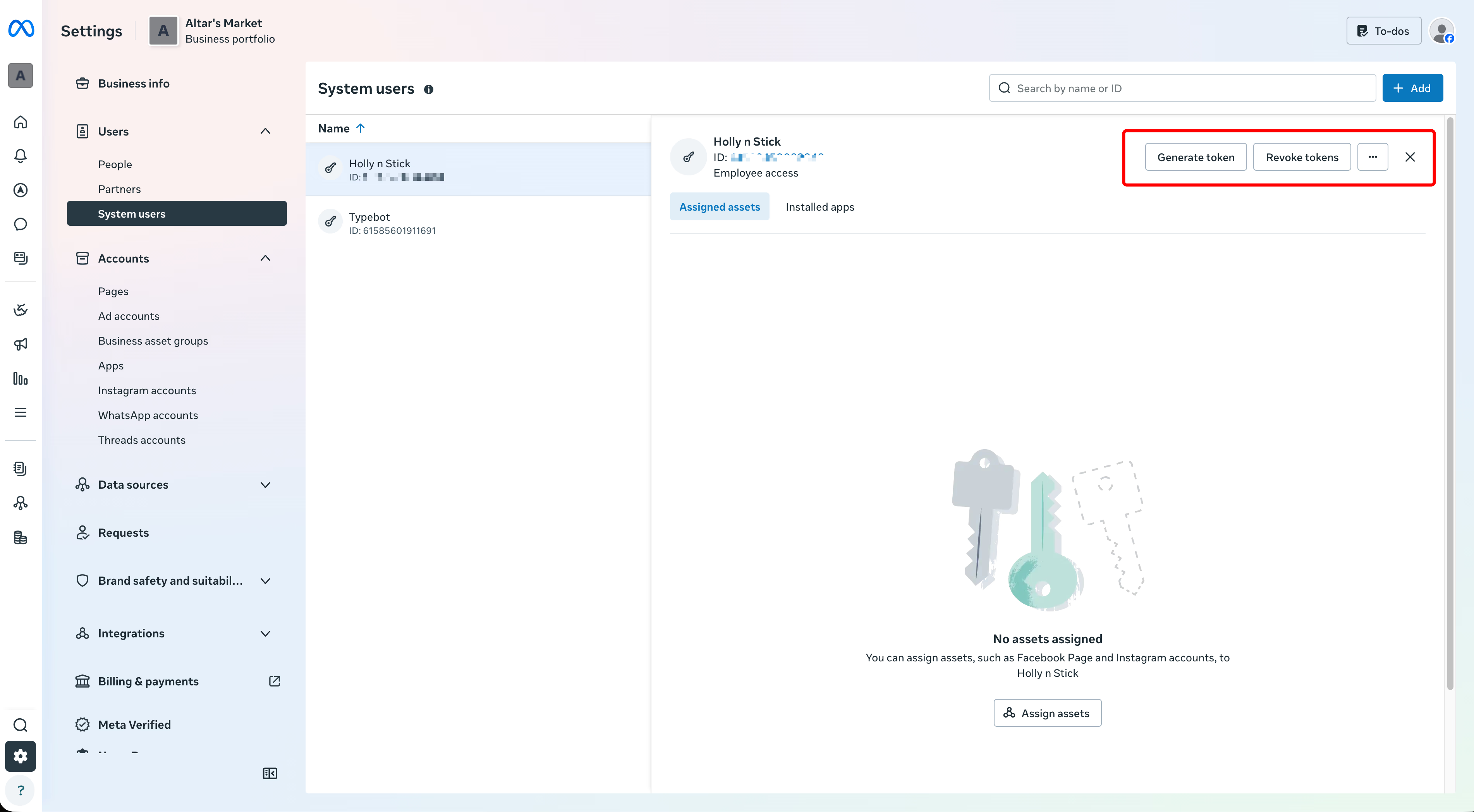
This generates a secure access token. Paste that token into Typebot’s WhatsApp settings menu. Typebot immediately generates a unique Webhook URL and a Verify Token.
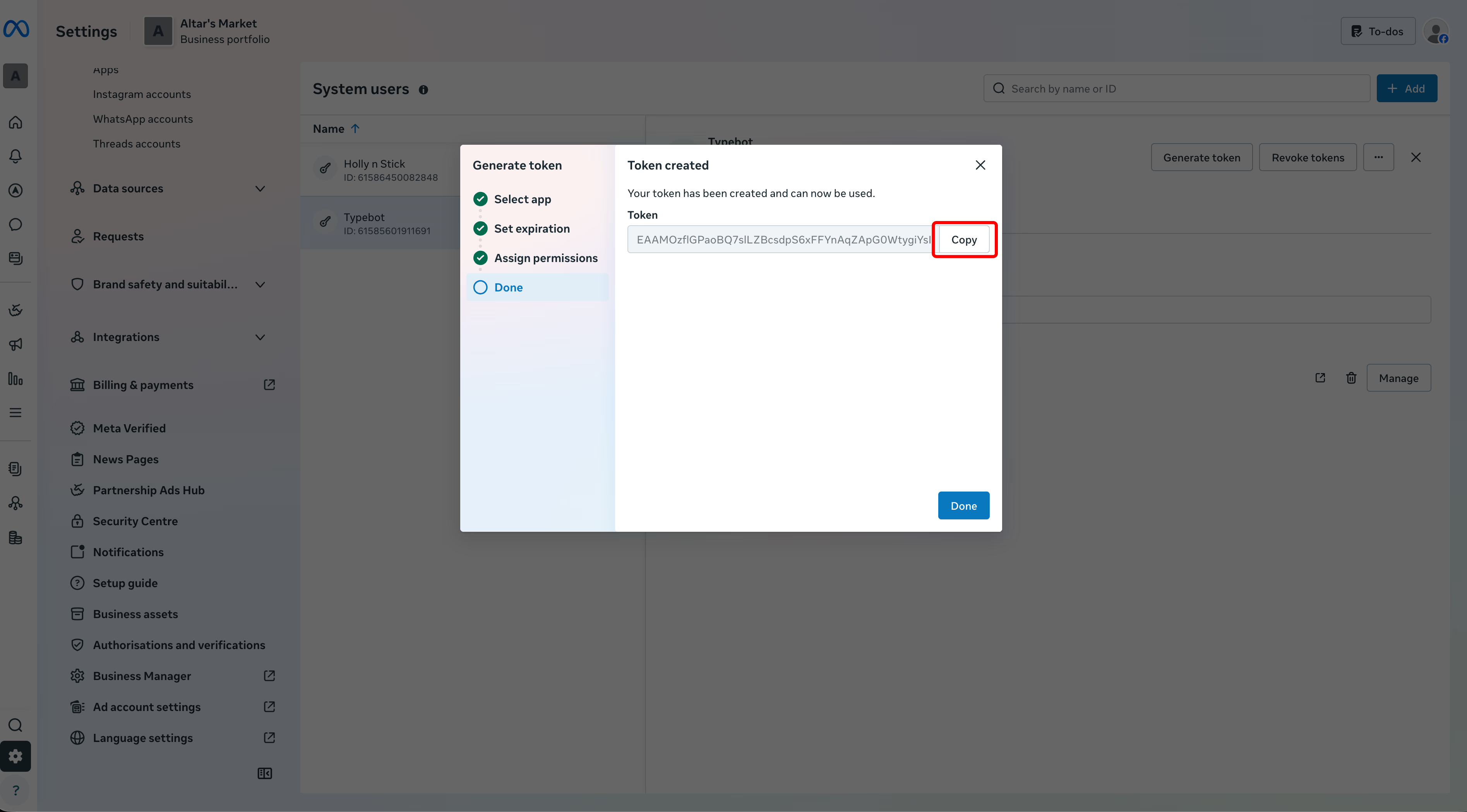
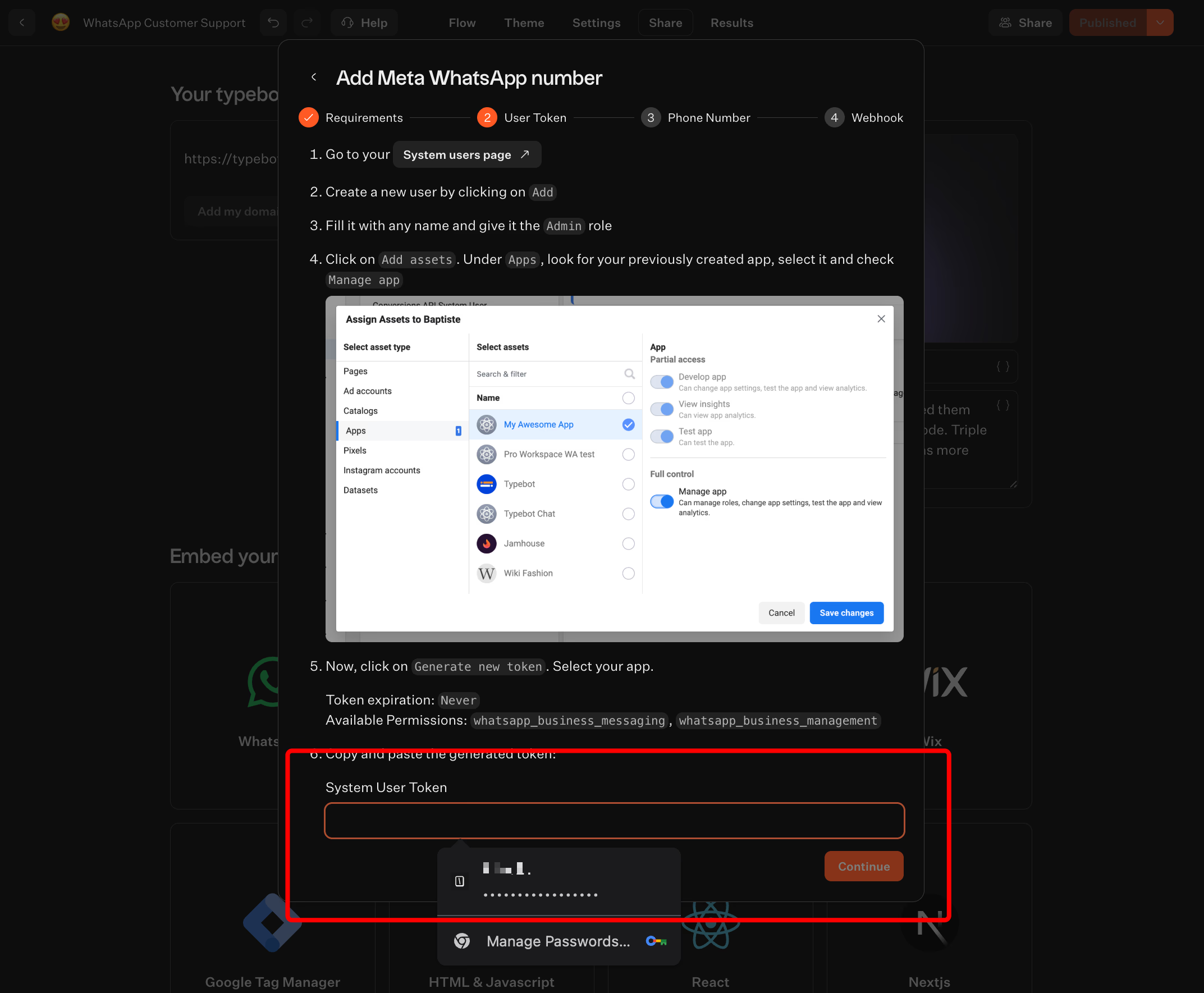
Enter these two strings into the Webhook fields in your WhatsApp Developer Console and click Verify. The connection goes live.

Deliver real-time responses and boost engagement with Typebot's WhatsApp integration.
No trial. Generous free plan.
Designing the conversation flow using a visual drag-and-drop canvas
With the API bridges in place, the focus shifts from technical setup to building the conversation. Typebot uses a large visual canvas where you create user journeys step by step.
You design interactions by dragging predefined blocks onto the timeline, crafting an experience native to mobile messaging.
Visual engagement starts with Bubbles. Drag text nodes or high-res images into the sequence to grab attention when a prospect opts in.
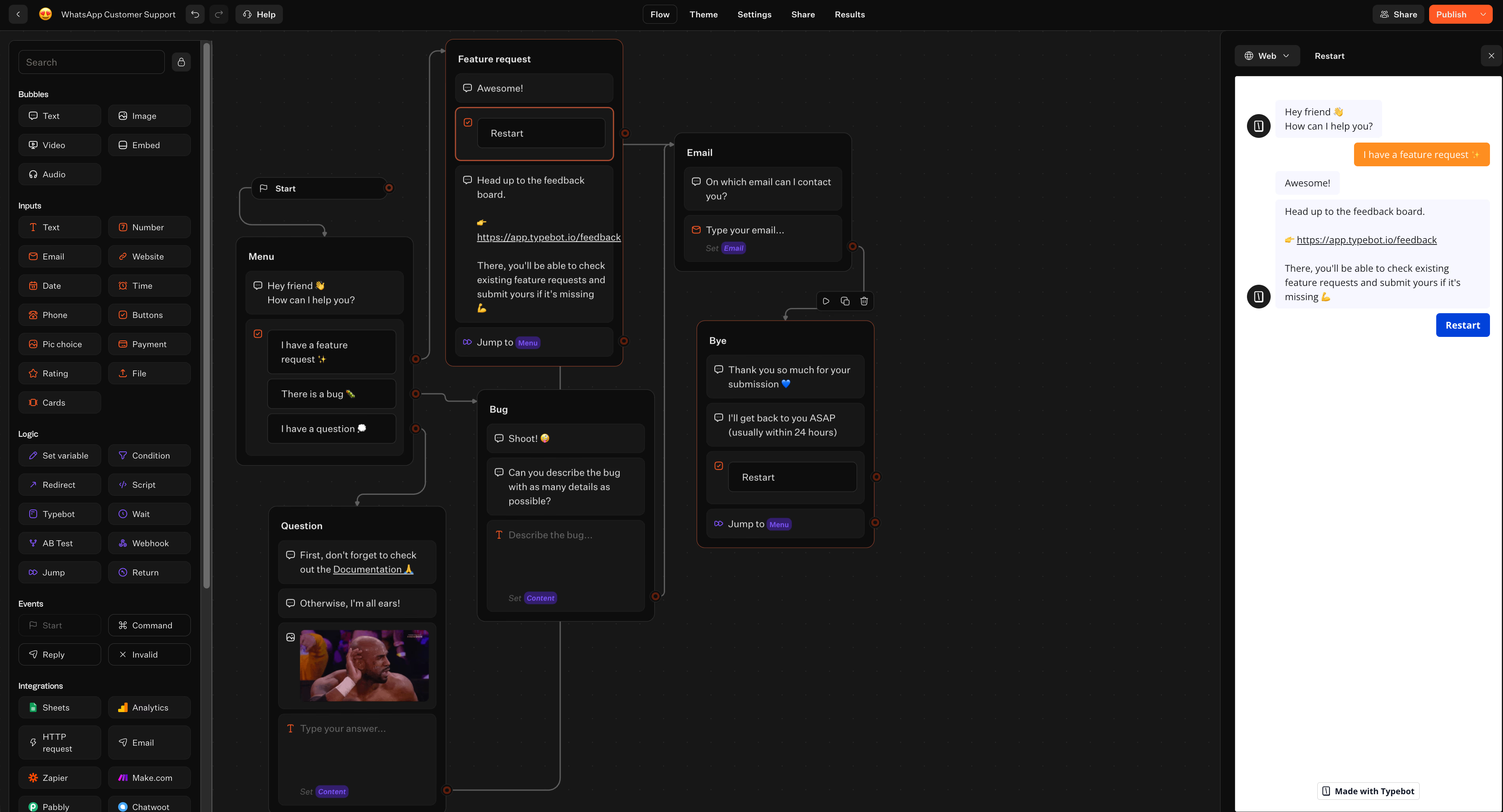
To collect data, add Input fields. You may need a verified email, a formatted phone number, or a date. These blocks handle formatting and validation automatically. This prevents junk data in your database.
Mobile users want speed. Button inputs work well for top-of-funnel traffic by offering two to four predefined choices. This eliminates the need for typing. You then use conditional logic.
If a user selects they are an enterprise buyer, the system tags their choice as a custom variable. This automatically redirects them to a dedicated, high-ticket qualification sequence. The result? You separate serious buyers from casual browsers.
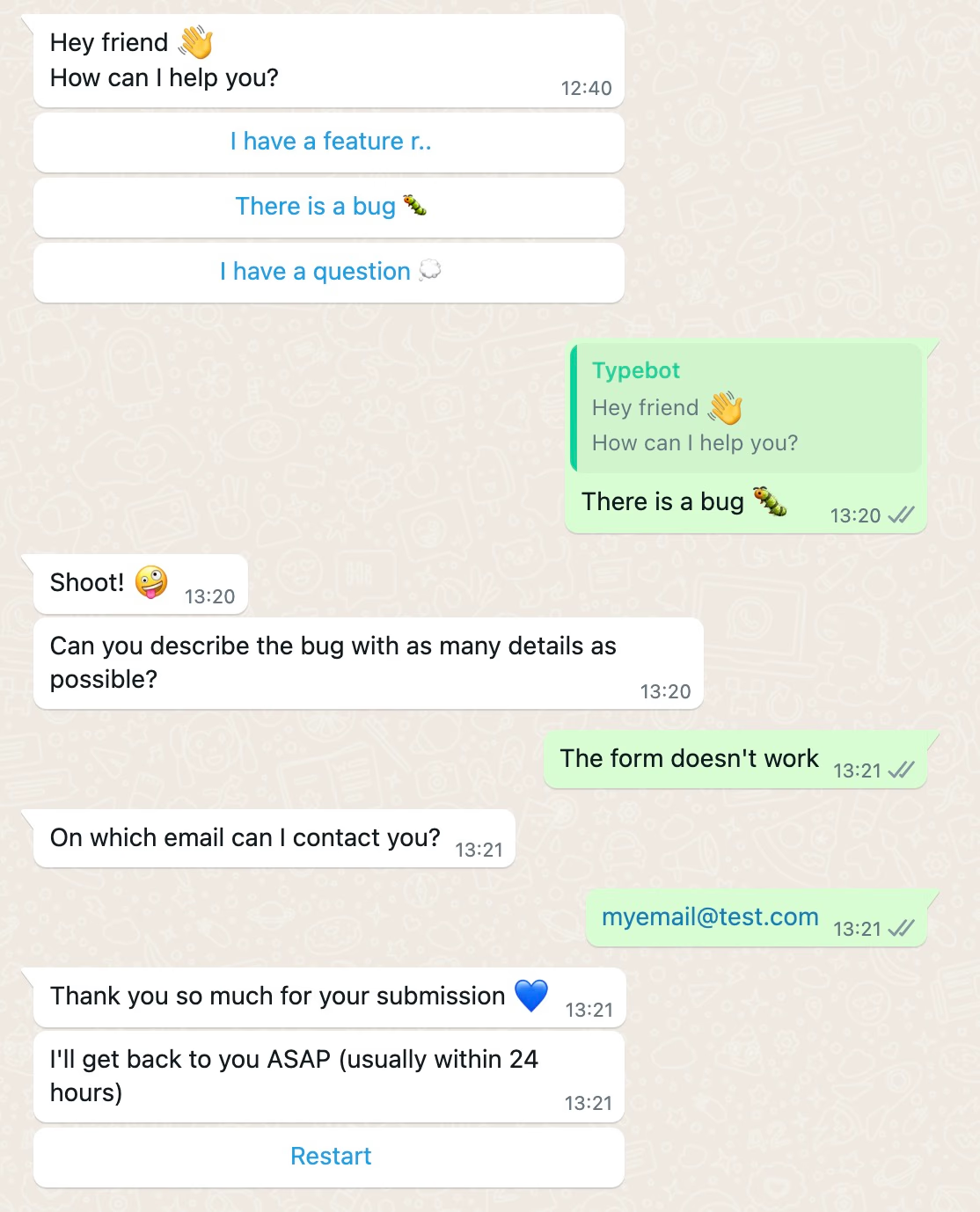
Asking industry-specific qualification questions automatically
A visually appealing chat falls short if it does not separate serious buyers from window shoppers. True lead generation requires progressive qualification.
The bot strategically places specific input blocks throughout the chat. This extracts the parameters your sales team needs to prioritize leads.
Instead of a long form, the bot asks contextual questions based on the user's industry. Tailor inputs to uncover buying intent with targeted lead qualification questions such as:
- B2B and SaaS platforms: ask about team size, current software stack, and who else is involved in purchasing decisions.
- Ecommerce and retail: use branching logic to assess budgets with questions like what's your budget range for this purchase? Capture urgency by asking about delivery timelines.
- Professional services: focus on pain points by asking what's the biggest challenge you're facing right now? Follow up by defining what success looks like for the project.
Each answer saves as a distinct variable. These variables update your CRM or trigger customized responses immediately.
Enhancing your lead capture workflow with natural language AI models
Pre-built logical paths work fast, but consumers often provide unpredictable answers. Adding natural language AI models makes your Typebot flow more fluid and adaptive.
When a prospect inputs vague phrases like, "I need something for my team," rule-based chatbots stall. A WhatsApp AI agent analyzes ambiguity and asks clarifying questions. Such as team size or operational challenges, to gather context. Typebot integrates with popular language models like OpenAI, Anthropic, and Mistral.
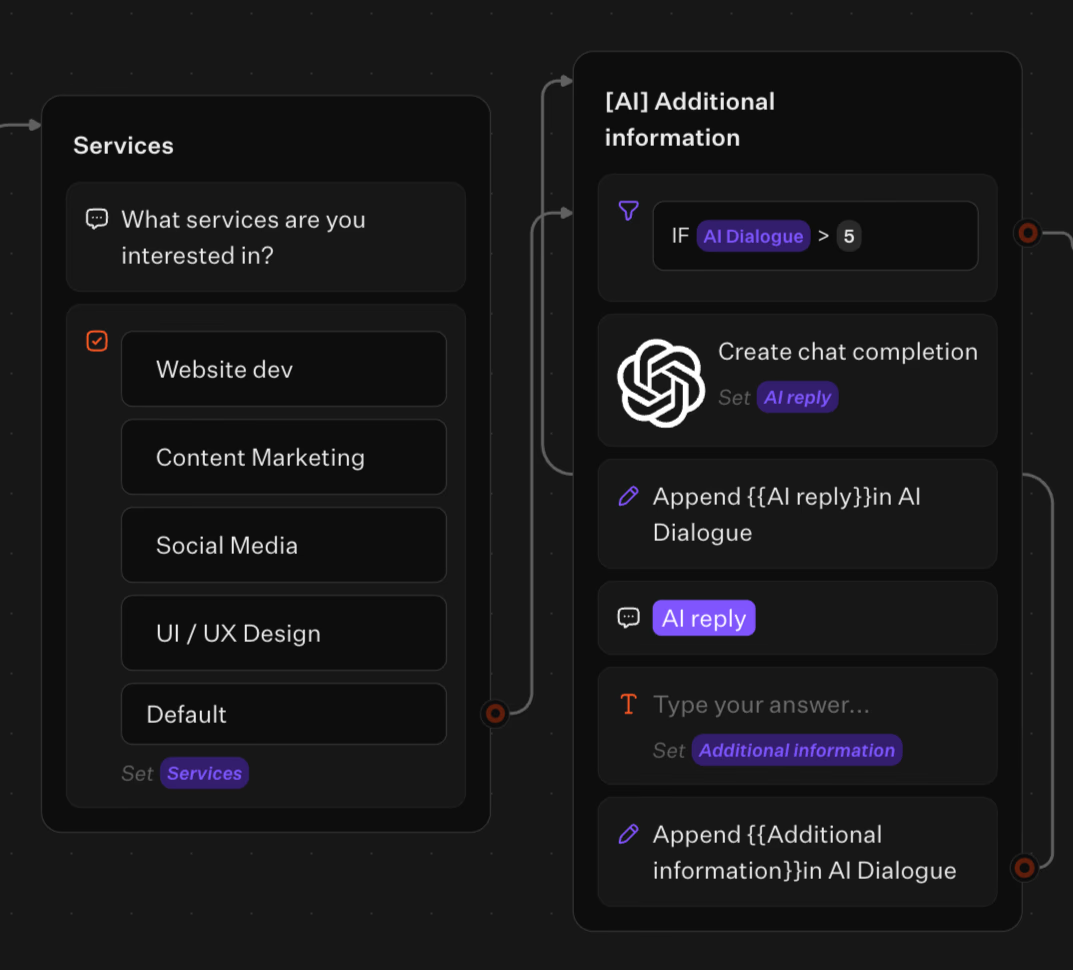
Adding an AI block lets the bot perform semantic searches on your internal knowledge base. It delivers accurate, contextual answers. The AI continuously scores lead quality by analyzing the intent and detail of user replies.
When buying signals peak, the system triggers an automatic handoff. It routes the fully qualified prospect and complete chat history to a human sales representative. Without interrupting the conversation!
Integrating WhatsApp leads with your CRM and automating follow-ups
Lead scoring transforms unstructured chat data into a precise, predictive metric. That metric guides your follow-up strategy automatically.
Instead of guessing a prospect's readiness, you calculate it. With Typebot's computation features and variable storage you assign hidden numerical values to specific user behaviors. The conversation unfolds in real time.
The bot updates a score silently in the background. Every interaction builds a continuous intent profile of your prospect.
A reliable framework categorizes conversation signals into three tiers using point values. Each tier reflects how strongly the signal indicates a buying decision:
- High intent (3 points): Asking about pricing, requesting a demo, specifying a timeline, inquiring about specific features.
- Medium intent (2 points): Engaging with three or more messages, asking comparison questions, downloading resources.
- Low intent (1 point): Asking basic questions, giving single-word responses, browsing multiple options aimlessly.
You define these parameters inside your Typebot logic blocks and set actionable thresholds. Prospects with 7 or more points are hot leads flagged for immediate human intervention.
Users scoring between 4 and 6 are warm leads needing automated educational nurturing. Leads scoring 1 to 3 are cold and should enter a long-term drip sequence to mature without manual sales efforts.
Review and adjust these criteria monthly based on conversation-to-conversion rates. This keeps your scoring model accurate and aligned with your buying cycle.
Pushing qualified contact data directly to your CRM using webhooks
Capturing high-intent data inside WhatsApp is useless if it stays in your messaging app. To keep momentum, you must transfer data instantly to your central system. Webhooks act as the digital nervous system, sending data the moment a user hits a specific milestone in your chat.
Typebot's visual canvas lets you drag a Webhook block directly into your conversation path without writing backend code. When a prospect passes the 7-point lead scoring threshold or completes a qualification form, this HTTP call triggers immediately.
It maps conversation variables and pushes them straight to your CRM.
For lightweight tracking, you can send data natively to NocoDB, Google Sheets, or Airtable. Enterprise platforms like Salesforce or HubSpot require routing through automation tools. Use Zapier and Make or direct HTTP calls to access any external API.
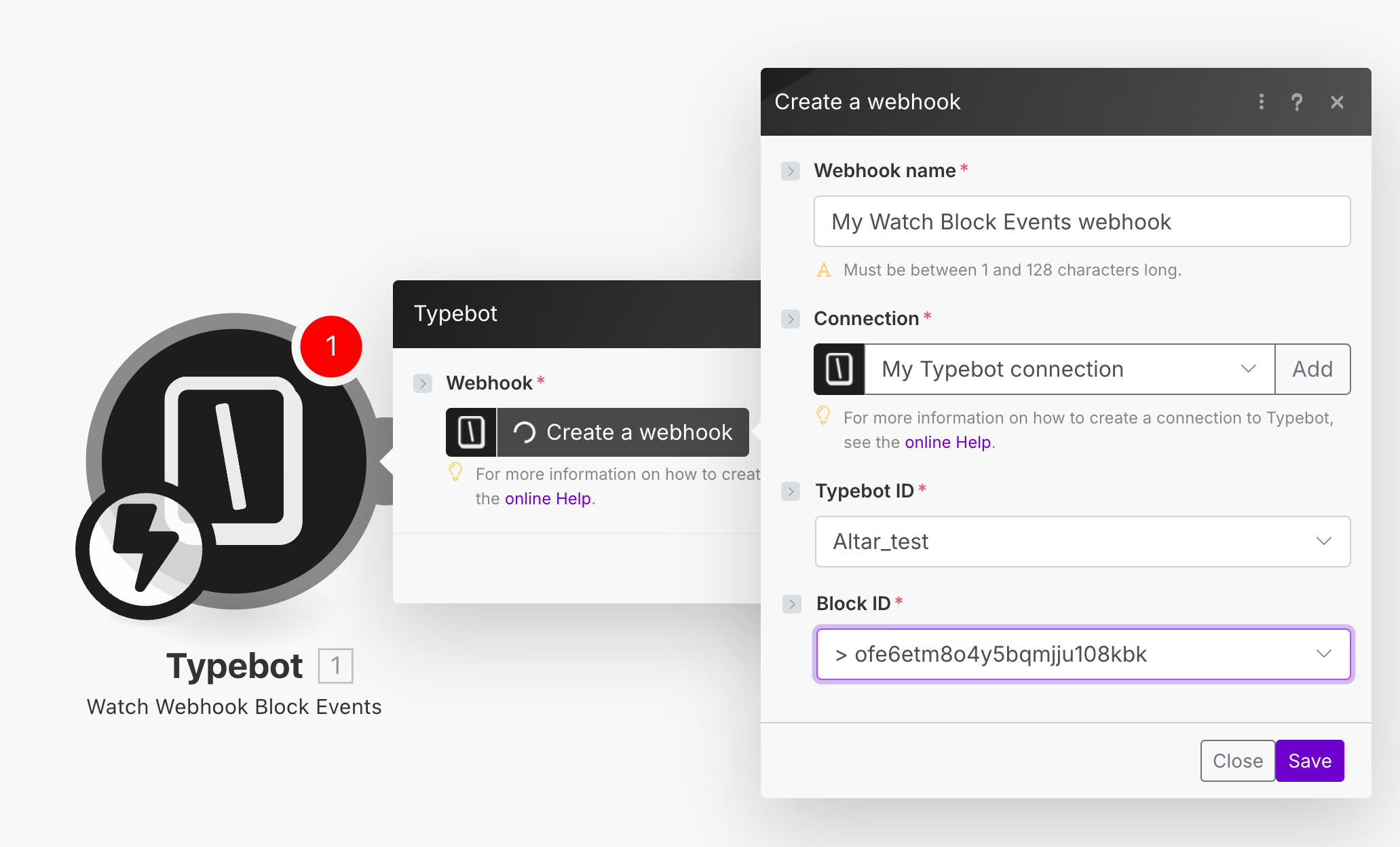
This automated data transfer eliminates manual entry, prevents duplicates, and keeps your sales dashboard accurate.
Integrate Typebot with your favorite tools and watch your workflow thrive.
No trial. Generous free plan.
Tracking performance and understanding platform costs
If you only track your infrastructure or message fees alone, your customer acquisition cost can rise unexpectedly. Accurately tracking both your platform subscription and individual conversation fees is essential.
Understanding your true cost per lead means tracking both platform fees and message costs. Learn more about WhatsApp Business API pricing to accurately calculate your customer acquisition cost.
Tracking completion rates and drop-offs inside your analytics dashboard
Generating traffic is not enough if your conversation funnel has weak spots. To improve your WhatsApp return, you need precise user behavior tracking.
Typebot’s Results tab shows detailed flow-level data. This lets you see how users move through your sequences and reveals:
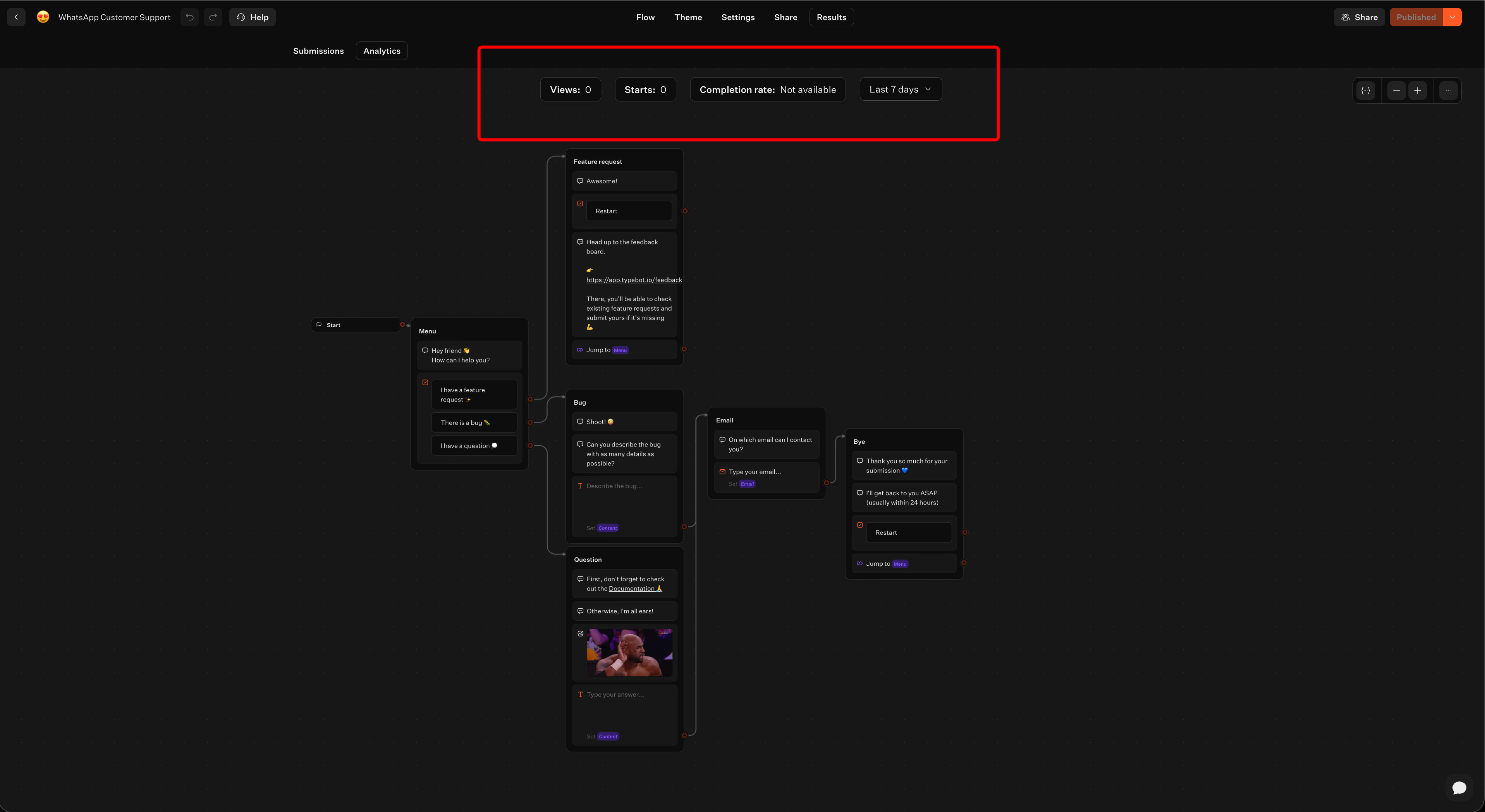
- The percentage completing the chat to the contact data step.
- Where users drop off, such as at certain questions or input fields.
By tracking button click rates, field completion, and response times, you can fine-tune your messaging. This data helps you decide what content to remove, rearrange, or keep for better engagement.
Exporting specific campaign data to a CSV file for deeper analysis
Surface-level metrics give you an overview, but raw data explains the reasons behind performance. When you need advanced analysis, such as cohort studies or predictive lead scoring, you can export campaign data to a CSV file.
Exporting lets your team:
- Cross-reference WhatsApp interactions with past data.
- Perform detailed A/B test comparisons.
- Measure differences between conversation paths and identify patterns.
Regularly update your scripts, reposition calls to action, and review CSV-based insights. This approach lets you build a continuously improving, data-driven lead generation system.
Final words
Combine multiple lead sources to maximize reach:
- Click-to-WhatsApp ads
- QR codes
- Website widgets
Pair these with intelligent automation tools like Typebot to build sophisticated chatbot flows without coding. These tools automatically score leads and route high-intent prospects to sales. A lead generation chatbot nurtures other leads through personalized sequences.
Connect your WhatsApp Business API to a no-code chatbot builder. Design a qualification flow that moves prospects through your funnel. Integrate with your CRM via webhooks to sync data automatically. Optimize based on completion rates to improve performance over time.
Successful businesses treat every conversation as a data-driven conversion opportunity. This approach transforms casual inquiries into qualified leads and paying customers.