
The mid-2010s featured many clunky, scripted bots on websites, often causing more frustration than help. Those days are over.
Businesses are changing how they communicate with customers. Gartner predicts that chatbots will become the main tool for customer service communication by 2027. This change is not just a trend. It is a shift in operations.
If your business still uses a static "Frequently Asked Questions" page hidden in your website footer, you miss valuable chances. Let’s examine how today’s FAQ chatbots work as a local, responsive tool.
Definition of an FAQ chatbot and its role in customer service
An FAQ chatbot is a virtual assistant designed to answer frequently asked questions quickly and conveniently. It handles inquiries with a speed human teams cannot match. As an example:
The chatbot’s goal is to automate responses, freeing your support agents from repeatedly answering questions. These questions are like Where is my order? or What is your return policy?
But FAQ chatbots do more than answer questions. Modern versions can:
- Track orders
- Recommend personalized products
- Assist with onboarding new employees
They serve as the first line of support. They help solve straightforward issues instantly, around the clock, without making customers wait for support tickets.
Key differences between dynamic chatbots and static FAQ pages
The main difference between an FAQ chatbot and a traditional FAQ page is like a conversation versus a library search. A static FAQ page requires users to work hard. They must:
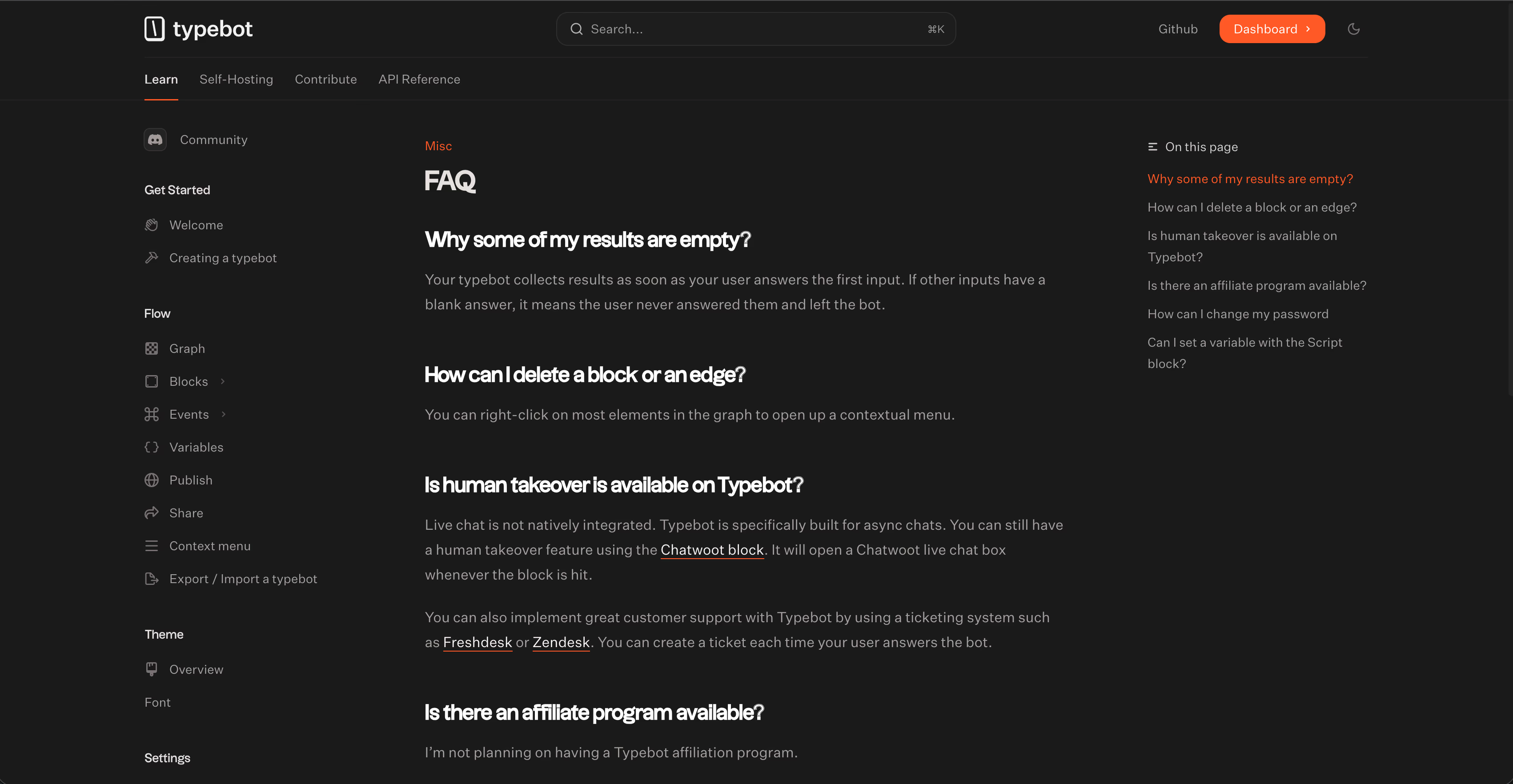
- Navigate the site
- Scroll through long lists
- Use
Ctrl+Fto find specific information
A dynamic chatbot changes this experience. It is proactive and interactive. Instead of forcing users to search, the bot retrieves information for them. While a static page sits passively, the chatbot can:
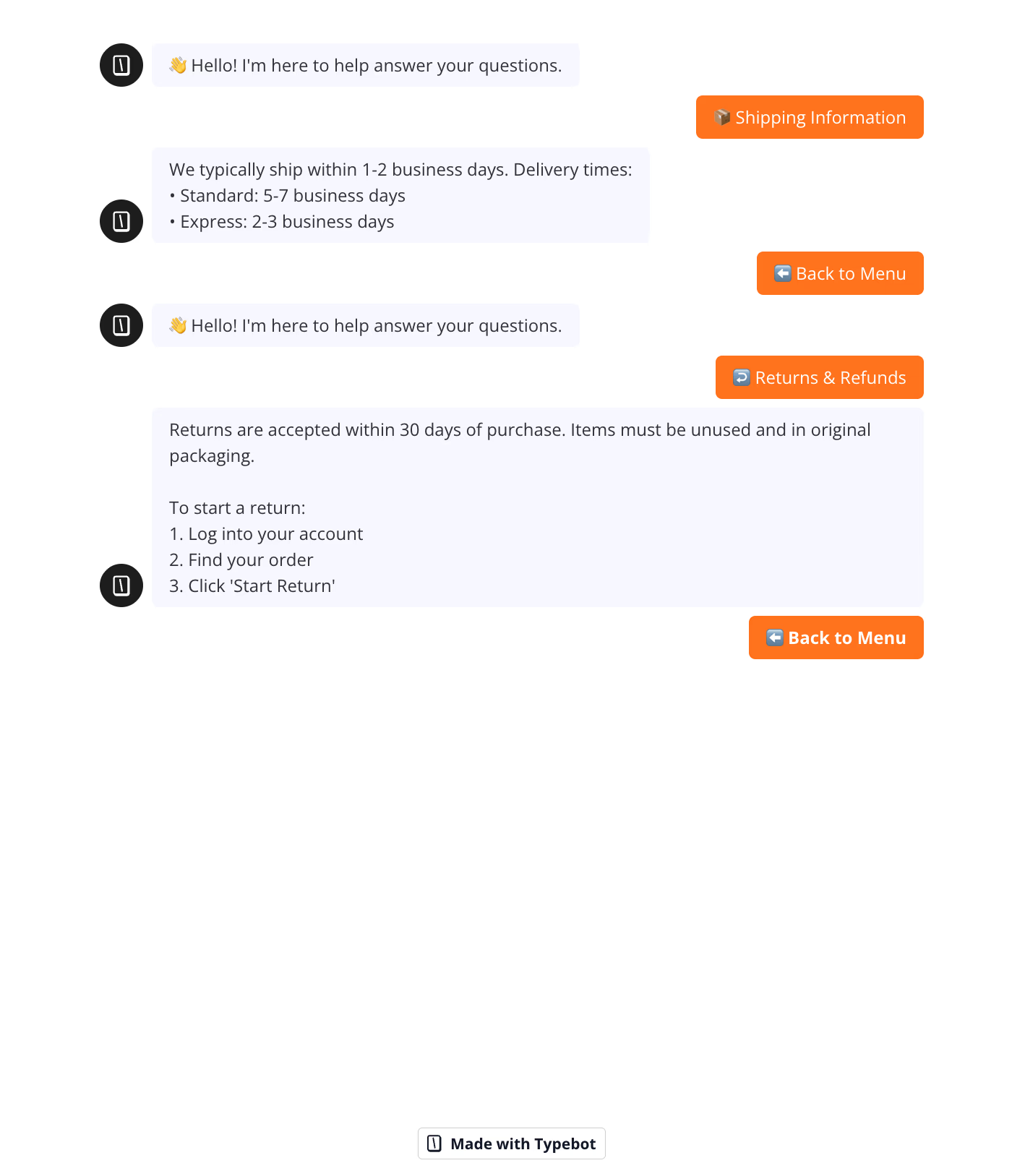
- Guide users through tasks like booking appointments or processing returns in real-time
- Provide personalized answers based on context instead of generic information
This replaces the frustration of searching with the ease of chatting.
The role of AI in understanding user intent
Advances in Machine Learning and Deep Learning have transformed chatbots. They no longer follow rigid scripts. Instead, they act as context-aware agents.
Old keyword-based bots struggled when a user did not use exact terms. A basic bot might give the same answer to questions about shipping options and shipping time, missing the distinction.
Modern AI allows chatbots to understand user intent by analyzing sentence structure, not just spotting keywords. They mimic human conversation, handling:
- Freeform queries
- Slang
- Typos
- Complex phrasing
This lets them generate meaningful answers that reflect real user needs.
How RAG technology connects bots to live knowledge bases
A recent breakthrough for business-grade chatbots is Retrieval-Augmented Generation (RAG). RAG solves a major issue in early AI models. The problem of "hallucinating" or inventing answers when the chatbot lacks knowledge.
RAG combines the natural conversation skills of Large Language Models like GPT-4 with the precision of your real-time data. The process works as follows:
- Retrieval: The system searches your knowledge base, such as PDFs, Notion documents, or website content, for relevant information.
- Augmentation: It feeds this information into the AI model.
- Generation: The AI produces an answer using only the facts it retrieved.
This approach ensures the chatbot is not just creative but also accurate. It enables customers to "chat directly with PDF files" or internal documents. This turns the bot into a specialized expert for your business instead of a generic conversationalist.
Exploring the different types of FAQ chatbots
Choosing the right chatbot architecture shapes your user experience, budget, and team efficiency. Here's how the main types compare:
| Type | Best for | Limitation |
|---|---|---|
| Rule-based | Fixed FAQs | Off-script fails |
| Keyword-based | Simple routing | No context |
| LLM/Conversational AI | Complex chats | Higher cost |
| Hybrid | Best balance | More setup |
Rule-based chatbots that use simple decision trees
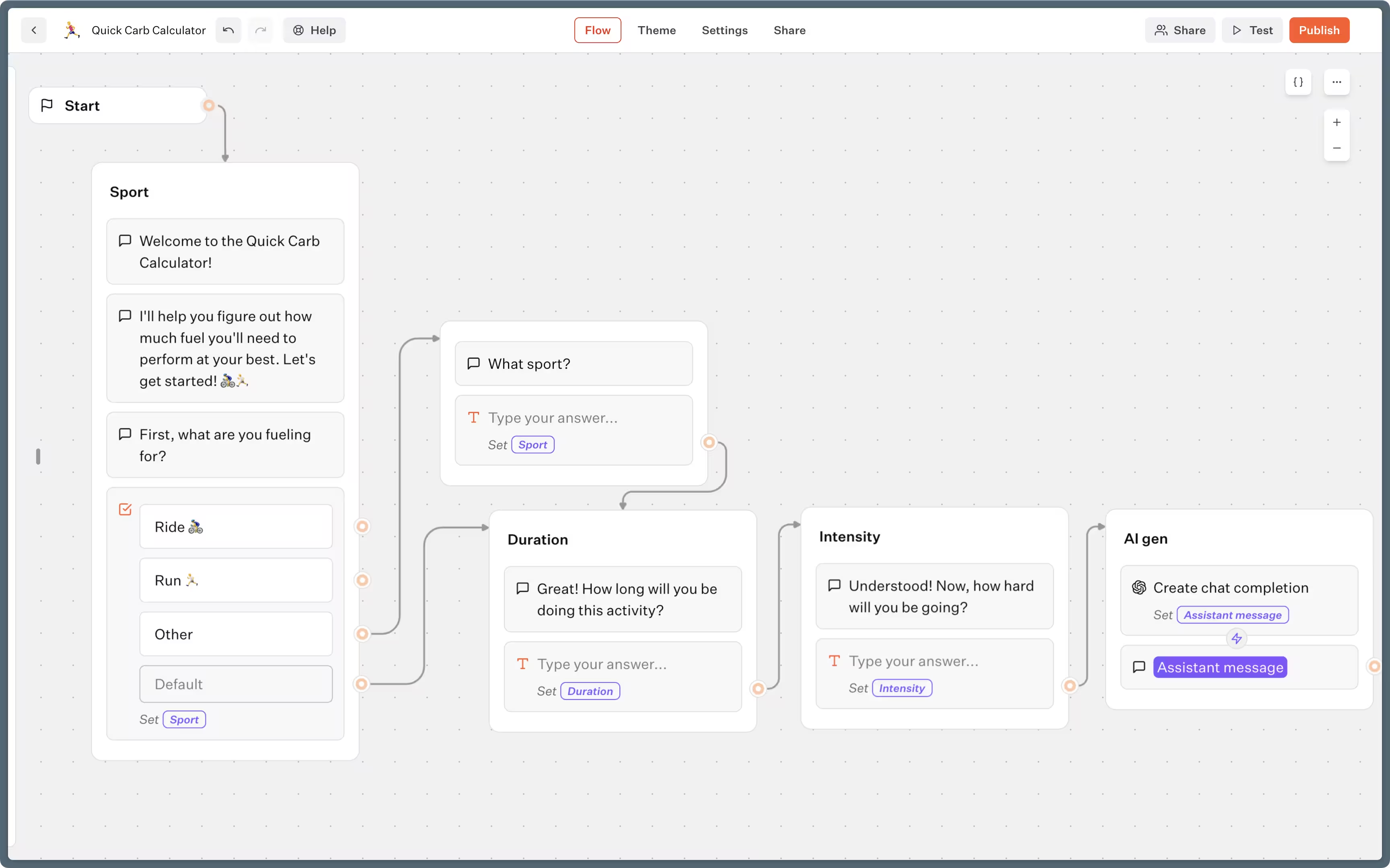
Rule-based chatbots work like interactive flowcharts. Users select from a menu of options, and each choice triggers a pre-set response.
Pros: Easiest and cheapest to implement. Great for repetitive questions with binary or fixed answers.
Cons: No flexibility. Conversations break down when users go off-script.
Keyword-based bots that detect specific terms in queries
These bots let users type freely instead of clicking menus. They scan text for keywords and respond based on matches.
Pros: More natural feel than rigid menus.
Cons: No understanding of context or intent. A question about "shipping options" gets the same answer as "shipping time" because both contain "shipping."
Conversational AI chatbots using LLMs
Conversational AI uses deep learning to understand what users actually mean. These bots analyze intent and sentiment to create human-like responses, and can generate original content rather than just retrieving it.
Pros: Handles complex tasks, offers personalized recommendations, works fluently in 100+ languages.
Cons: Higher cost than simpler options.
Shopify's Sidekick exemplifies this approach—it understands natural language requests, queries data automatically, and can even write SEO descriptions.
Hybrid models combining structured flows with AI flexibility
Hybrid chatbots use rule-based logic for routine questions (hours, return policies) and switch to AI for complex or unusual requests.
Pros: Best of both worlds—fast, accurate responses for common questions plus intelligent handling of edge cases.
Cons: Requires more initial setup.
Ada's hybrid platform handles over 80% of inquiries through structured flows, powering 5.5 billion customer interactions.
Top chatbot FAQ example list by industry
Theory helps, but seeing real-world chatbot marketing examples shows how FAQ automation works effectively. Benchmarking against large companies that process millions of queries without human help offers valuable insight.
These examples involve advanced deployments handling complex logistics, immigration laws, and financial data at scale.
These companies are setting high standards for automated customer success today.
Travel assistants handling bookings like Amtrak and KLM
The travel industry handles massive volumes of repetitive queries. These include schedule changes, baggage policies, and loyalty program details. Automation in this sector is essential for smooth operations.
Amtrak's "Julie" acts as more than a search bar replacement. She serves as a full Virtual Travel Assistant. Julie manages station and route information, policy guidance, and rewards program navigation.
She directs users to booking engines and information pages, cutting down on call center traffic caused by navigation issues.
On the international side, KLM Royal Dutch Airlines operates "BlueBot" natively on Messenger. This meets customers where they already chat. BlueBot not only answers questions but also helps customers book tickets within the chat. It transforms a support channel into a sales channel.
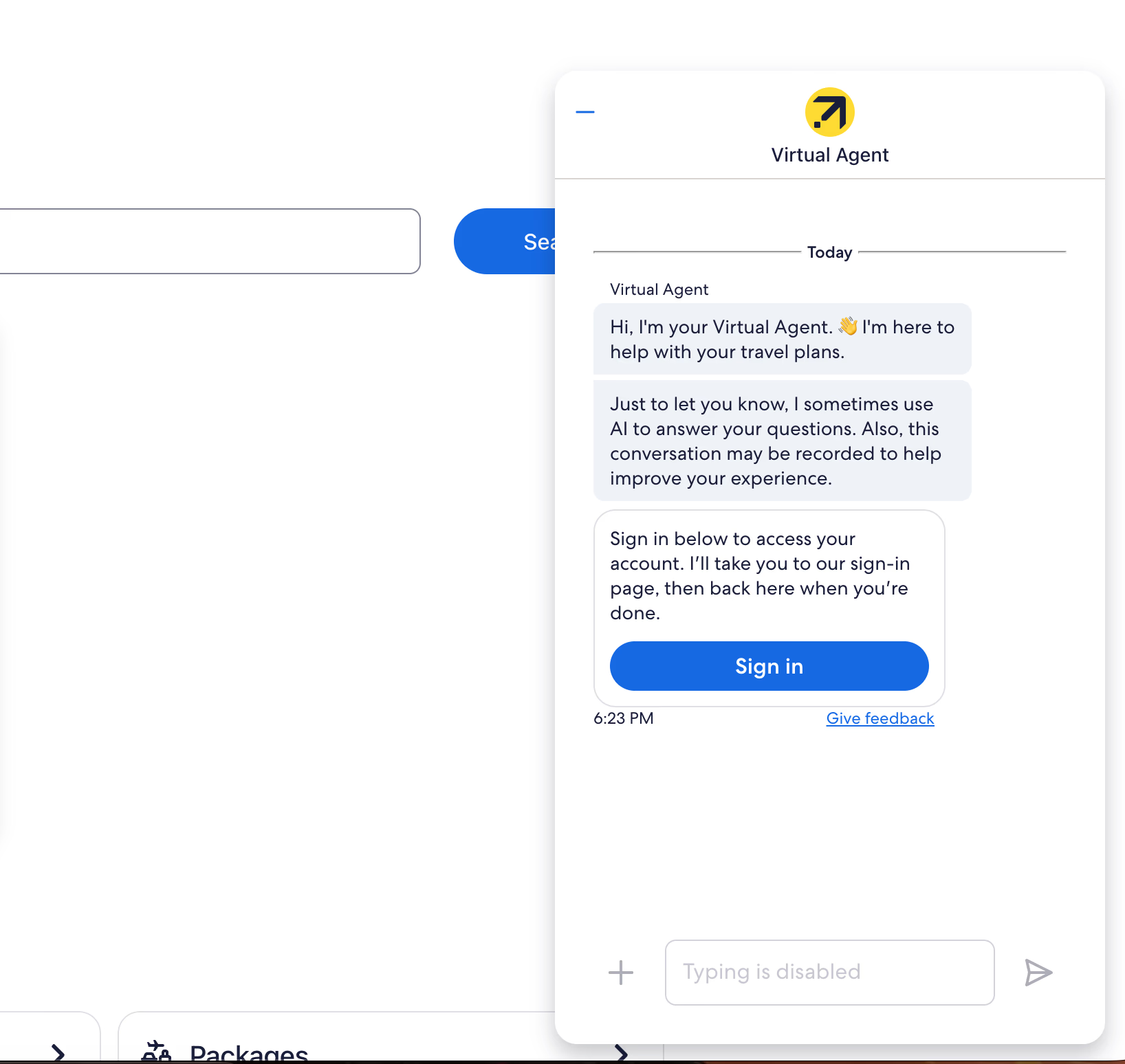
Similarly, Expedia's "Virtual Agent" addresses simple questions about check-in and accessibility. It handles trip details and transfers complex queries to human agents when necessary.
Financial and banking support bots like Bank of America
In banking and fintech, trust and accuracy are crucial. Bots must provide error-free answers about money management.
Bank of America’s "Erica" is a fully integrated virtual financial assistant within their app. Erica helps with transaction history, bill payments, and navigating banking services.
Reuters reported Erica surpassed 2 billion interactions by April 2024. This demonstrates strong user reliance for daily financial tasks and education.
Public sector and health information bots like WHO and USCIS
When public information is vital, making it accessible is the main priority.
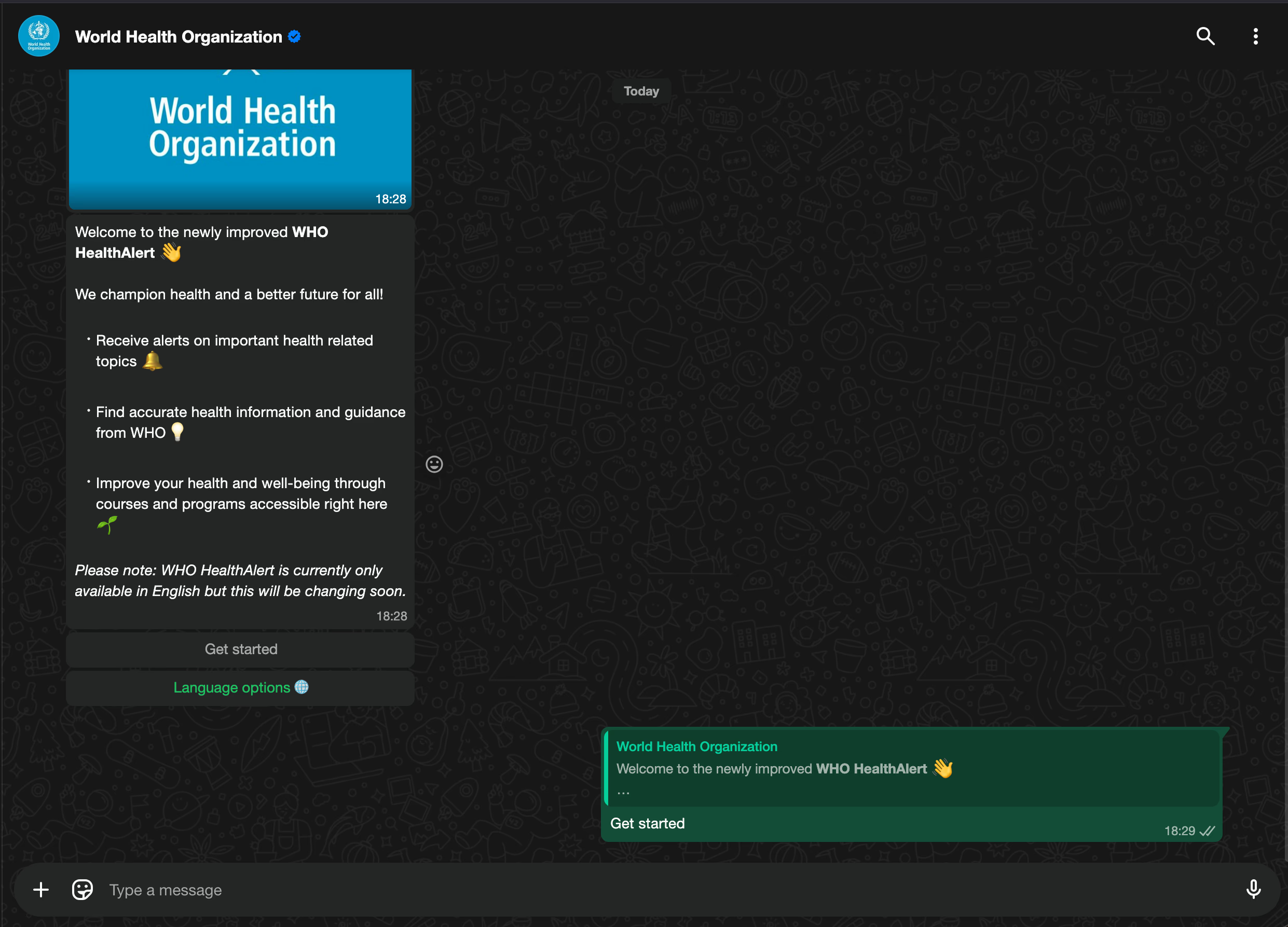
The World Health Organization (WHO) uses WhatsApp to run the "Health Alert" bot. A simple menu system activated by texting "Hi" lets users access public health information in multiple languages instantly. This approach avoids the need for complex websites or app downloads.
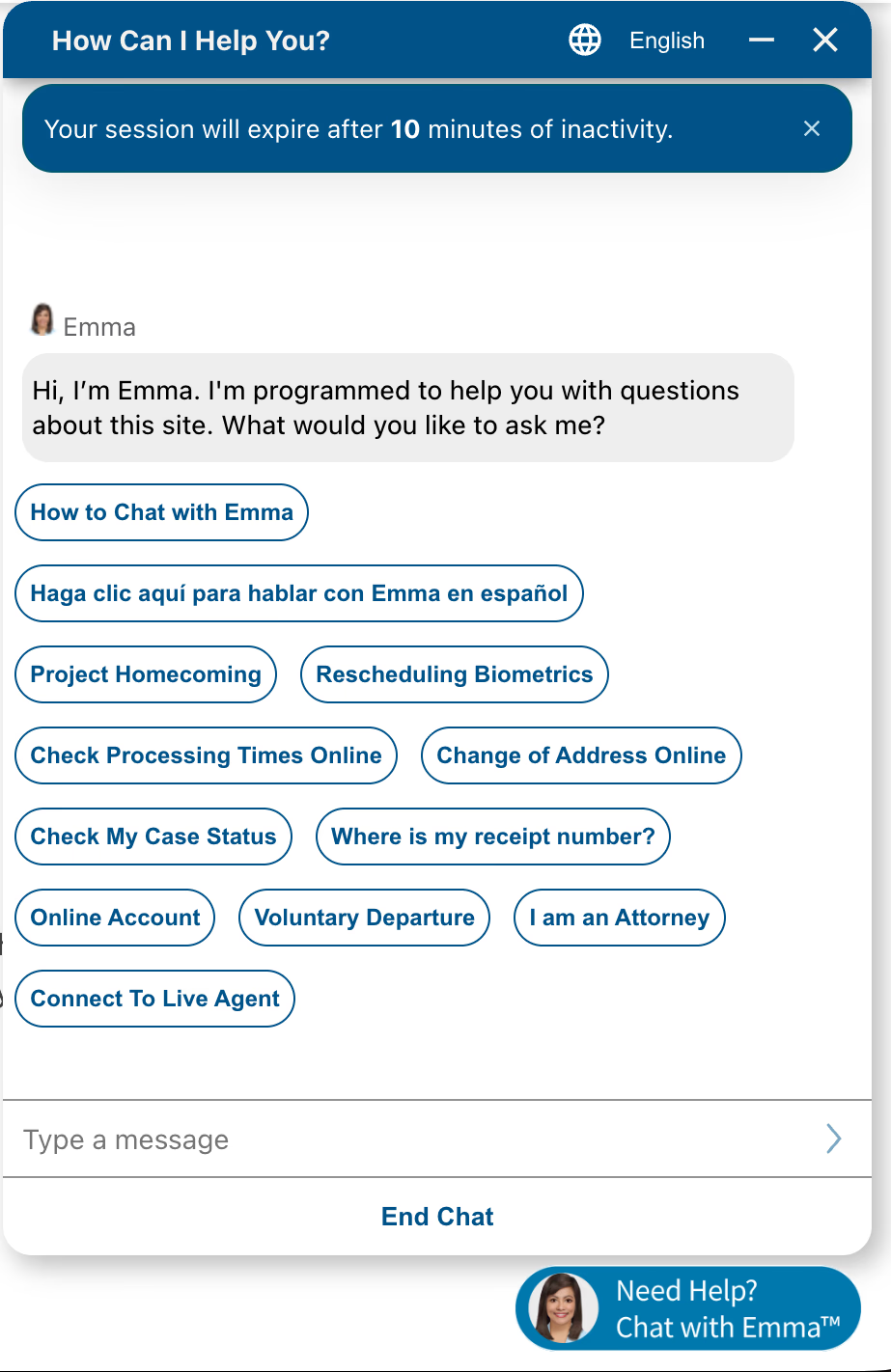
Similarly, the USCIS (U.S. Citizenship and Immigration Services) uses "Emma," a virtual assistant designed to simplify bureaucracy. Emma answers immigration FAQs and guides users to specific USCIS website pages.
Whether on desktop or mobile, Emma triages queries to reduce contact center overload from basic navigation questions.
Telecom customer service agents like Vodafone
Telecommunications companies face high customer churn and long wait times. Chatbots serve as the first line of support, handling troubleshooting and account management duties.
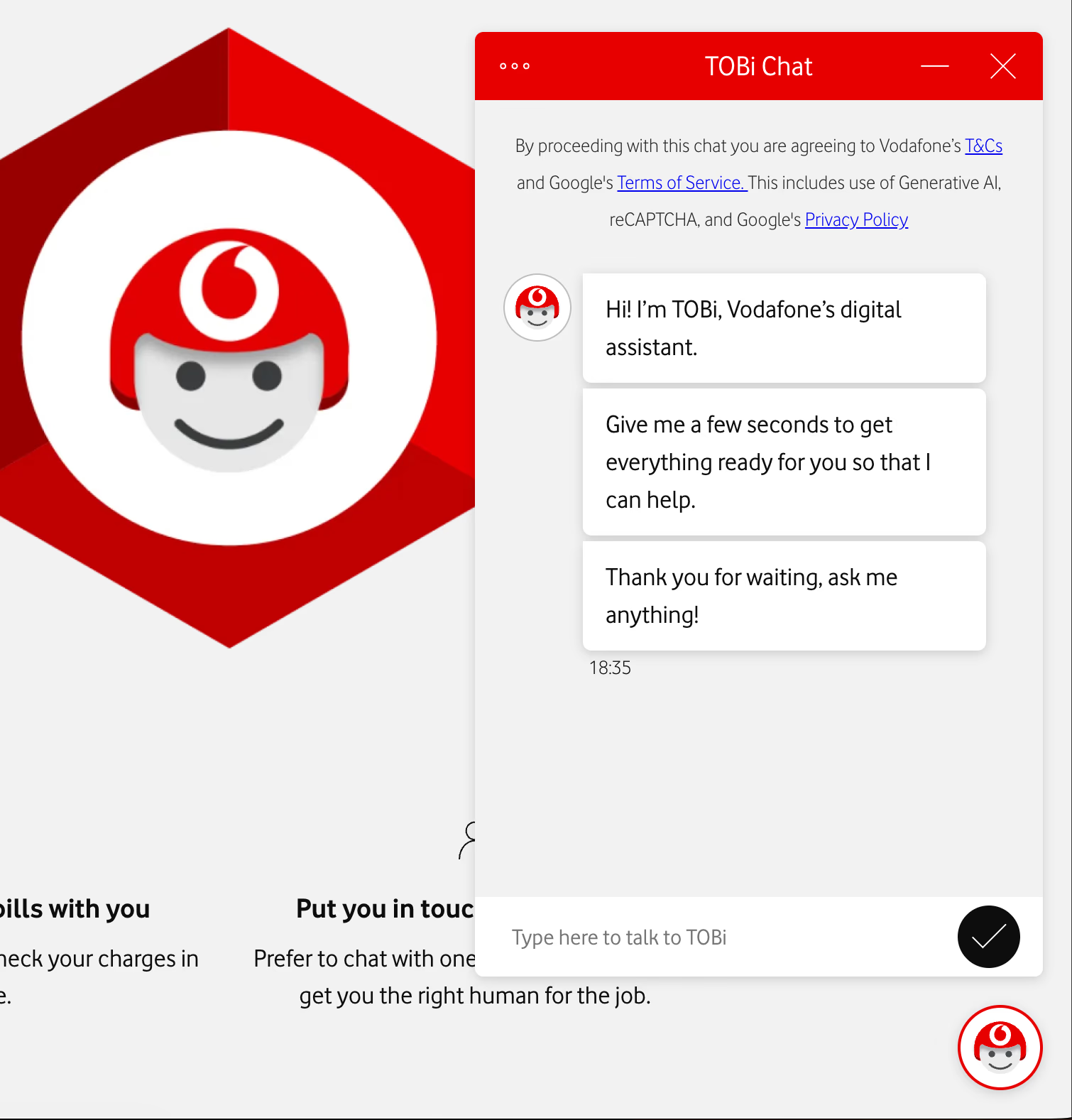
Vodafone's TOBi provides 24/7 chat support and integrates deeply into their systems. TOBi handles subscription info and login issues.
Automating these basic tasks reduces pressure on human agents. Customers can now self-serve billing and subscription changes immediately.
Key benefits of implementing an FAQ chatbot
Chatbots are no longer a passing trend. Implementing an FAQ chatbot today is a strategic move that upgrades your business operations.
| Benefit | One-line takeaway | Stat/example |
|---|---|---|
| 24/7 support + scalable | Always-on help that handles many chats at once, even during spikes. | Prevents slowdowns during launches/traffic peaks. |
| Lower costs + less workload | Covers repetitive questions so humans handle complex cases. | ~40% fewer basic inquiries after chatbot (example). |
| Faster replies + happier customers | Instant answers remove wait time and improve satisfaction. | ~60% faster response; under ~5s replies (ecommerce example). |
| Lead capture + sales assist | Collects contact info and guides buyers with relevant suggestions. | Uses interaction/browsing context to recommend products. |
| It speeds up workflows by assigning repetitive tasks to algorithms, so your human team can focus on complex, high-value work. Here’s how this improves ROI and operational efficiency. |
Want to explore more advantages beyond cost savings and availability? Learn about additional benefits of AI chatbots like improved customer satisfaction and lead generation.
Delivering 24/7 support without human intervention
The internet never closes, and your business support should match that. An FAQ chatbot provides constant customer support without breaks.
Unlike human agents limited by shifts and time zones, a bot works all day and night. This ensures customers in any location get immediate answers or can leave messages for later.
Beyond availability, a chatbot offers extreme scalability. Human agents can only handle a few conversations at once, but a chatbot manages many simultaneously. This capacity prevents support slowdowns during traffic spikes or product launches, maintaining high-quality service at all times.
Reducing operational costs and support team workload
An AI-based chatbot acts as an extra support agent, so you don’t need to constantly increase your customer service staff. This directly lowers costs. The bot handles repetitive questions, preventing your team from being overwhelmed.
For example, companies reduced their costs for basic inquiries by 40% after adding a chatbot. This freed up agents to focus on complex problems, improving overall support quality.
Improving customer satisfaction with instant response times
Customers expect quick help, and delays often lead to lost sales. FAQ chatbots eliminate wait times so users get answers immediately. An ecommerce chatbot can cut response times by 60%, delivering accurate replies in under 1 second.
This speed improves customer feelings about your brand. Bots provide consistent, high-quality answers across all channels, removing the variability of human agents.
Capturing leads and boosting sales through automated conversations
FAQ bots now do more than support. They're among the best chatbot for lead generation. They collect visitor contact info and details for your sales team to follow up on.
Advanced chatbots analyze past interactions and browsing data to suggest relevant products. Acting as a digital assistant, they guide customers through the buying process.
Step-by-step guide to building an FAQ chatbot with Typebot
You don't need a computer science degree to build a conversational assistant that adds value. You need the right tools.

Building an FAQ bot in Typebot focuses on designing a flow that solves problems instead of writing syntax. We will move from a blank canvas to a fully deployed AI agent using a visual interface that prioritizes speed and logic.
Setting up a visual flow using the drag-and-drop builder
The foundation of your bot starts in the Flow tab, which is your workspace. Unlike legacy platforms with rigid table structures, Typebot offers a canvas to map out the user journey visually.
Begin by defining the entry point. Drag a Text bubble from the left panel to greet the user. This is more than a simple "Hello". It sets the context. Follow with an Input block. Since this is an FAQ bot, prompt the user to ask a question.
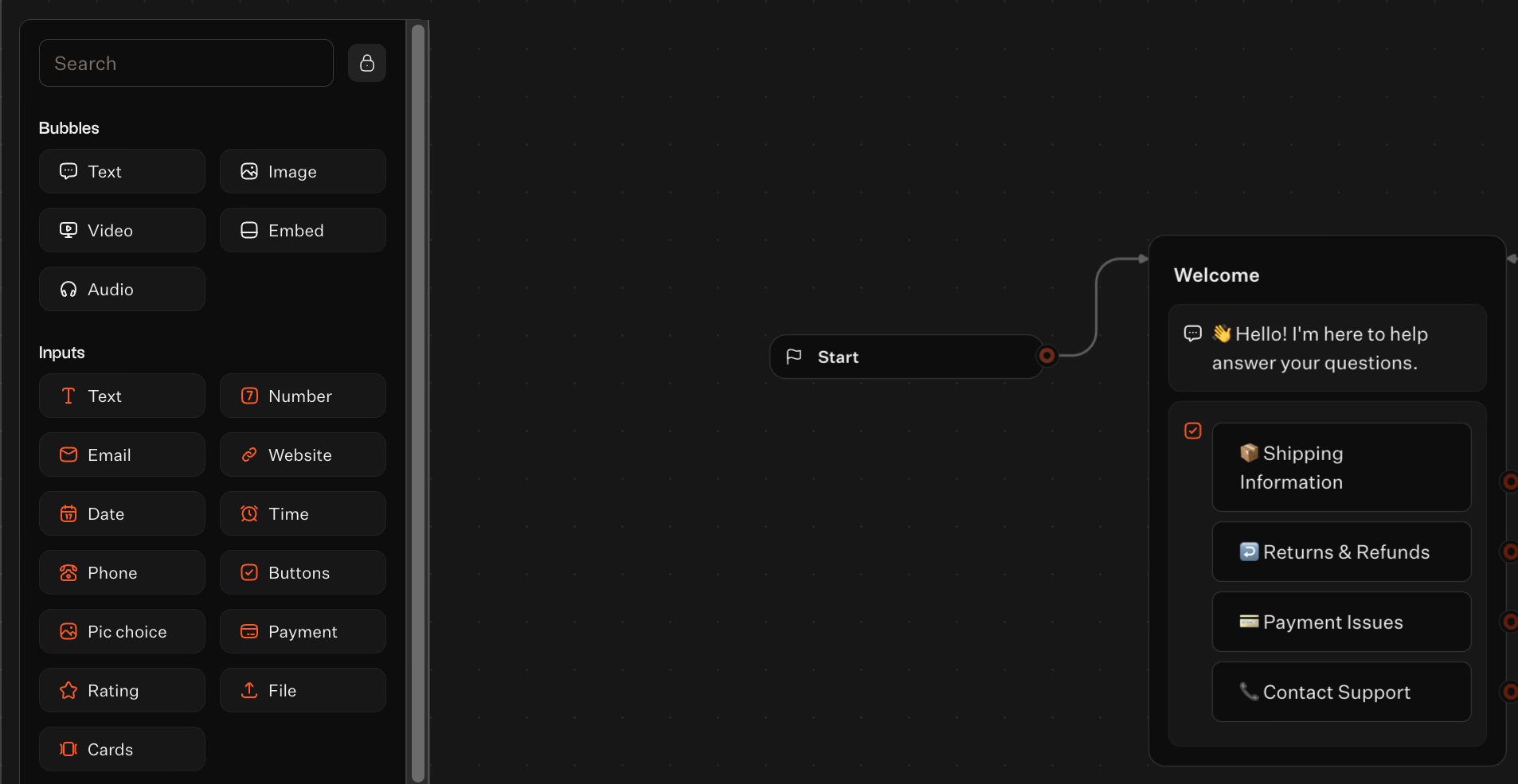
You can use a standard Text input to collect responses. Or, use button inputs that guide users to specific categories and narrow down their intent before typing.
For example, if the input includes "payment," the flow jumps directly to the dedicated bubble. This visual mapping helps you spot where users might get stuck or leave before publishing.
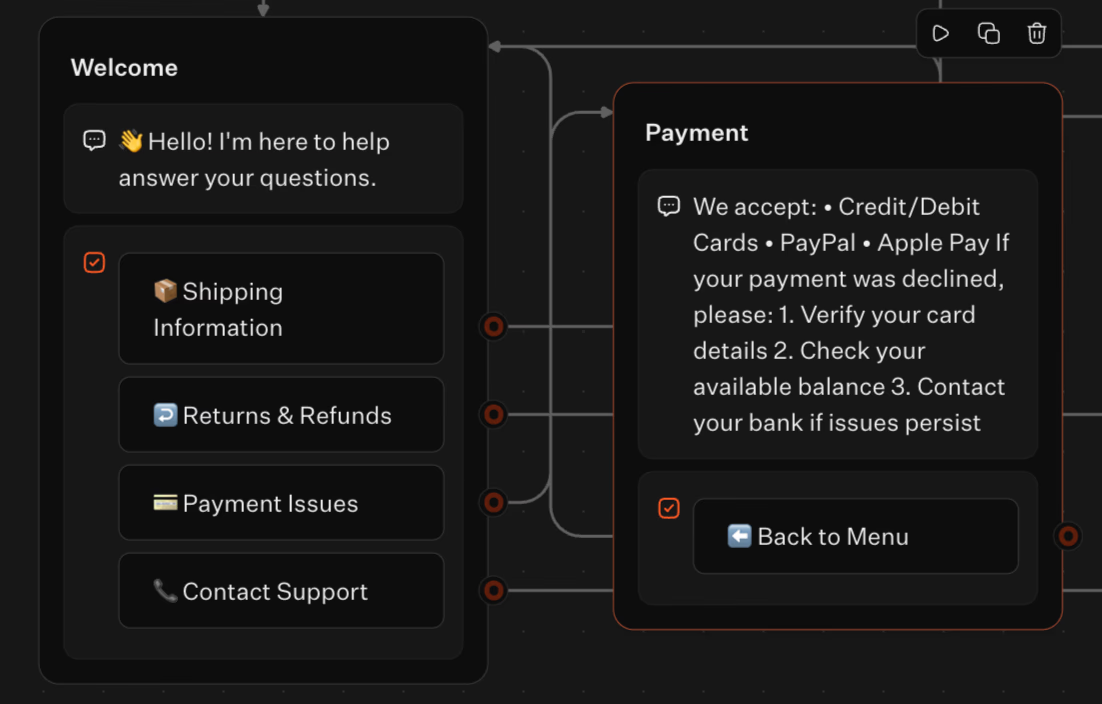
Typebot's visual builder lets you design clear, logical user journeys that minimize drop-offs and confusion.
Integrating an AI model
Typebot connects directly to OpenAI, letting your bot understand questions instead of just matching keywords. To set it up:
- Add an OpenAI block to your flow
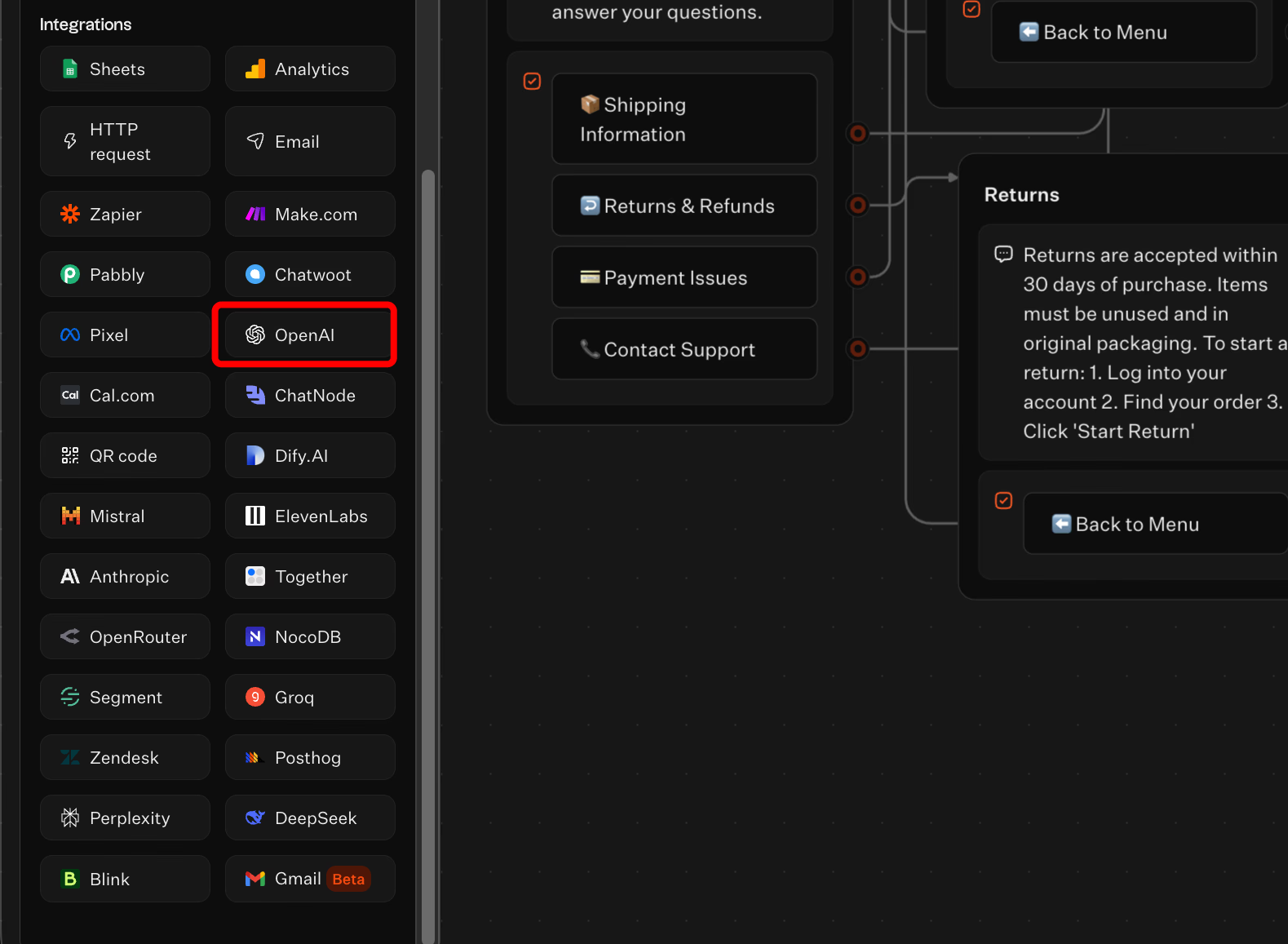
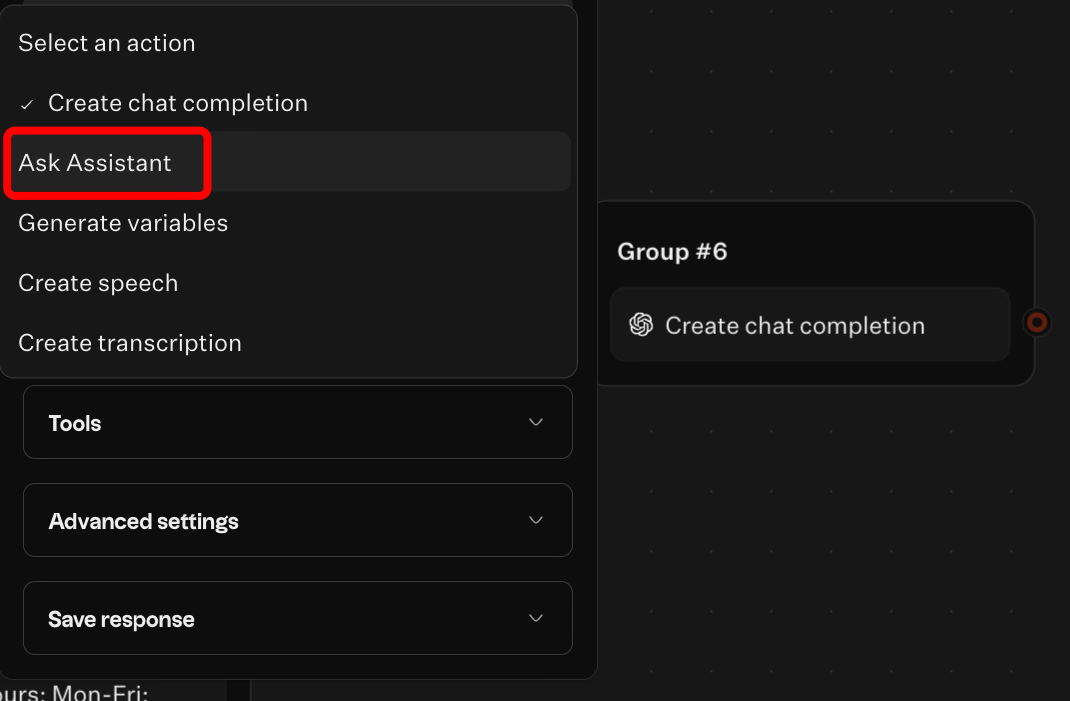
- Enter your API key and mark Ask Assistant
- Write a system prompt with your company context (e.g., "You are a support assistant for [Company]. Answer using only the following information...")
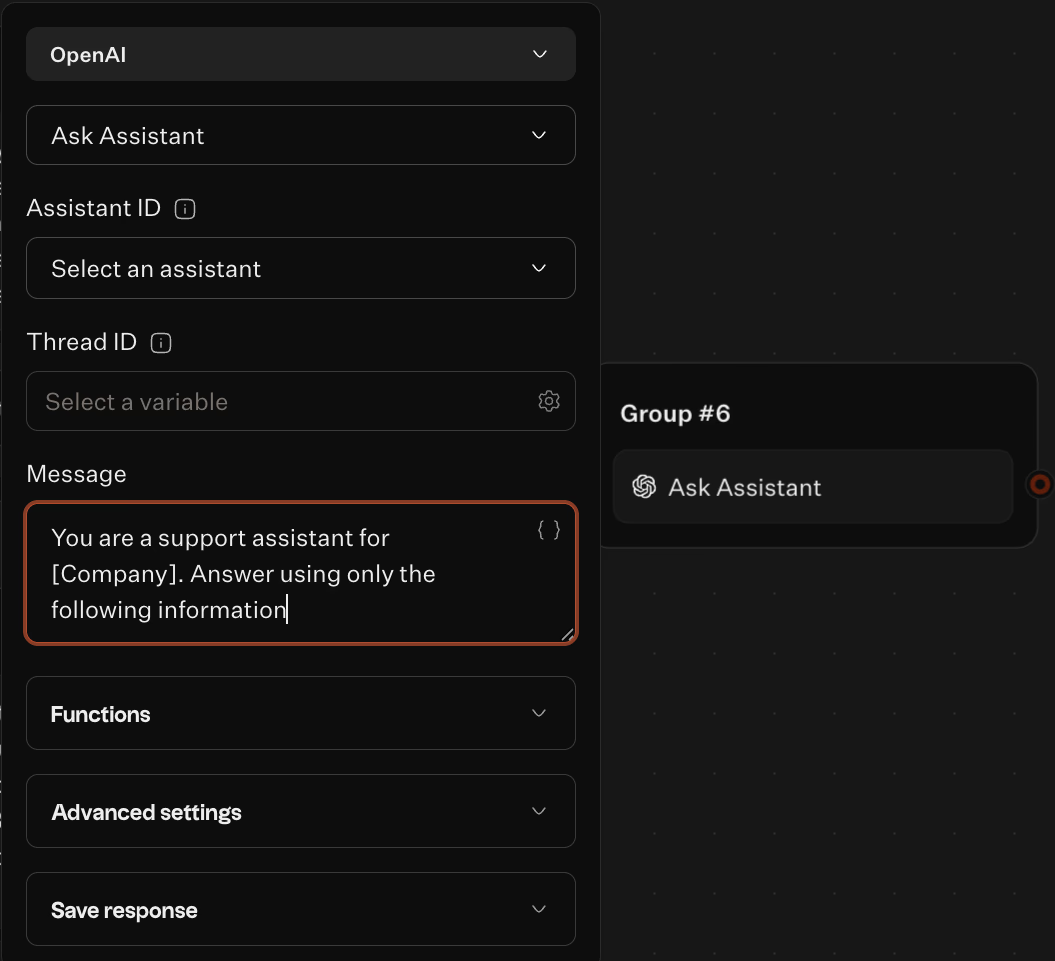
- Connect user input to the block and route the AI response to a text bubble
You can explore other AI models too.
Customizing the theme and branding for a better looking
Users engage more when the bot feels part of your product. If it looks like a generic plugin, users might ignore it. Typebot lets you control the Theme finely to create a cohesive experience.
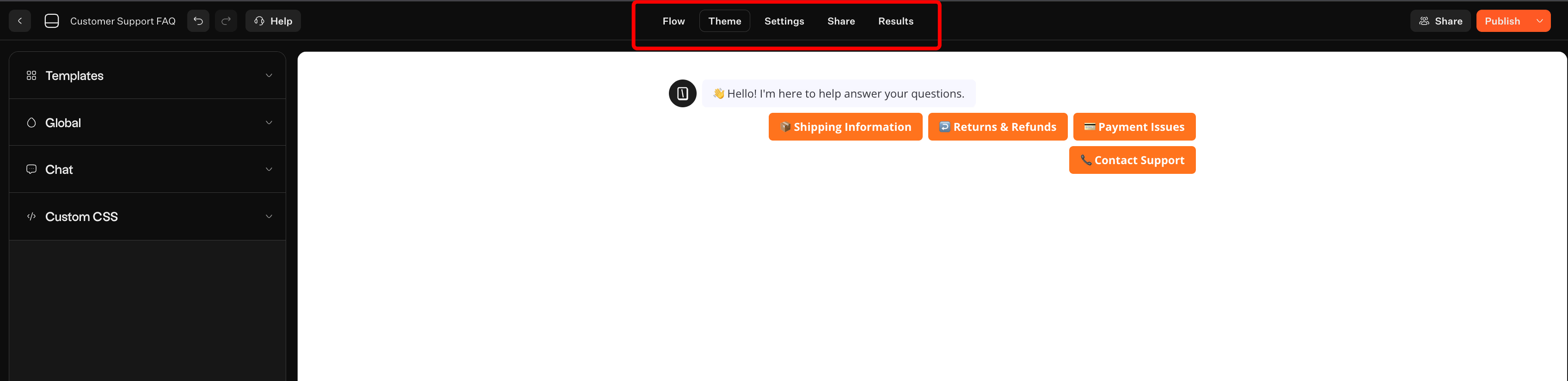
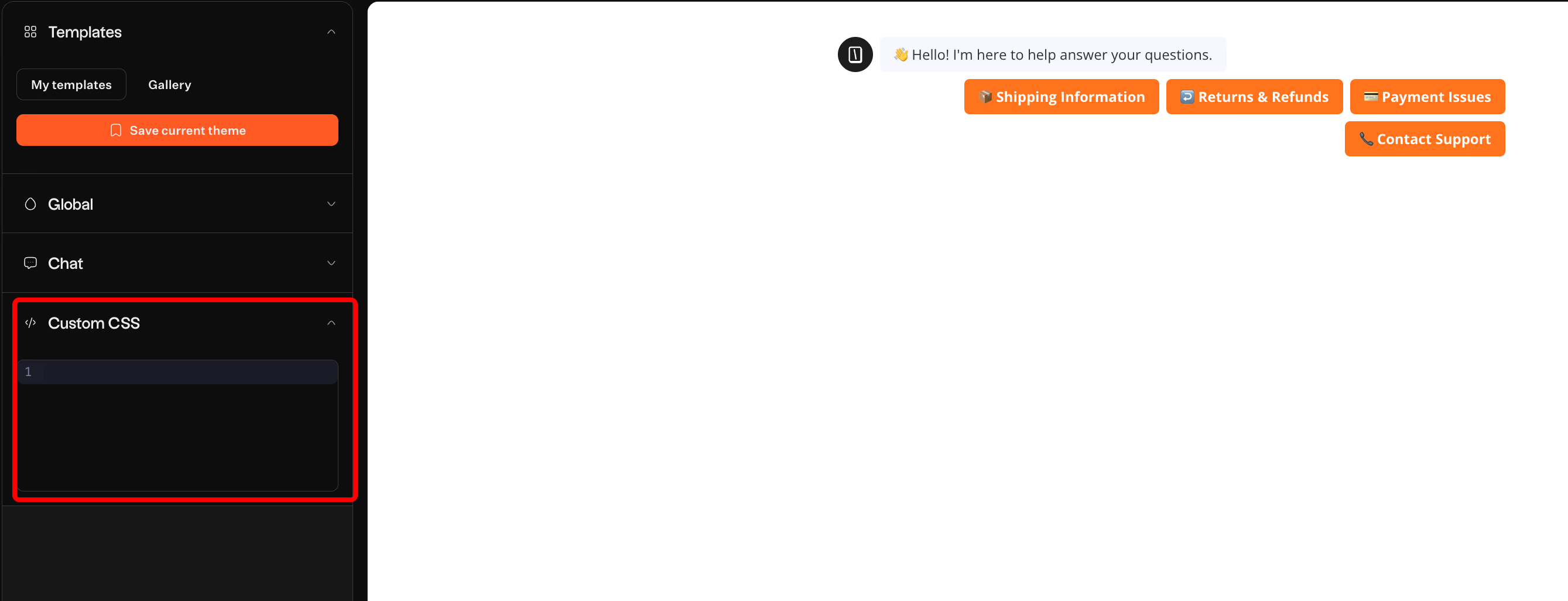
In the Theme tab, adjust visuals beyond basic colors. Change chat bubble roundness, font families, and background opacity. For full brand alignment, add Custom CSS to override default styles.
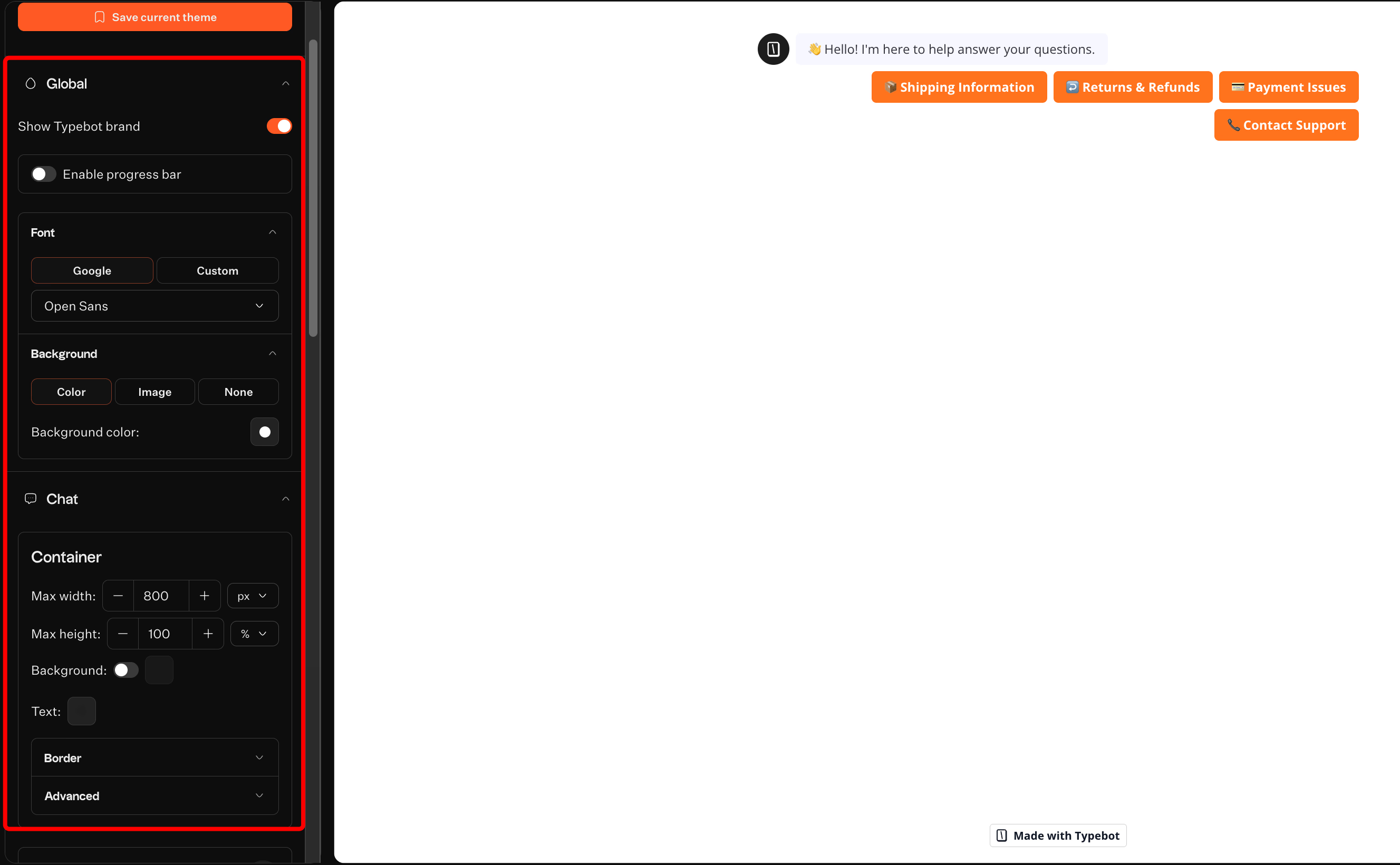
Set persona elements such as the bot’s avatar and customize the typing animation. This adds personality to automation. For technical audiences, choose sleek, dark-mode styles. For ecommerce, match your storefront’s colors. The UI adapts smoothly for desktop and mobile users.
Customizing appearance builds trust and helps users feel comfortable interacting with your bot.
Embedding the bot on websites, popups, or WhatsApp
After building your bot, place it where customers are. Typebot offers flexible deployment options beyond a simple link. On the web, use three main styles. Standard, Popup and Bubble.
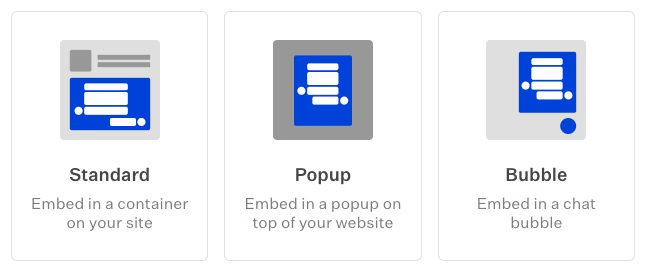
Typebot also supports deployment directly on WhatsApp, which is vital for markets where chat apps dominate email. You build the logic once and serve users both on your website and WhatsApp.
You can also get code for React, Next.js, and Webflow, ensuring smooth loading within existing tech stacks.
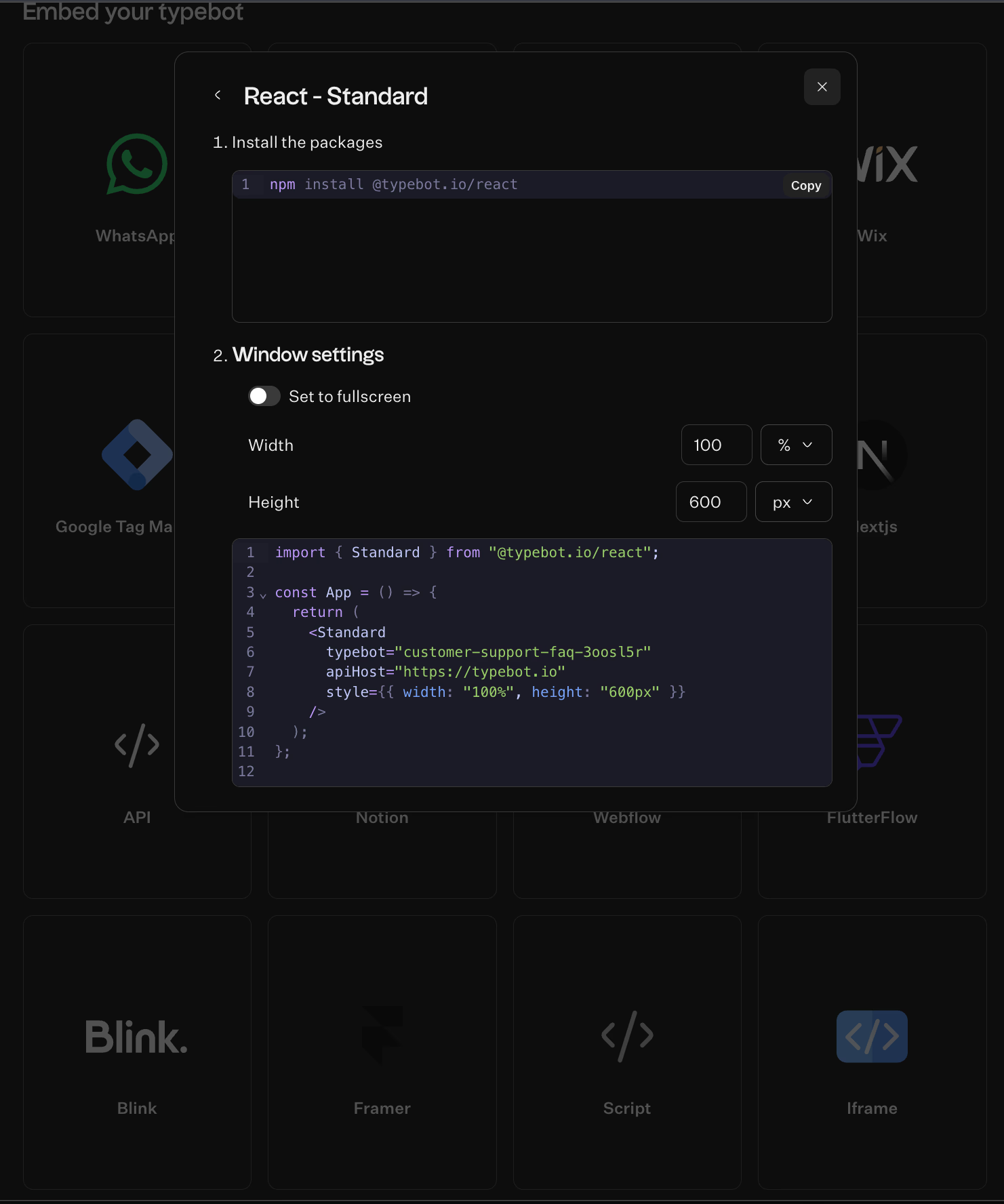
Flexible deployment options let you reach users wherever they prefer to interact.
Want to integrate your FAQ chatbot seamlessly into your React application? Learn how to build a React chatbot that maintains full functionality while matching your site's design.
Testing the conversation loops and publishing the bot
Always test before launching. The Test button opens a simulation sidebar for debugging.
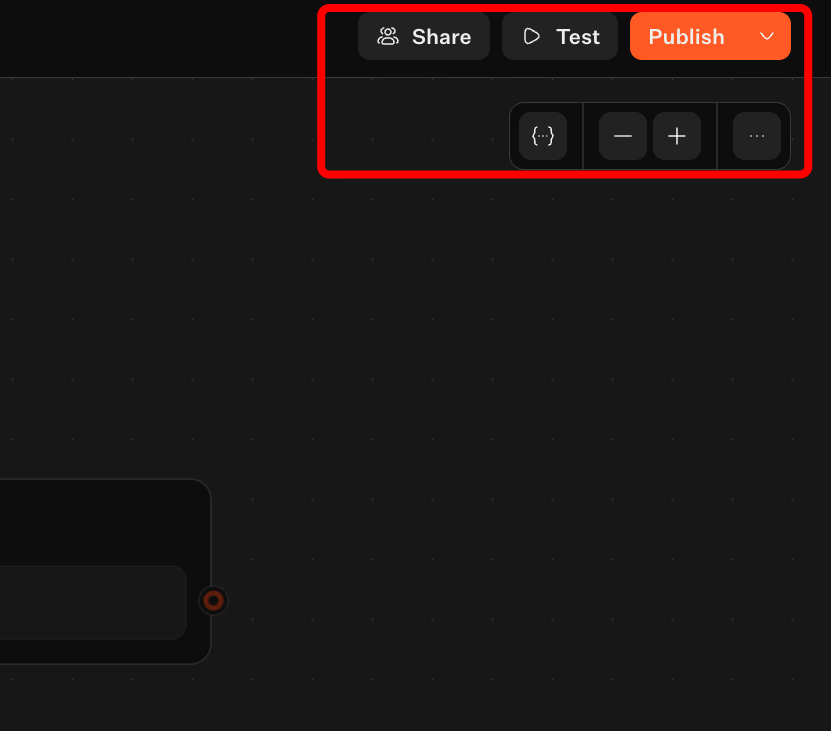
Run through conversation loops and try to break your logic. For example, input an invalid email. See if the Invalid event triggers a helpful correction or if the bot freezes. Verify data collection by checking that variables populate correctly in the Results tab.
Once confirmed, click Publish to make your changes live instantly. Collaboration follows. Share the bot with your team so support agents can review responses and marketers adjust tone.
If you integrate with platforms like Flowise or external APIs, ensure endpoints remain active. Aim for a cycle of publishing, analyzing drop-off rates, and refining conversations in real time.
Thorough testing and continuous improvement keep your bot reliable and effective over time.

Create fully customizable chatbots without writing a single line of code.
No trial. Generous free plan.
Conclusion
FAQ chatbots handle complex queries, integrate with live knowledge bases, and operate around the clock without human intervention.
The key is choosing the right approach for your needs. Rule-based bots work for simple, repetitive questions. Conversational AI handles nuanced interactions. Hybrid models offer the best of both worlds.
With no-code tools like Typebot, building and deploying an FAQ chatbot takes hours, not months. Start with your most common customer questions, connect an AI model, and iterate based on real conversation data. Your support team and your customers will thank you.