
Productivity tools weren’t always complicated. Task lists, calendars, documents, and spreadsheets once covered most daily work—and for a long time, that was enough.
That approach doesn’t hold up in 2026
Work today is faster, more fragmented, and more distributed than ever. Teams jump between tools, juggle overlapping tasks, and lose context along the way.
This is where AI productivity tools make a difference. Not by replacing human judgment, but by reducing friction in everyday work. They help people plan more effectively, write faster, organize information automatically, and focus on what truly matters.
AI productivity tools don’t just store information—they understand it. They surface insights, suggest next steps, and eliminate repetitive decisions that slow teams down.
In this guide, we’ll explore why AI productivity tools matter more than ever in 2026, how to choose the right ones, and which tools stand out based on real-world use cases.
Why AI Productivity Tools Matter in 2026
AI productivity tools didn’t become popular overnight. Their rise reflects how work itself has changed. Teams now manage more information, more tools, and more interruptions than at any point before.
Impact of AI on Everyday Workflows
AI has shifted productivity from manual control to assisted execution. Instead of telling tools exactly what to do, users now describe outcomes—and the tools fill in the gaps.
For example:
- Tasks are created automatically from meeting notes.
- Documents summarize themselves.
- Project timelines adjust when priorities change.
- Writing tools adapt tone based on the audience or goal.
This reduces cognitive load. People spend less time organizing work and more time doing it. AI handles the background coordination that used to eat up hours each week sometimes with the help of tools like ZenBusiness Velo.
In 2026, productivity gains don’t come from working longer. They come from working with systems that anticipate needs and reduce unnecessary steps.
Trends Shaping 2026: Automation, Collaboration, Personalization
Three trends define how AI productivity tools are evolving this year.
Automation
Routine actions—task creation, follow-ups, status updates—are increasingly automated. AI tools connect data across apps and trigger actions without manual input. This is especially valuable for teams managing large volumes of work, like in the case of manual link building.
Collaboration
AI tools now act as shared workspaces, not isolated utilities. They surface relevant information to the right people at the right time. This reduces misalignment and cuts down on internal back-and-forth.
Personalization
Productivity tools are no longer one-size-fits-all. AI adapts workflows based on how individuals work to maximise personalization. It learns preferences, predicts priorities, and adjusts suggestions accordingly.
These trends push productivity tools from passive storage systems into active work partners.
Criteria for Choosing AI Productivity Tools
Not every AI tool improves productivity. Some add complexity. Others promise automation but require constant setup. Choosing the right tools matters.
Ease of Use and Learning Curve
AI tools should simplify work, not introduce friction. If a tool takes weeks to learn, the productivity gains disappear.
Look for:
- Clear interfaces
- Minimal setup
- Helpful defaults
- Natural language inputs
The best AI productivity tools work well on day one and improve as you use them.
Integration With Existing Workflows
No tool exists in isolation. AI productivity tools should connect with what you already use—email, calendars, docs, project tools, and messaging apps.
Strong integrations reduce context switching. Weak integrations create more work than they save.
Before choosing a tool, check whether it fits into your current stack or forces a full reset.
Scalability and Customization
A tool that works well for a solo user may struggle under team workflows. AI productivity tools should scale smoothly without becoming rigid or overly complex as usage grows.
Good tools allow:
- Custom workflows that match how teams actually work
- Role-based access to control visibility and permissions
- Flexible automation rules that evolve with processes
- Growth without constant reconfiguration or manual upkeep
Scalability also means supporting different work styles within the same organization, from individual contributors to cross-functional teams. The best tools adapt to change rather than forcing teams to adapt to the tool. Scalability isn’t about size—it’s about adaptability.
Data Privacy and Security
AI productivity tools process sensitive information, including tasks, documents, conversations, and decision-making context. How that data is handled directly impacts trust, compliance, and long-term adoption.
Evaluate:
- Where and how data is stored
- Whether user data is used to train AI models
- Compliance with industry and regional standards
- Granular permission and access controls
As AI becomes more deeply embedded in daily workflows, security can’t be an afterthought. Teams need confidence that their data remains protected and under their control.
Cost vs Value
AI productivity tools range from free plans to enterprise-level pricing. Cost alone doesn’t determine value—impact does.
Ask:
- Does the tool save measurable time across daily tasks?
- Does it replace or consolidate multiple tools?
- Does it reduce errors, rework, or manual coordination?
True value comes from sustained efficiency, not short-term novelty. The best tools reduce cognitive load, simplify decision-making, and scale their benefits over time. They pay for themselves through clarity, speed, and better outcomes—not just features.
Top AI Productivity Tools in 2026 (By Category)
AI productivity tools are most effective when categorized by their specific functions. This section organizes tools based on real-world applications rather than placing everything in a single category.
1 AI Task & Project Management
Task and project management tools have changed more in the last two years than in the previous decade. In 2026, AI doesn’t just track tasks—it helps decide what should happen next.
These tools reduce planning overhead, adjust timelines automatically, and surface priorities without constant manual updates, while also supporting teams that rely on creative collaboration tools
1.1 Notion AI
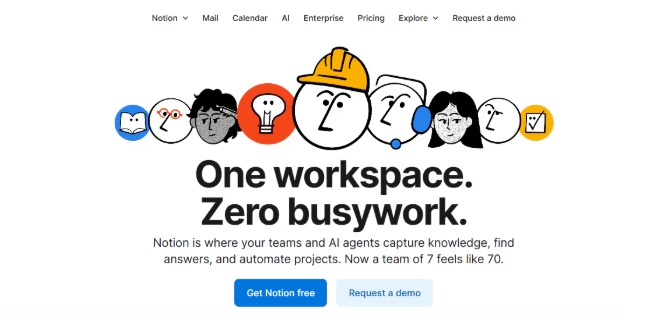
Notion AI builds on Notion’s flexible workspace by adding automation and intelligence across notes, tasks, and databases.
Instead of manually creating task lists or workflows, users can describe what they want to achieve and let the system generate structured tasks, timelines, and documentation.
Notion AI works especially well for teams that need one place to manage planning, writing, and collaboration.
Key strengths
- Converts meeting notes into actionable tasks
- Generates workflows from simple prompts
- Summarizes long documents and project updates
- Suggests database structures for projects and content
Notion AI fits best for teams that value flexibility and want a single workspace rather than multiple disconnected tools.
Pricing
Notion AI is available as an add-on to Notion plans.
- Free plan available with limited AI usage
- Paid plans start around $12–$24 per user/month
For teams already using Notion, AI features add value without requiring a workflow overhaul.
1.2 Nifty
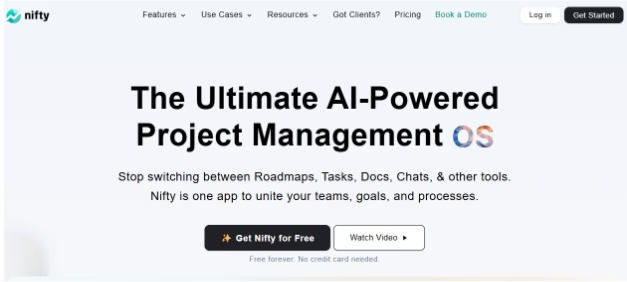
Nifty AI enhances project and task management by adding intelligence to planning, execution, and team collaboration. It helps teams turn goals and discussions into structured tasks, timelines, and milestones with less manual effort.
Instead of managing scattered updates and follow-ups, Nifty AI assists with task creation, progress summaries, and project insights, keeping everyone aligned as work moves forward. It’s especially useful for teams that want clear visibility across projects without a complex setup.
Nifty AI works well for client-facing teams, agencies, and growing startups that need predictable delivery and centralized collaboration.
Key strengths
- AI-assisted task and milestone creation
- Automated project summaries and progress updates
- Smart insights into project timelines and workload
- Integrated docs, discussions, and task tracking
Nifty AI fits best for teams that want structured project management with built-in intelligence rather than separate AI add-ons.
Pricing
- Free plan available
- Paid plans generally start around $8–$16 per user/month
2 AI Video & Short-Form Content Productivity
Short-form video has become one of the most time-consuming content formats to manage. Recording is only the first step. Editing, captioning, resizing, and publishing often take longer than creating the content itself.
In 2026, AI video productivity tools automate this entire pipeline. Tools like an ai video generator can turn scripts or prompts into ready-to-publish content, reducing the time spent on manual editing and post-production.
2.1 Deevid AI

Deevid AI focuses on content production speed, particularly for short-form video. It helps teams turn ideas, scripts, or prompts into ready-to-use videos without relying on manual editing or complex workflows.
Instead of treating video as a specialized task, Deevid AI makes it part of everyday productivity. It reduces the time and coordination typically required to produce visual content, allowing teams to move from concept to output much faster.
This makes it a practical option for marketing teams, creators, and businesses that rely on frequent video output across platforms.
Key strengths
- AI-generated videos from text to video and image to video
- Fast turnaround for short-form and social-ready content
- Reduced dependency on manual editing tools
- Scalable content creation without expanding production teams
Deevid AI works best for teams that need consistent video content and want to minimize production overhead without sacrificing speed.
Pricing
- Free trial available
- Paid plans typically start around $14–$159 per month
- Higher tiers support more uploads and exports
Deevid AI works best when content consistency matters more than manual editing control.
2.2 OpusClip

OpusClip focuses on repurposing long-form video into short, high-impact clips. It helps teams and creators automatically identify key moments and turn them into platform-ready content with minimal manual effort.
Rather than creating videos from scratch, OpusClip optimizes what already exists. It analyzes long videos, selects engaging segments, and formats them for short-form distribution across social platforms.
This makes it especially useful for podcasters, educators, marketers, and creators who produce long-form content and want to extend its reach.
Key strengths
- AI-powered clip selection from long-form videos
- Automatic formatting for short-form platforms
- Captioning and layout optimized for engagement
- Faster content repurposing without manual editing
OpusClip works best when teams already produce long-form video and want to maximize its value through consistent short-form output.
Pricing
- Free tier available with limitations
- Paid plans starts from $15 per month
OpusClip delivers value by turning existing video content into multiple distributable assets, reducing editing time while increasing content reach.
3 AI Writing & Content Tools
Writing remains one of the most time-consuming parts of modern work. In 2026, AI writing tools are no longer limited to drafting—they help plan, structure, refine, and adapt content across channels.
These tools are widely used by marketers, founders, product teams, and support teams.
3.1 Zovoro AI
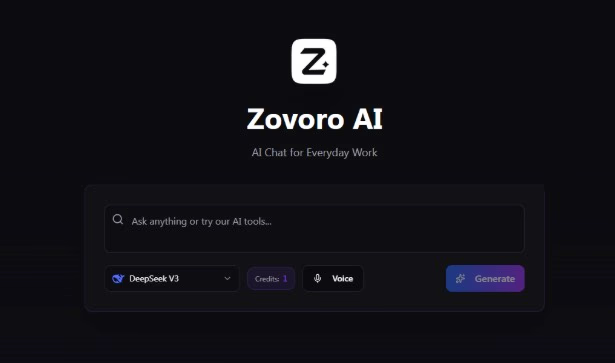
Zovoro AI positions itself as an all-in-one AI assistant for everyday creative and productivity tasks. It brings together AI chat, writing tools, image generation, image to video AI, and music creation in a single platform.
Instead of focusing on one workflow, Zovoro AI aims to reduce tool sprawl. Users can brainstorm ideas, generate written content, create visuals, and produce audio without switching between multiple AI services.
This makes it a practical choice for creators, solo founders, and small teams looking for broad AI capabilities at an accessible price point.
Key strengths
- AI chat for general assistance and ideation
- Writing templates for blogs, marketing, and everyday content
- AI image generation for visual assets
- AI music generation for creative projects
- Simple interface covering multiple use cases
Zovoro AI works best for users who want a single, flexible AI assistant rather than managing several specialized tools.
Pricing
- Free plan available
- Paid plan starts at $9 per month
Zovoro AI delivers value by bundling multiple AI capabilities into one affordable platform, making it easier to experiment, create, and stay productive without added complexity.
3.3 Planable AI

Planable AI focuses on streamlining social media content planning and approval workflows. It helps marketing teams collaborate on content creation, manage comments and DMs, and publish and schedule across platforms without endless email threads or scattered feedback.
Rather than treating content as isolated tasks, Planable AI centralizes planning, writing, editing, and approval in one workspace. This reduces revision cycles and keeps stakeholders aligned throughout the content creation process.
This makes it especially useful for marketing teams, agencies, and brands managing multi-platform social content.
Key strengths
- Visual content calendar with drag-and-drop planning
- Real-time collaboration with inline comments and feedback
- Multi-level approval workflows to reduce bottlenecks
- Direct publishing to major social platforms
- Version control and content history tracking
Planable AI works best for teams that need clear approval processes and want to reduce the time between content creation and publication.
Pricing
- Free plan available with 50 total posts
- Paid plans start at $33 per workspace/month (Basic)
Planable AI delivers value by eliminating approval chaos and helping teams move from draft to published content faster with fewer revision rounds.
4 AI Meeting & Collaboration Assistants
Meetings haven’t gone away—but the work around them has changed. In 2026, AI meeting tools handle the busywork that used to follow every call: note-taking, summaries, and task tracking.
Instead of scrambling to capture decisions or follow-ups, these tools listen, organize, and push outcomes into your workflow automatically.
4.1 Otter AI
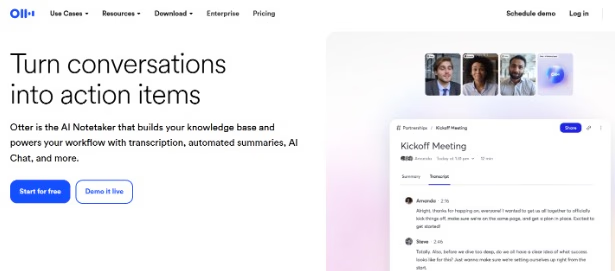
Otter AI focuses on capturing and organizing conversations. It helps teams transcribe meetings in real time, generate summaries, and surface key action items without manual note-taking.
Rather than acting as a general productivity tool, Otter AI specializes in turning spoken discussions into structured, searchable information. This reduces context loss after meetings and helps teams stay aligned on decisions and next steps.
This makes it especially useful for remote teams, managers, sales teams, and anyone who spends significant time in meetings.
Key strengths
- Real-time AI transcription for meetings and calls
- Automatic summaries and action item extraction
- Searchable meeting history and highlights
- Integrations with popular meeting platforms
Otter AI works best for teams that want to reduce meeting overhead and ensure conversations translate into clear follow-up actions.
Pricing
- Free plan available with limitations
- Paid plans typically start around $8.33 per user/month
Otter AI delivers value by turning meetings into actionable records, saving time on note-taking while improving clarity and accountability.
4.2 Warmy — Email Deliverability & Warm-Up

Warmy is an AI-powered email deliverability platform designed to help agencies ensure their clients’ outreach and marketing emails actually land in the inbox rather than spam.
It works as a dedicated “deliverability layer,” managing warming-up, inbox placement checks and domain health monitoring — ideal when agencies run outreach across multiple brand domains.
For agencies scaling cold outreach or newsletter operations, Warmy offers centralized management of multiple mailboxes and helps improve sender reputation before sending client campaigns.
Warmy also provides tools for deliverability testing, inbox-placement analysis, and ongoing domain health checks — which helps agencies quickly diagnose and address issues. With support for multiple languages and inbox warm-up automation, it’s particularly useful for agencies working across markets or geo-diverse clients.
Key features
- AI-powered email warm-up: gradually increase send volume while simulating opens, clicks, replies and “moving out of spam.”
- Inbox placement and deliverability tests across major email providers to verify email reach.
- Central domain-health dashboard with SPF/DKIM/DMARC checks, blacklist monitoring, and reputation scoring.
- Multi-mailbox management for agencies handling several client domains in one interface.
- Multi-language warm-up support, useful for agencies managing clients in different geographies.
Pricing:
How much does Warmy cost? Book a quick call to review pricing and see if it’s the right fit.
4.3 Tactiq
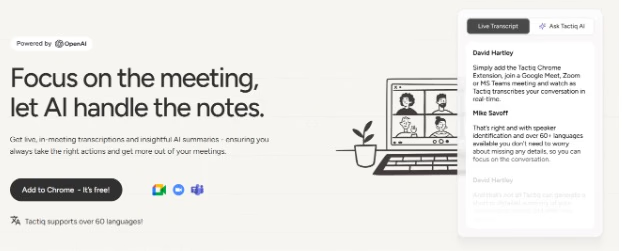
Tactiq focuses on real-time meeting transcription and AI-powered note-taking that works directly in your browser. It helps teams capture conversations across multiple meeting platforms without switching tools or downloading software.
Instead of manually taking notes during calls, Tactiq automatically transcribes meetings and generates summaries, action items, and key insights. This reduces meeting fatigue and ensures nothing important gets lost in back-to-back calls.
This makes it especially useful for remote teams, project managers, and anyone who needs to stay present in meetings while still maintaining accurate records.
Key strengths
- Browser-based transcription across Google Meet, Zoom, and Microsoft Teams
- AI-generated meeting summaries and action items
- Quick highlight and tag features during live calls
- Searchable meeting library with easy sharing options
Tactiq works best for teams that want lightweight, accurate meeting capture without adding another app to their workflow.
Pricing
- Free plan available
- Paid plans typically start around $8 per user/month
Tactiq delivers value by keeping teams focused during meetings while automatically creating the documentation they need afterward.
5 AI Code & Development Helpers
Development speed matters more than ever. AI coding tools in 2026 don’t replace app developers—they remove friction by handling repetitive logic, syntax errors, and documentation.
These tools help teams ship faster while maintaining quality.
5.1 GitHub Copilot X

GitHub Copilot X focuses on accelerating software development for startups by embedding AI assistance directly into the coding workflow. It helps developers write, understand, and refactor code more efficiently within their existing development environments.
Unlike general AI chat tools, Copilot X is context-aware. It understands the current codebase, suggests relevant code snippets, explains complex logic, and assists with debugging in real time.
This makes it especially valuable for professional developers and engineering teams working on active codebases.
Key strengths
- AI-powered code completion and suggestions
- Context-aware assistance within IDEs
- Code explanations and refactoring support
- Support for multiple programming languages
GitHub Copilot X works best for developers who spend most of their time writing and maintaining code and want AI support built directly into their workflow.
Pricing
- Free access available for eligible users
- Paid plans typically start around $10 per user/month
GitHub Copilot X delivers value by reducing development time, minimizing context switching, and helping teams ship code faster with greater confidence.
5.2 Replit Ghostwriter
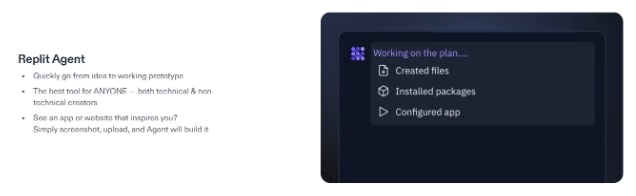
Replit Ghostwriter focuses on making coding more accessible and collaborative. It provides AI assistance for writing, debugging, and understanding code directly within the Replit development environment.
Rather than optimizing only for experienced developers, Ghostwriter supports learning and experimentation. It helps users troubleshoot errors, explain unfamiliar code, and iterate quickly on ideas.
This makes it a strong option for students, solo developers, and teams building or prototyping in the browser.
Key strengths
- AI-assisted code writing and debugging
- Inline explanations for code and errors
- Tight integration with the Replit IDE
- Support for rapid prototyping and learning
Replit Ghostwriter works best for users who want an integrated, beginner-friendly coding environment with built-in AI support.
Pricing
- Plan starts at $10 per month
Replit Ghostwriter delivers value by lowering the barrier to coding and helping users move from idea to working code faster.
6 AI Personal Productivity & Organizers
Personal productivity tools have shifted from manual planning to automated decision-making. In 2026, AI organizers manage time dynamically instead of relying on static schedules.
These tools help individuals protect focus and reduce scheduling stress.
6.1 Motion AI

Motion AI focuses on automated time management and scheduling. It helps individuals and teams plan their day by automatically prioritizing tasks and placing them into available calendar time.
Instead of manually organizing schedules, Motion AI continuously adjusts plans as priorities shift, deadlines change, or meetings are added. This reduces the cognitive load of daily planning and helps users stay focused on execution.
This makes it especially useful for busy professionals, managers, and teams juggling multiple priorities.
Key strengths
- AI-driven task scheduling and prioritization
- Automatic calendar adjustments in real time
- Deadline-aware planning to reduce overload
- Clear daily and weekly work views
Motion AI works best for users who want hands-off scheduling and need help protecting focus time in fast-changing workdays.
Pricing
- Free trial available
- Paid plans typically start around $19 per user/month
Motion AI delivers value by turning task lists into actionable schedules and helping users spend time on what matters most.
6.2 Reclaim AI
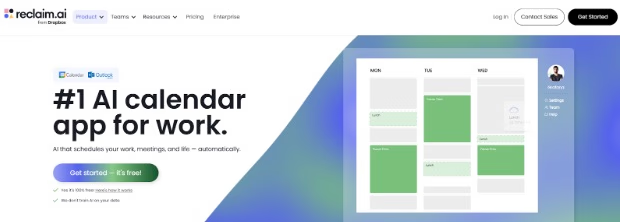
Reclaim AI focuses on intelligent calendar management for teams. It helps users automatically schedule tasks, habits, and meetings while preserving focus time and work-life balance.
Rather than just filling calendar gaps, Reclaim AI learns user preferences and adapts schedules based on availability, priorities, and team constraints. This makes it easier to plan work without constant rescheduling.
This makes it a strong option for teams that rely heavily on shared calendars and need better coordination across roles.
Key strengths
- AI-powered task and habit scheduling
- Smart focus time and meeting buffers
- Team-aware calendar optimization
- Deep integration with Google Calendar
Reclaim AI works best for teams that want flexible, automated scheduling that adapts to real-world changes.
Pricing
- Free plan available
- Paid plans typically start around $10–$15 per user/month
Reclaim AI delivers value by reducing calendar chaos and helping teams reclaim time for deep, meaningful work.
6.3 PrometAI — AI Business Planning & Financial Modeling

PrometAI focuses on helping founders, startups, and consultants create structured, investor-ready business plans with less manual effort. Instead of starting from blank documents or spreadsheets, users are guided through each section of a business plan using AI-driven prompts and frameworks.
The platform combines business planning, financial forecasting, and strategic analysis in one workspace, making it easier to validate ideas, model scenarios, and prepare plans for investors or internal decision-making.
Key strengths
- AI-guided business plan creation with structured sections
- Automated financial projections and scenario modeling
- Market analysis and strategy support
- Export-ready plans for investors, banks, or internal use
- Suitable for startups, agencies, and consultants
PrometAI works best for teams and founders who need clear business structure, financial clarity, and faster planning without relying on static templates or complex spreadsheets.
- Pricing
Free trial available
Paid plans vary based on features and usage
PrometAI delivers value by turning business ideas into actionable, data-backed plans while reducing the time and friction typically involved in business planning.
7 AI Automation & Workflow Tools
Automation sits at the center of modern productivity. In 2026, AI-powered workflow tools do more than connect apps—they reduce decision-making and remove repetitive manual steps that slow teams down.
Instead of setting up complex rules, users describe outcomes. The tools handle the logic.
7.1 Zapier AI

Zapier focuses on workflow automation by connecting apps and triggering actions between them. It helps teams eliminate repetitive manual work by automating processes across hundreds of tools.
With its AI-powered features, Zapier goes beyond simple triggers. Users can build multi-step workflows, add logic, and automate complex processes without writing code.
This makes it especially useful for operations teams, marketers, and businesses that rely on multiple SaaS tools.
Key strengths
- No-code automation across thousands of apps
- Multi-step workflows with conditional logic
- AI-assisted automation setup
- Reliable execution at scale
Zapier works best for teams that want powerful automation without managing infrastructure or writing custom code.
Pricing
- Free plan available with limitations
- Paid plans typically start around $20 per month
Zapier delivers value by reducing manual work, improving consistency, and keeping systems in sync automatically.
7.2 Make
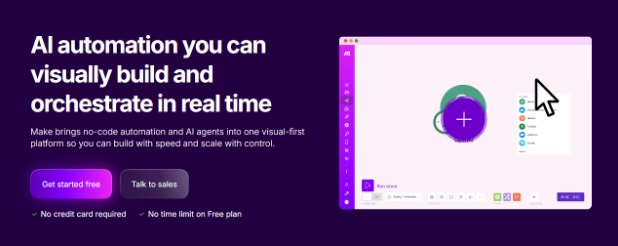
Make (formerly Integromat) focuses on advanced workflow automation with greater flexibility and control. It allows users to visually design complex automation scenarios with detailed logic and data handling.
Compared to simpler automation tools, Make offers deeper customization. Users can build sophisticated workflows that handle branching logic, transformations, and error handling.
This makes it a strong option for power users, technical teams, and organizations with complex automation needs.
Key strengths
- Visual workflow builder with advanced logic
- Powerful data transformation capabilities
- Support for complex, multi-step automations
- Greater control over execution and error handling
Make works best for users who need fine-grained control over automations and are comfortable managing more complex setups.
Pricing
- Free plan available
- Paid plans typically start around $9 per month
Make delivers value by enabling highly customized automation workflows that scale with technical and operational complexity.
7.3 AnyBiz: Revolutionize Your Sales with AI SDRs

AnyBiz is an AI-driven sales platform that acts like a full SDR team.
It uses AI “sales agents” to find, contact, and nurture prospects across email, LinkedIn, phone calls, and website visitor outreach, with the goal of generating qualified meetings and pipeline without manual prospecting.
For agencies, AnyBiz can function as a done-for-you outbound engine: you define the ICP, messaging, and goals, and the AI handles prospecting, multichannel outreach, and follow-up at scale.
Key Features
- AI SDRs that work 24/7, continuously running campaigns and learning from responses.
- Multichannel outreach includes email, LinkedIn, phone calls, and website visitors.
- Built-in database for top-tier ICP targeting.
- Done-For-You communications, including sending personalized emails, follow-ups, replies, and setting appointments.
- AI-generated personalized landing pages are created for prospects to improve conversion rates.
Pricing:
Official pricing is not publicly fixed. Users must book a demo for a tailored quote.
7.4 ReferralCandy — AI-Assisted Referral Programs & Growth Automation

ReferralCandy brings AI-powered automation to one of the most effective productivity levers that’s often overlooked: referrals.
Instead of manually designing referral workflows, rewards, and follow-ups, ReferralCandy allows teams to create and launch referral programs from a simple prompt. Users describe the outcome they want—such as incentivizing customers to refer new users or rewarding repeat clients—and the system generates the referral logic, messaging, and tracking automatically.
In 2026, productivity isn’t just about doing tasks faster. It’s about creating systems that generate results with minimal ongoing effort. ReferralCandy fits this shift by turning word-of-mouth into a scalable, automated workflow rather than an ad-hoc growth tactic.
For founders, agencies, and SaaS teams, ReferralCandy reduces the operational burden of setting up referral programs while maintaining flexibility over rewards, branding, and performance tracking.
Key Features:
- Create referral programs from a simple natural-language prompt
- Automated referral tracking and attribution
- Flexible rewards (cash, discounts, credits, or custom incentives)
- Built-in referral emails and shareable links
- Analytics to measure referral-driven conversions and revenue
ReferralCandy works best for teams that want growth automation without managing complex workflows or custom development. Once set up, referral programs run in the background—freeing teams to focus on product, customers, and higher-impact work.
Pricing:
Paid plans typically start around $59 per month, with additional performance-based fees.
Choosing the Right AI Productivity Tool for You
With so many AI tools available, the biggest risk isn’t choosing the wrong one—it’s choosing too many.
Before committing, ask yourself a few practical questions.
1 What problem am I trying to solve right now?
Time management, writing, automation, meetings, or content creation all require different tools.
2 Does this tool replace something I already use?
Tools that replace existing workflows deliver faster value than those that add another layer.
3 Will I use this daily or weekly?
The best productivity tools become habits, not experiments.
4 Does it integrate with my current stack?
Disconnected tools create more friction than they remove.
Matching Tools With Roles
- Marketers: Writing tools, video repurposing tools, AI-based advertising, automation platforms
- Developers: AI coding assistants, workflow automation
- Founders: Task planning, meeting summaries, calendar automation
- Creators: Video clipping, content workflows, publishing automation
- Agencies: CRM-linked automation, collaboration tools, reporting workflows
Free vs Premium: When to Upgrade
Free tiers work well for testing. Upgrade when:
- You hit usage limits
- Automation saves measurable time
- The tool replaces two or more subscriptions
Paying for clarity and consistency often delivers better returns than chasing free options.
Conclusion
AI productivity tools in 2026 are no longer optional extras. They’re infrastructure.
The most effective teams don’t work harder—they work with systems that remove friction, reduce repetition, and protect focus. Whether it’s automating workflows, managing time, or turning one video into fifty pieces of content, AI handles the background work so humans can do the meaningful part.
The key is restraint. Choose tools that align with how you already work. Start small. Build systems gradually. Let AI support your workflow instead of reshaping it.
Productivity isn’t about doing everything. It’s about doing what matters—with less effort and better outcomes.
FAQs:
1 What are AI productivity tools?
Ans: AI productivity tools use artificial intelligence to automate tasks like writing, research, scheduling, and content creation so you can work faster with less effort.
2 How do AI tools improve productivity in 2026?
Ans: need to switch between multiple apps.
3 Who should use AI productivity tools?
Ans: They are ideal for creators, entrepreneurs, marketers, and remote workers who want to save time and scale their output.
4 Are AI productivity tools expensive?
Ans: Most tools offer free plans with paid upgrades, making them affordable for individuals and powerful enough for businesses.
5 What makes the best AI productivity tools in 2026?
Ans: The best tools integrate multiple AI features, offer fast performance, and help users complete more work in less time.